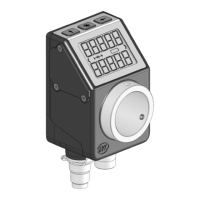
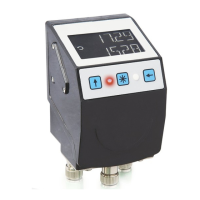
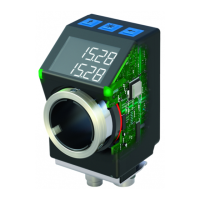
Display and control keys
AP10S
Date: 04.09.2017 Art. No. 87826 Mod. status 269/17 Page 6 of 48
2.1 Switching on the supply voltage
The AP10S will be initialized after switching on the supply voltage. A display test is executed
during initialization, the LEDs are lighted consecutively and the configutation parameters are
loaded from the non-volative memory into the RAM of the controller.
With the display still unconfigured all parameters are set to their default values. See to it that
the bus will be connected only after correct adjustment of baud rate and ID (see chapter 4.3:
Parameterization of the position indicator and 6.8: Auto-ID). The AP10S functions with the
data last parameterized.
AP10S is in the normal operating state. According to the requirements of the application, the
display can be parameterized via the SIKONETZ5 interface in this state.
3 Display and control keys
3.1 General
The position indicator has a two-line display with special characters and three control keys.
The keys serve for position indicator parameterization and control. Two LEDs (1) serve for
monitoring positioning.
Fig. 1: Control elements
3.2 LCD display
The display range is limited to -19999 … 99999. Values outside this range
are displayed with "".
With supply voltage applied to the position indicator with factory settings, the actual value
will be displayed in the 1
st
row and the set point in the 2
nd
row. If there is no valid set point,
"---" will be displayed in the 2
nd
row. The values displayed are determined by the operating
mode.
Direction indicators (arrows) support positioning.
The battery symbol is shown with a critical or insufficient battery status.
With incremental measurement function activated, the incremental measurement symbol
is shown.


 To Next Page