Copying
2-6
2
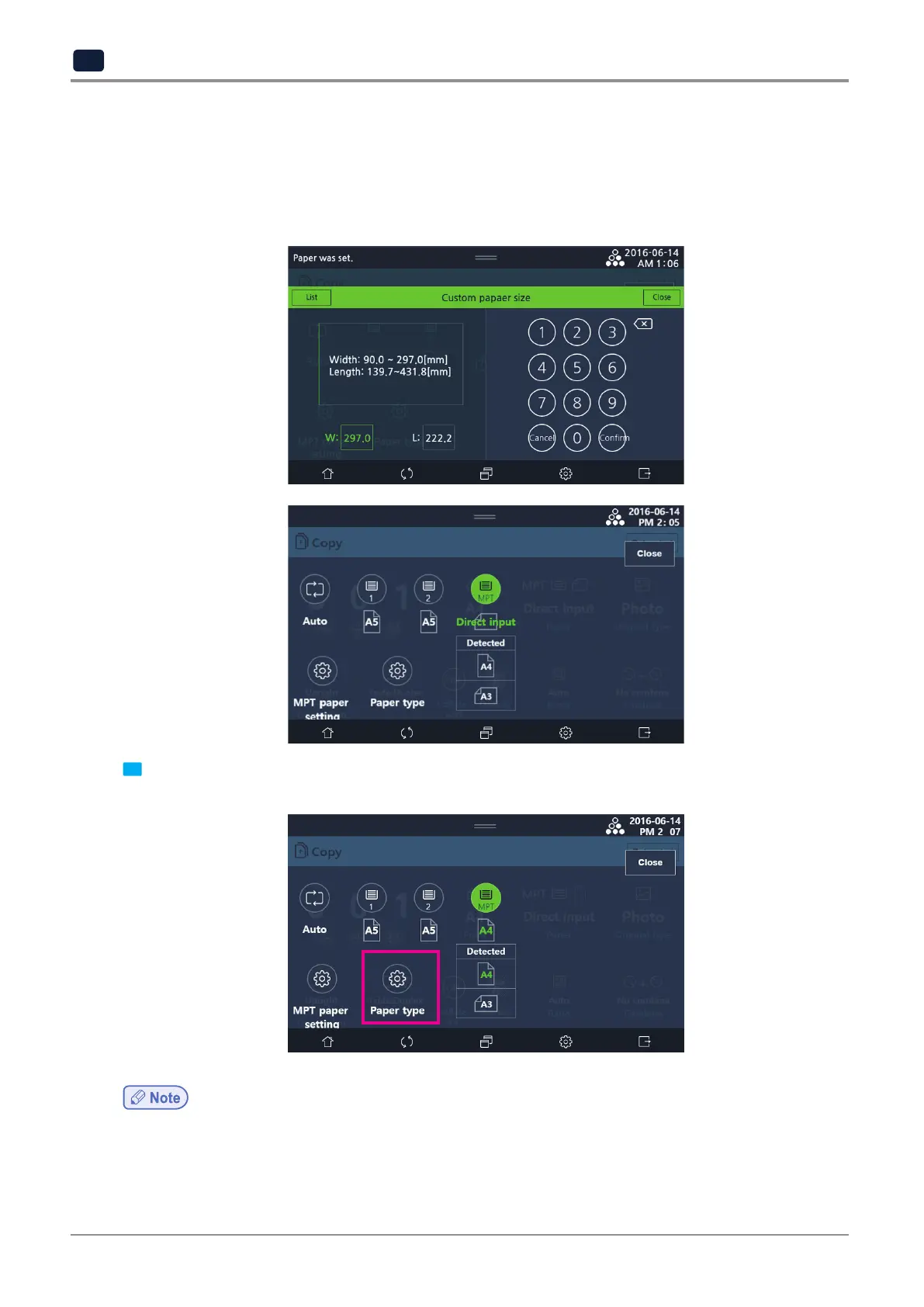
When [Direct input] is selected, you can manually enter the size of non-standardized papers.
If you manually enter the paper size, you can save frequently used paper sizes. Enter the width and length of the
paper by using number keys and select [Regist].
Also, when you save frequently used paper sizes, you can select [Import] to load saved paper sizes.
Enter a paper size and select [Close].
When you finish with [Direct input], [MPT] on the tray selection screen will change to [Direct input].
4 To change paper type of MPT, select [Paper type] on the upper right and choose a paper type.
For paper sizes and types available to load in MPT, see P. 1-25 「8.2 Available paper size」.
-
For details on how to change units to inch or mm, see P. 1-15 「5.4 Set Units」



 To Next Page