Page 52
501 SE Columbia Shores Boulevard, Suite 500, Vancouver, Washington 98661, USA l +1 360 859 1780
SmartRG Inc. Propriety and Condential. All Rights Reserved. Copyright © 2014 smartrg.com
Click to Apply/Save to commit the changes.
QoS Queue Management Conguration marking on ingress packets in accordance with the Select Default DSCP Mark setting eld
just above it. Queue management on ingress packets will mark according to the highlighted selection therein. The associated
default marking will then automatically be applied to all incoming packets without reference to a particular classication.
NOTE: An default DSCP Mark of value Default(000000) will mark all egress packets that do NOT match any classication.
QoS Queue Cong
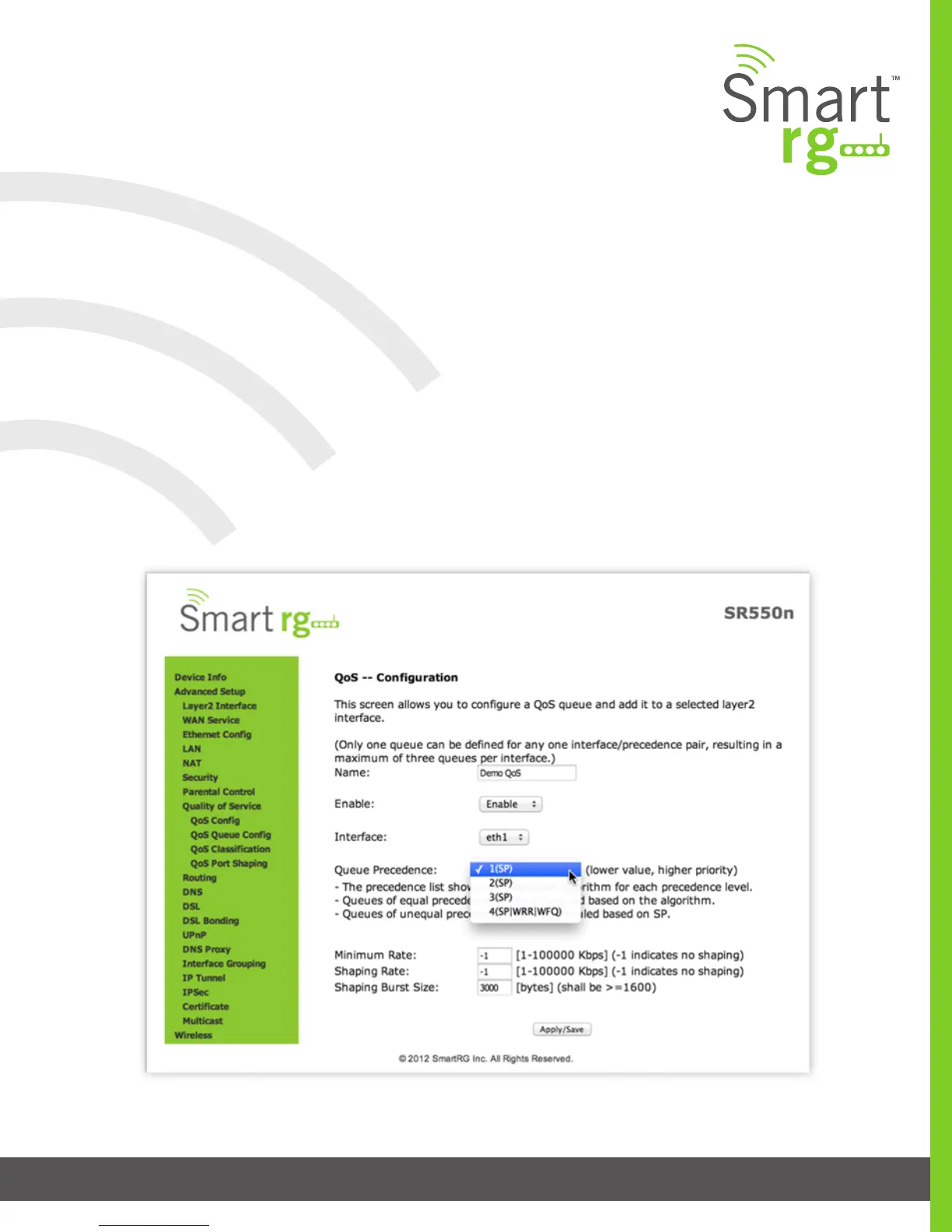
Use the QoS Queue Cong to congure a queue and add it to a selected Layer2 interface.
After selecting Advanced Setup -> Quality Of Service -> QoS Queue Cong, click the button. The following screen will appear to
facilitate the creation of a queue and associate it with an interface.



 To Next Page