32
|
Hardware
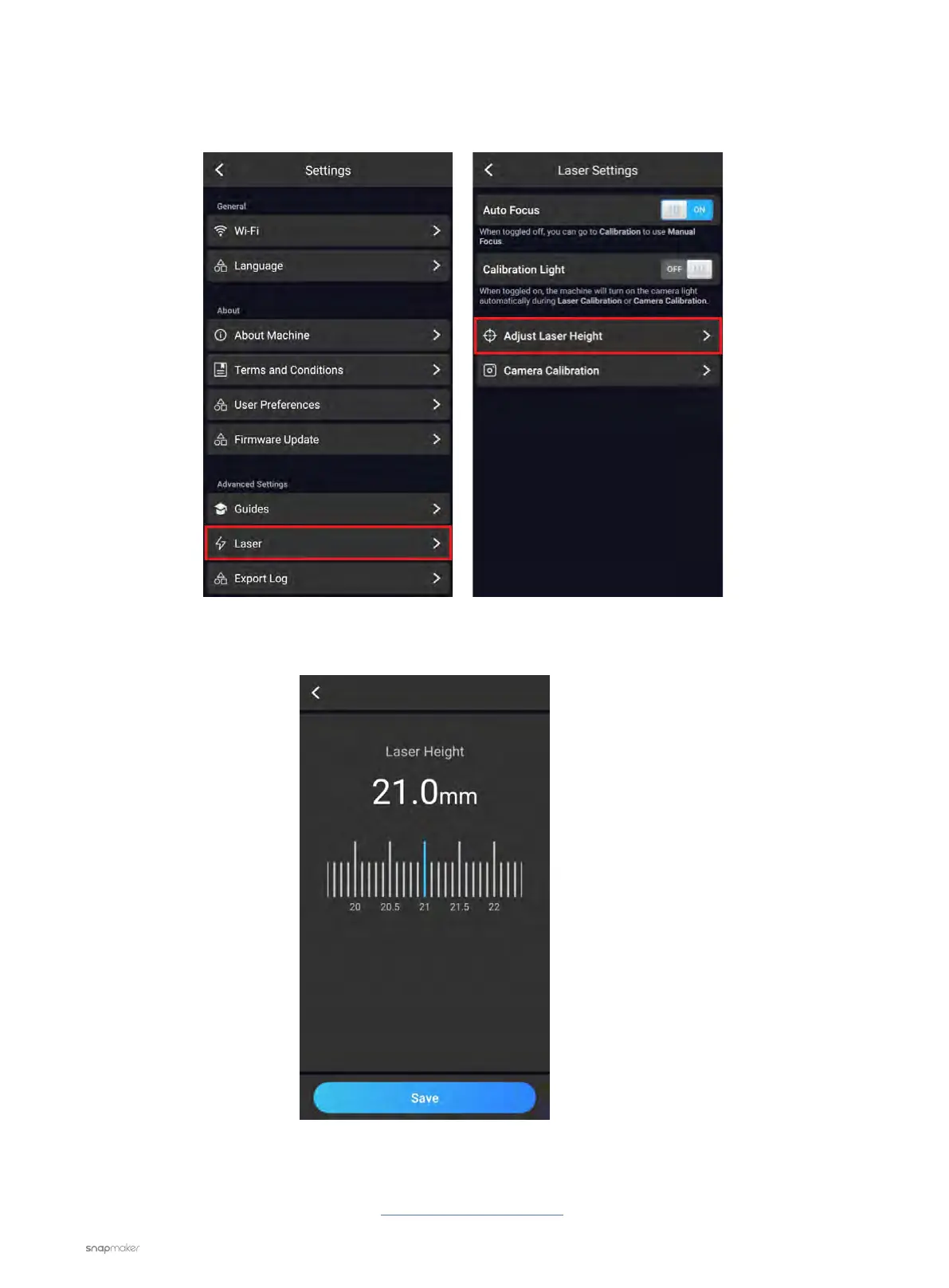
3. Change the Laser Height manually and then redo Auto Focus.
3.1 On the Touchscreen, go to Settings > Laser > Adjust Laser Height.
3.2 Set the Laser Height to 21.0mm and tap Save.
3.3 Go back to the APP List Screen, tap Calibration to redo Auto Focus.
If the problem persists, please contact us at support@snapmaker.com for further assistance.



 To Next Page