06
|
Hardware
Linear Module Won’t Move Anymore
The Linear Module won’t move suddenly.
Possible Causes
• The Linear Module is malfunctioning.
• The Controller port is malfunctioning.
• The Converter is broken.
Actions
1. Turn off the machine, and then manually push the slider of the Linear Module back and forth.
2. If it takes more effort than other Linear Modules, then the Linear Module is malfunctioning.
3. If the slider can be moved smoothly, then the Controller port or the Converter might be the problem. Please
contact us at support@snapmaker.com for further assistance.
Linear Module Only Moves in One Direction
The Linear Module can only move in one direction.
Possible Cause
• The end-stop switch is stuck or broken.
Actions
1. Connect the machine to your computer with a USB cable.
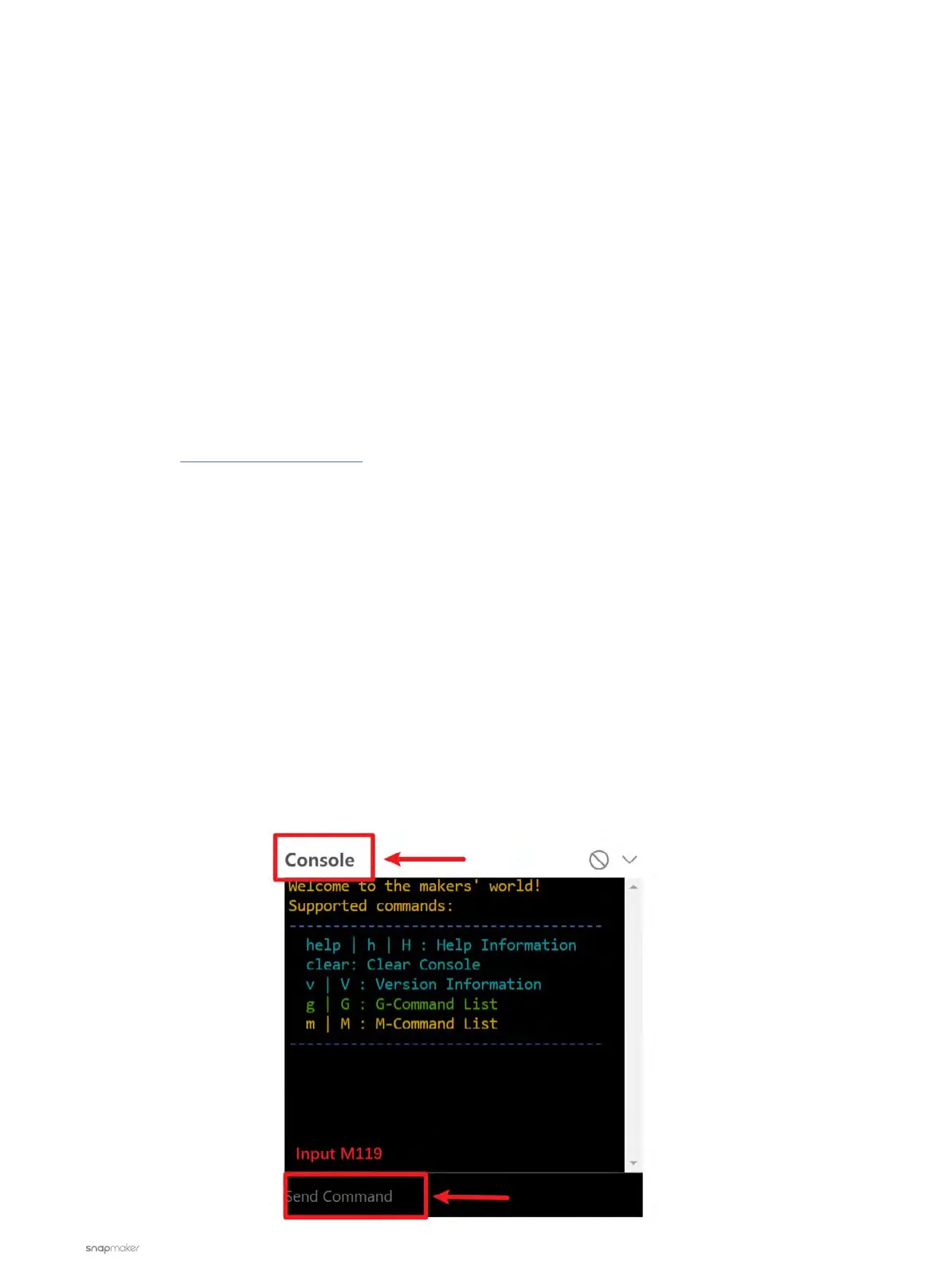
2. Launch the Snapmaker Luban. Go to Workspace, input M119 in the Console panel, and then check the status
of the end-stop switch.



 To Next Page