|
07
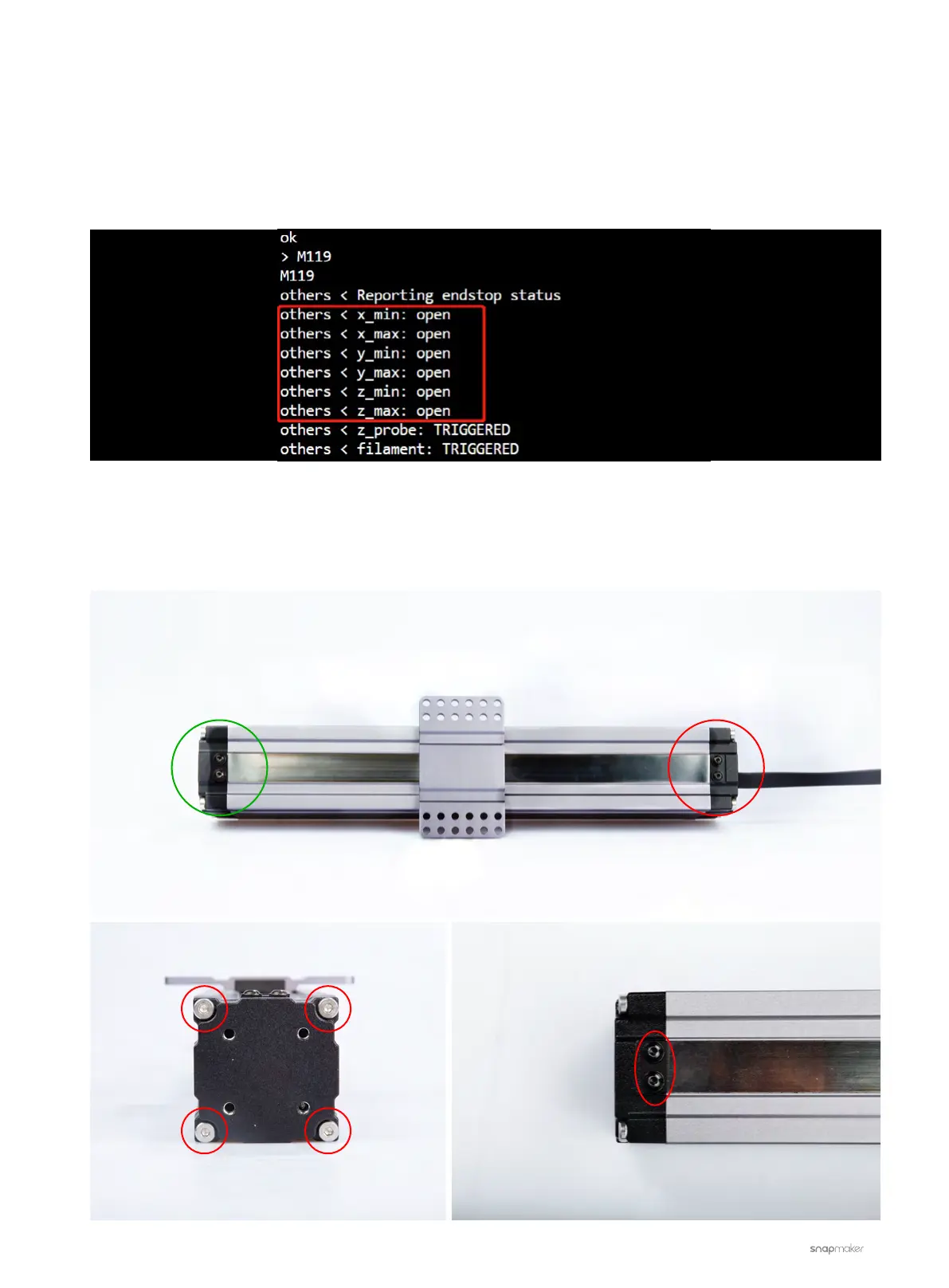
- If X_min or X_max is displayed as “TRIGGERED” (as opposed to “open”), then the end-stop switch of the X-axis
Linear Module might be stuck.
- Similarly, if Y_min, Y_max, Z_min, or Z_max is displayed as “TRIGGERED” (as opposed to “open”), then the
end-stop switch of the Y-axis or Z-axis Linear Modules might be stuck. Since both Y and Z Axes have two
Linear Modules, you can test one of them at a time to find out which Linear Module is malfunctioning.
3. Fix the end-stop switch of your TRIGGERED Linear Module.
3.1 Disassemble the cover (the end without cable) of the Linear Module. You will need the H2.5 & H2.0
screwdriver heads.
×√



 To Next Page