|
53
Luban Is Blank upon Launching
The Snapmaker Luban only shows a blank panel after you open it.
Possible Causes
• Snapmaker Luban failed to load the necessary sources.
• The configuration files are damaged.
Actions
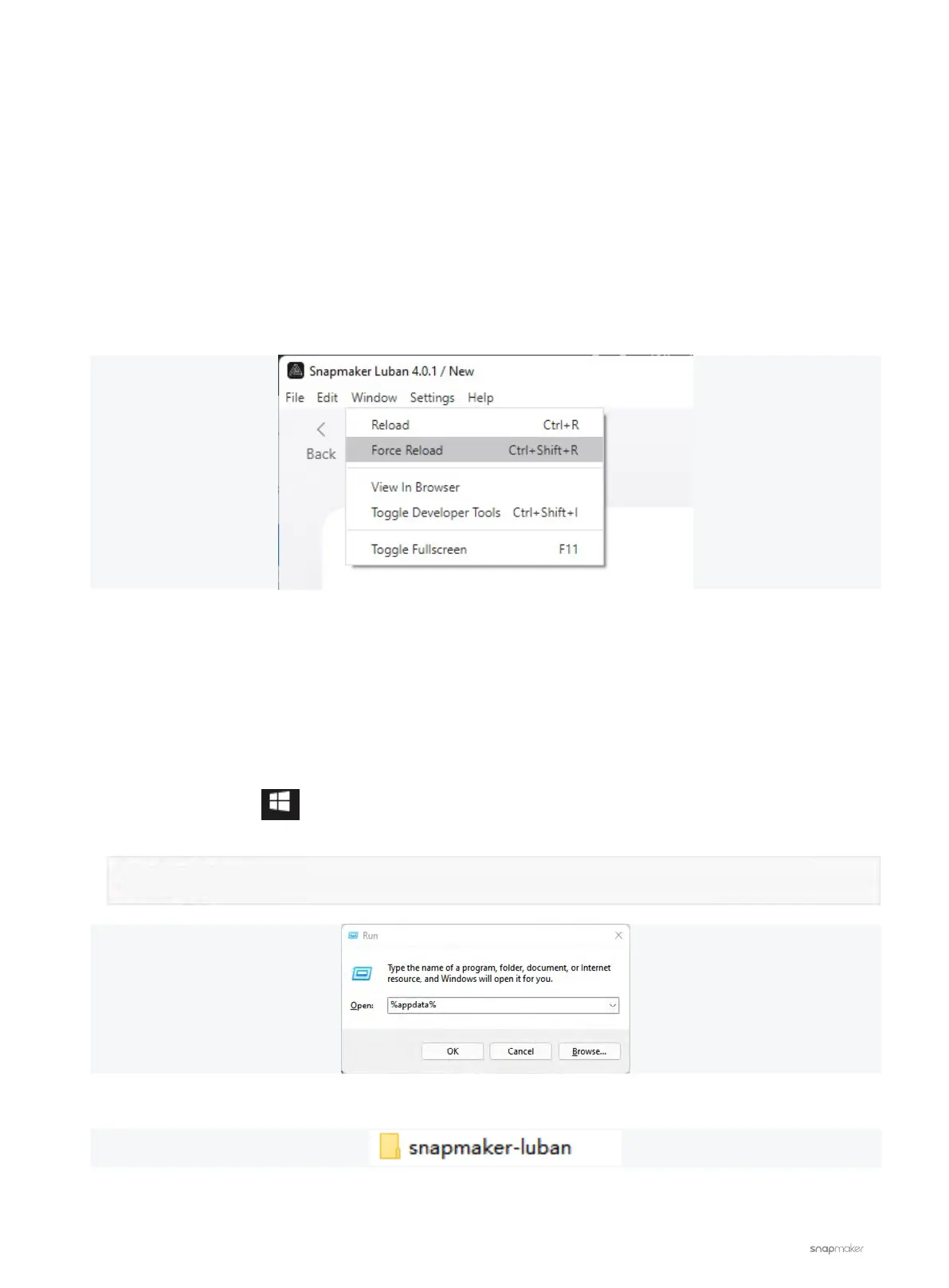
1. On the menu bar, click Window > Force Reload. Or, press Ctrl + Shift + R keys at the same time.
2. Download and install the latest version of Snapmaker Luban.
If you are already at the latest version, or the problem persists after upgrading to the latest version, try the
following steps.
3. Reinstall Snapmaker Luban completely.
Windows:
- Uninstall Snapmaker Luban.
- Press the Windows
key and the R key at the same time to open the power user menu.
- Input the following command and click OK to open the Roaming folder.
- Find the snapmaker-luban folder and delete it.
- Reinstall Snapmaker Luban.
%appdata%



 To Next Page