|
19
First Layer Doesn't Stick to Print Sheet
When printing, the first layer fails to stick to the Print Sheet, which is likely to result in failed prints.
Possible Causes
• Calibration is not completed.
• The printing speed is too fast.
• The filament is compromised.
Actions
1. Redo calibration. For detailed instruction on calibration, refer to the Quick Start Guide. If the problem persists,
go to the next step.
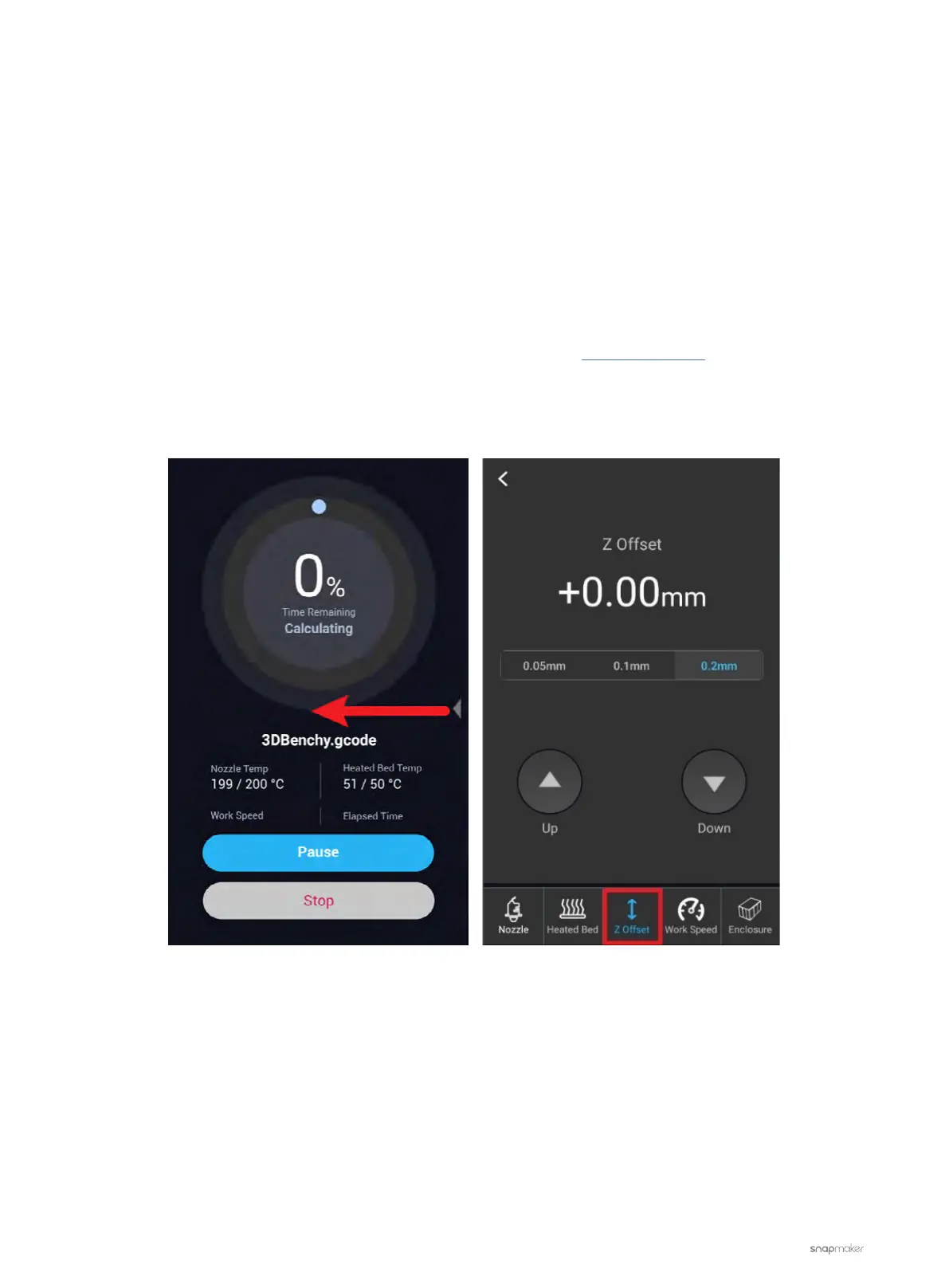
2. Start a new printing job. Swipe left on the Touchscreen to view the hidden menu and then tap Z Offset at the
bottom. Tap Up or Down to adjust the nozzle height.
3. Lower the printing speed. In Snapmaker Luban, go to Printing Settings > Speed to set the Initial Layer Print
Speed to under 20 mm/s. Regenerate the G-code and try again.



 To Next Page