|
39
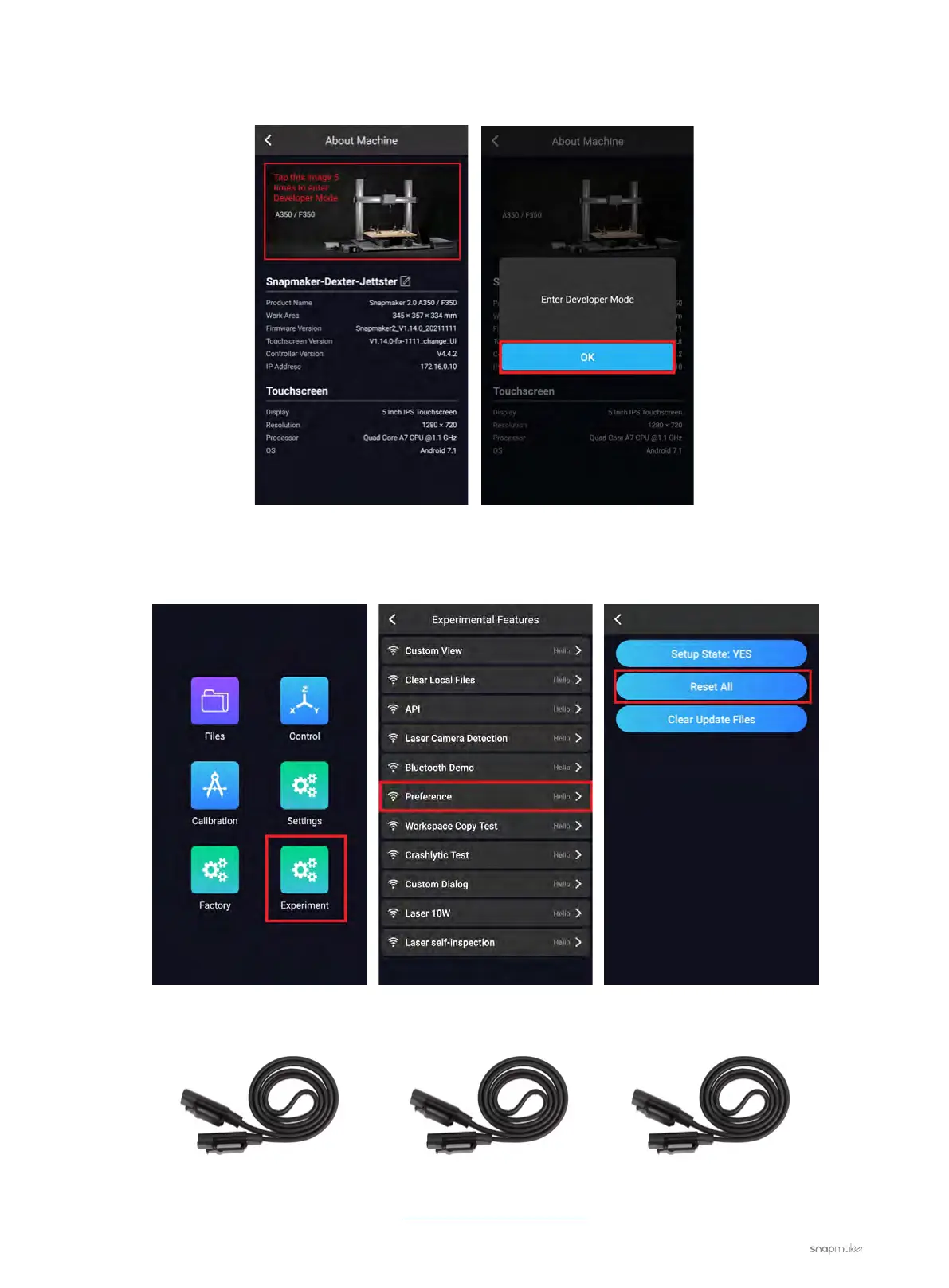
1.2 Tap the image five times and the Touchscreen will prompt you to Enter Developer Mode. Tap OK.
1.3 Under Developer Mode, tap Experiment > Preference > Reset All. See if this solves the problem. If not, go
to step 2.
2. Replace the current Toolhead Cable with one of the interchangeable cables (see picture below)
If the problem persists, please contact us at support@snapmaker.com for further assistance.
Z-axis Conversion CableY-axis Conversion CableToolhead Cable



 To Next Page