User Manual |
103
Laser Engraving and Cutting - 03 How to Laser Engrave and Cut
You can congure the same or different toolpaths for different images, patterns, or text. You can
also congure multiple toolpaths for one image, pattern, or text. If a toolpath for engraving overlaps
with a toolpath for cutting, we recommend that you prioritize the toolpath for engraving to avoid
undermining engraving quality in case the materials become less stable after being cut.
If you do not create a toolpath for an image, a pattern, or text, then they will not be engraved or cut.
(7) Preview the toolpaths and generate a G-code le. The G-code le can be loaded to Workspace or exported to
your computer.
3.7 Four Modes to Process the File
Snapmaker provides you with four modes to process the image, all of which can be used in laser engraving. But you
can use only the Vector mode for laser cutting.
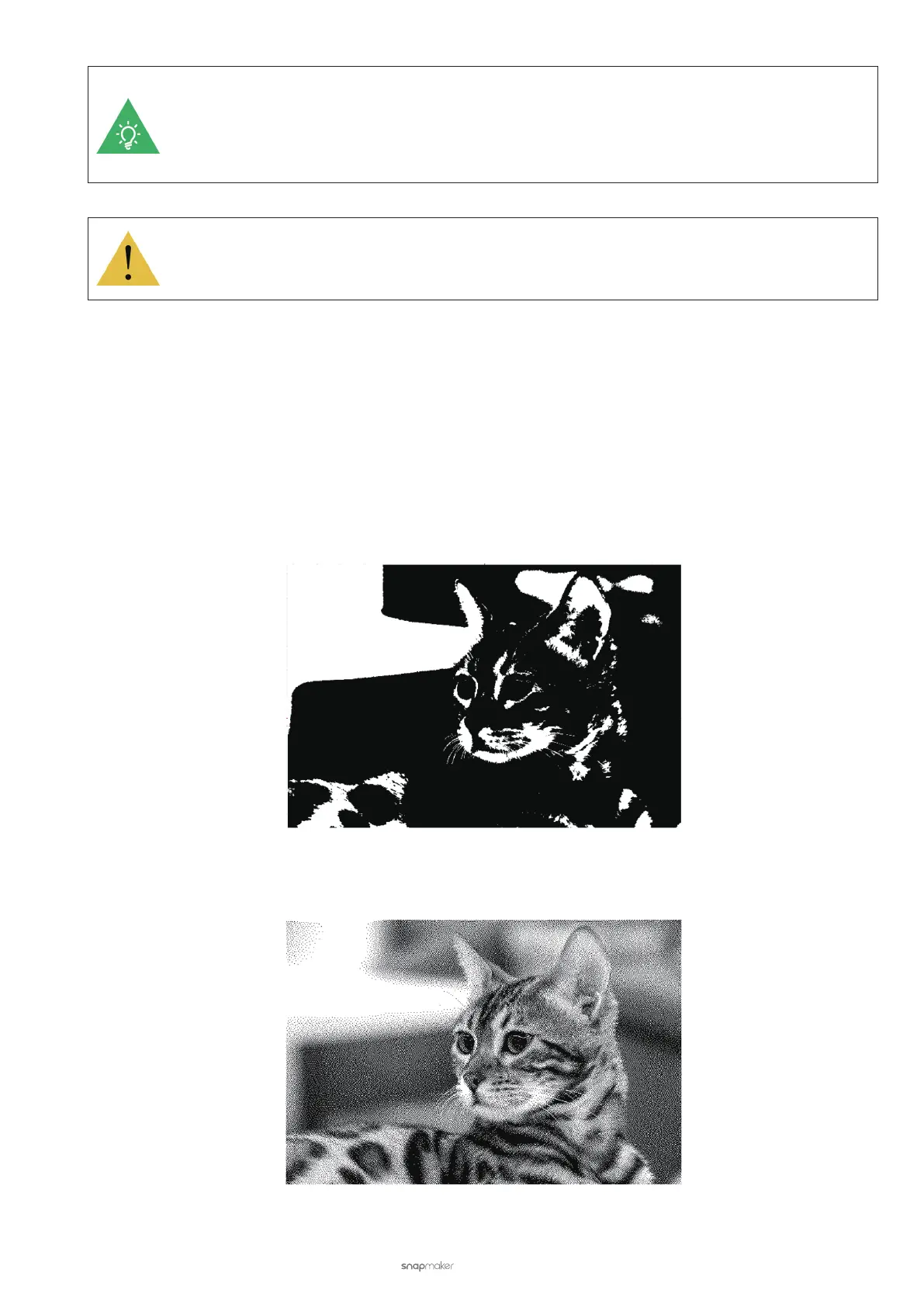
B & W
It will render the engraved material black and white without any grey.
Greyscale
It will render the engraved material in different shades of grey depending on the original color of the image.



 To Next Page