User Manual |
80
Laser Engraving and Cutting - 03 How to Laser Engrave and Cut
Set Work Origin to Start Laser Engraving and Cutting in Luban
Pre-check the Machine
⇩
Measure the Focal Length
⇩
Prepare the Material to Engrave or Cut
⇩
Connect the Machine to Luban
⇩
Prepare the G-Code File for Engraving and Cutting
⇩
Start Engraving and Cutting
3.2 Measure the Focal Length
How It Works: Measure the Focal Length
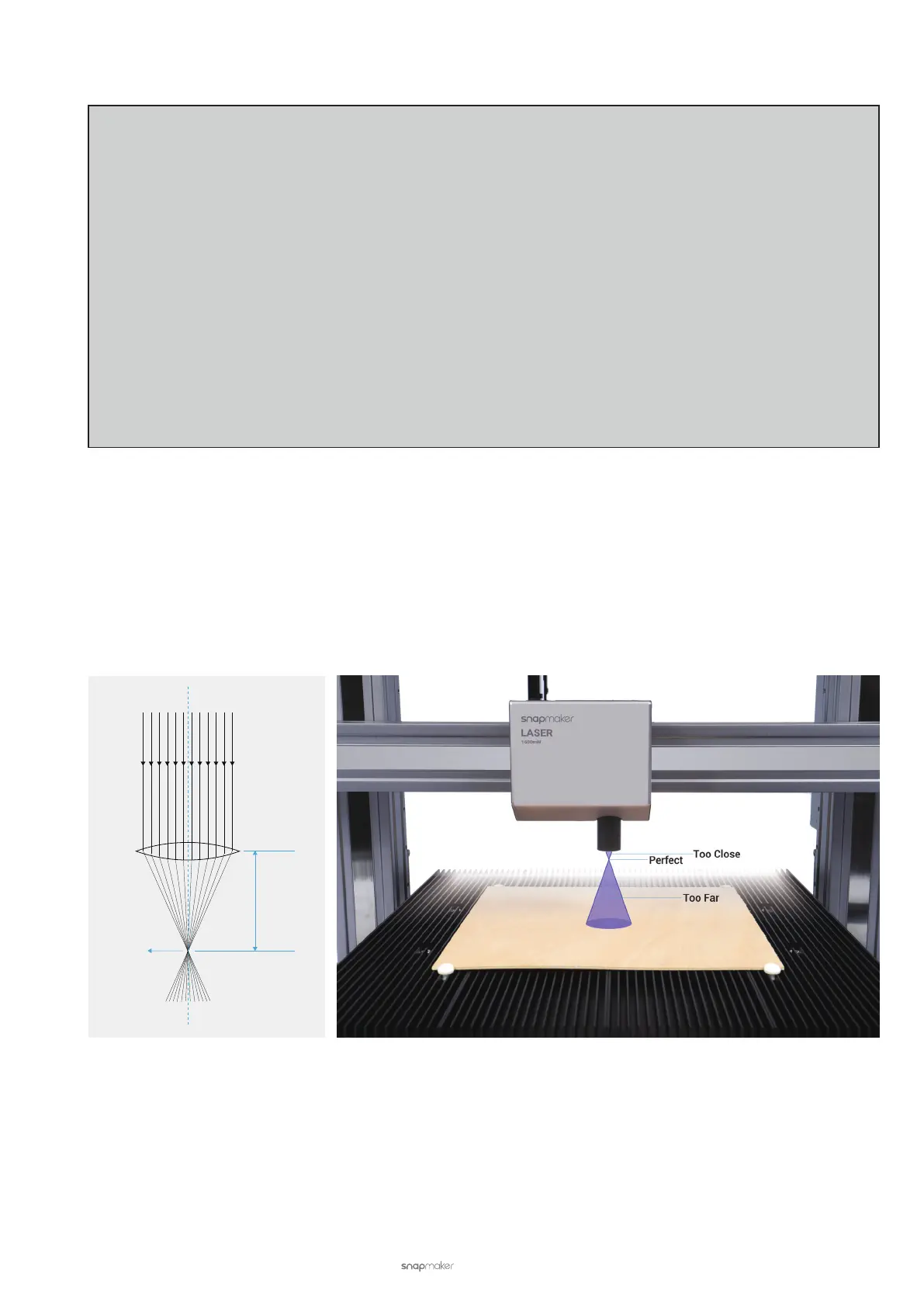
Focal length is the distance from the center of the lens to the focal point of the lens. By setting an accurate focal
length value, you will be able to position the focal point right on the surface of the material, which ensures the best
focusing result.
Snapmaker designs both the Auto Focus and Manual Focus modes to help you measure the focal length. The
measurement of focal length mainly involves the following procedures.
(1) Engrave a few lines at different heights.
Each laser engraving and cutting machine comes with a default focal length value, which is not always
accurate. During auto focusing, the machine adjusts the height of the Laser Module based on the default focal
length to engrave a series of lines on the material.
Parallel Light Rays
Focal Length
Focal Point
Axis
Axis



 To Next Page