User Manual |
128
Laser Engraving and Cutting - 05 Maintenance
If the light is still week, the camera light may be broken. Maintenance or replacement by professional personnel is
required. If the light is bright, but the camera capture image is still blurry, the camera may be broken. Maintenance or
replacement by professional personnel is required.
5.3 Every Month
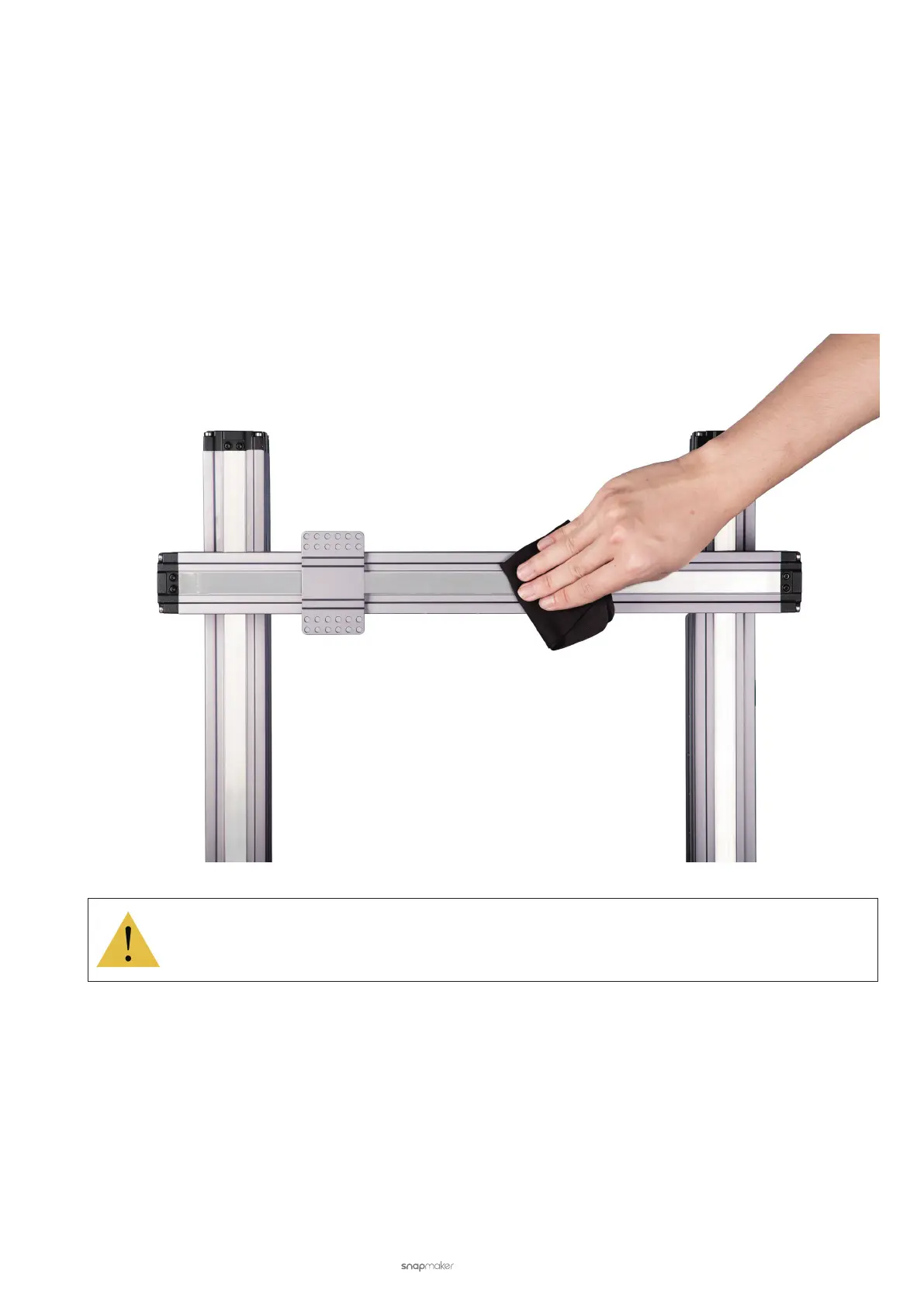
5.3.1 Clean the Linear Modules
Keeping all Linear Modules free of dust and foreign matters helps reduce friction and noise while the Laser Module is
moving. To do so, gently wipe the Linear Module surface using a piece of dry cotton cloth.
While cleaning, do not press the steel strip. Do not dismantle the Linear Modules yourself, as doing it
will void your Snapmaker’s Limited Warranty.
5.3.2 Clean the Side Covers
The Laser Module has two side covers, each with a vent and dust-proof net for heat dissipation for the fan inside
the Module. If blocked by dust, the nets will prevent the vent from functioning. Failure to cooling down the internal
components will cause the Module to malfunction.
To avoid this, you should check the vents and dust-proof nets monthly. Use a brush, swab, or vacuum to clean the
dust on the vents and nets.



 To Next Page