User Manual |
57
3D Printing - 05 Maintenance
5.3 Every Month
5.3.1 Clean the Linear Modules
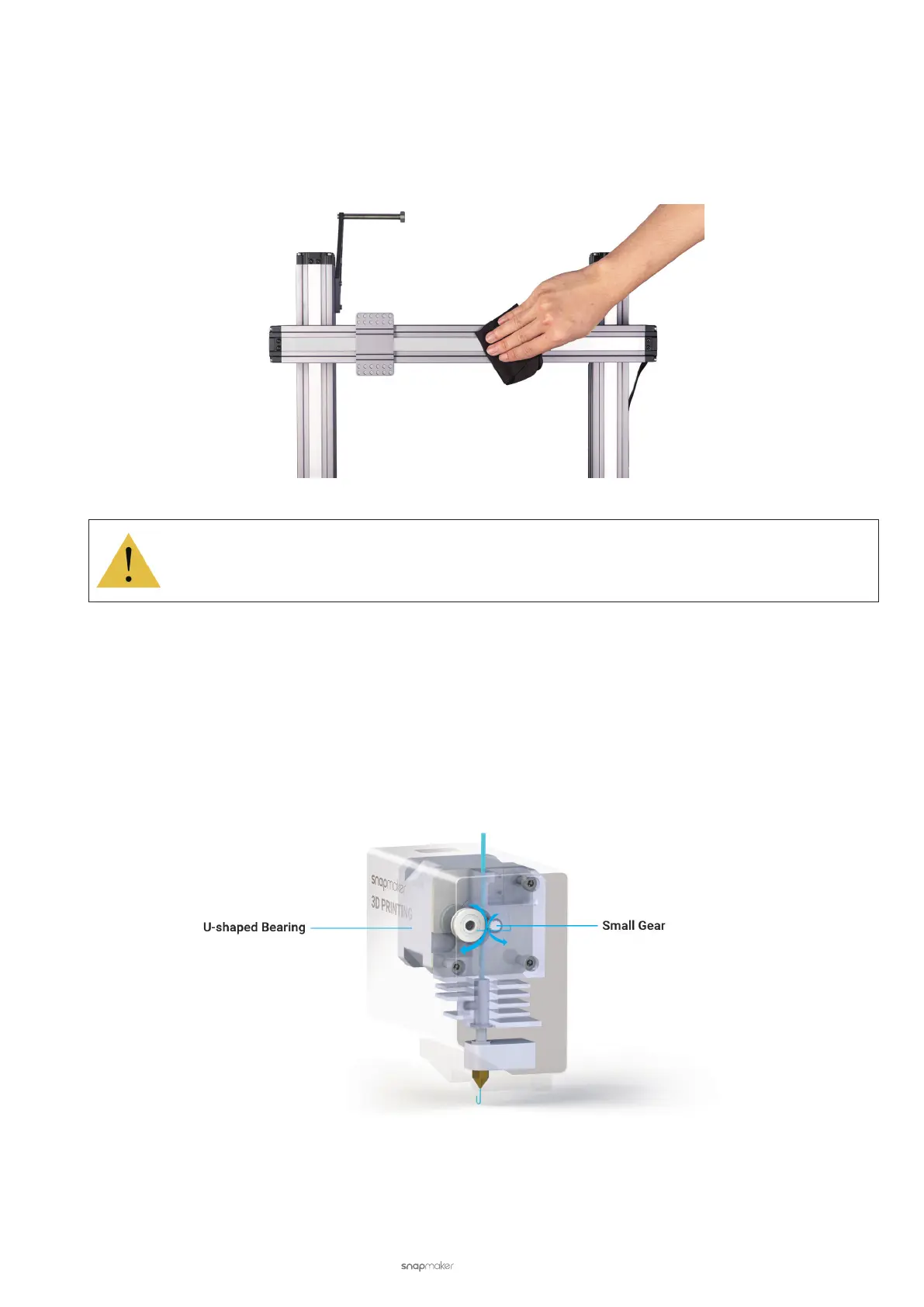
Keeping all Linear Modules freed of dust and other foreign matters can reduce friction and noise while the 3D printer
is moving. To do so, gently wipe the Linear Module surface using a dry cotton cloth.
While cleaning, do not press the steel strip.
Do not dismantle the Linear Modules yourself, as doing so will void your Snapmaker’s Limited Warranty.
5.3.2 Clean the Gear in the 3D Printing Module
While driving the filament into the extruder, the gear encounters strong friction, which more or less produces
scraps. As scraps accumulate, the friction reduces between the filament and the gear or U-shaped bearing bracket.
Consequently, reduced friction compromises the extruding efficiency, and eventually causes slip during extrusion.
Another adverse effect is that the accumulated scraps will fall into the nozzle and block it. In this case, you need to
clean the nozzle or even replace it.
To avoid the trouble, follow these steps to clean the U-shaped bearing bracket and gear:
a. Clean the U-shaped bearing bracket. Open the 3D Printing Module, and clear the accumulated scraps on the
U-shaped bearing bracket using a swab or vacuum.



 To Next Page