User Manual |
33
3D Printing - 03 How to 3D Print
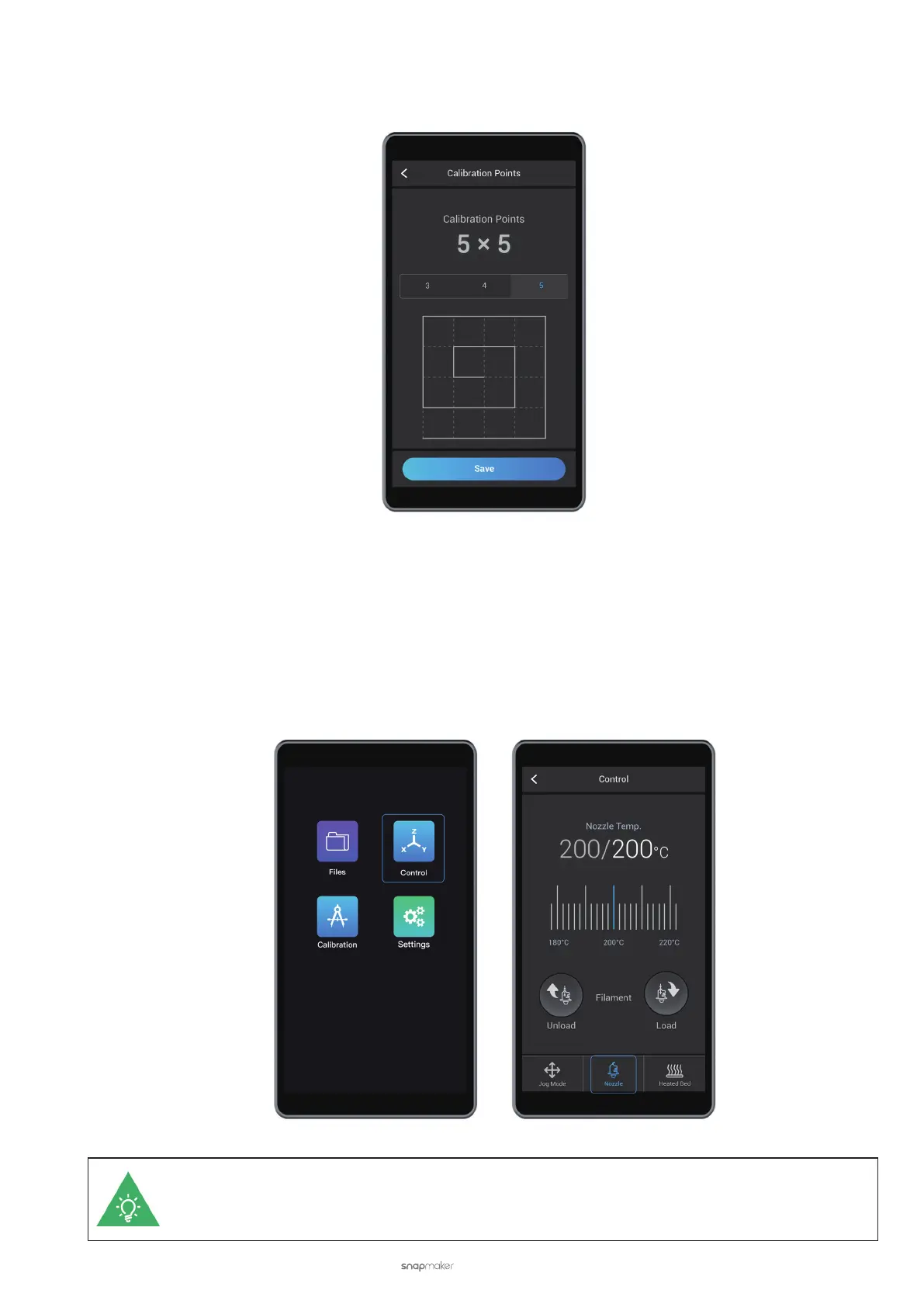
25-Point Grid
This grid is 4 × 4, with 25 points. To apply it, tap 5 and Save.
3.3 Load the Filament
Your 3D printer supports two filament loading modes——Auto Loading and Manual Loading, as is the case with
filament unloading. To automatically load the filament, heat up the nozzle and tap Load on the Touchscreen. To
manually load the filament, heat the nozzle and extrude the filament by hand.
Automatically Load the Filament
(1) Heat the nozzle. On the APP List Screen, tap Control > Nozzle. Slide the scale bar left or right to set the target
Nozzle Temp. so that the heated block can melt the lament.
By default, the nozzle will be heated to 200°C (392°F). The Load or Unload button is available only
when the nozzle is heated to around the preset temperature which should be 175°C (347°F) or higher.



 To Next Page