User Manual |
108
Laser Engraving and Cutting - 03 How to Laser Engrave and Cut
Start Engraving and Cutting on the Touchscreen
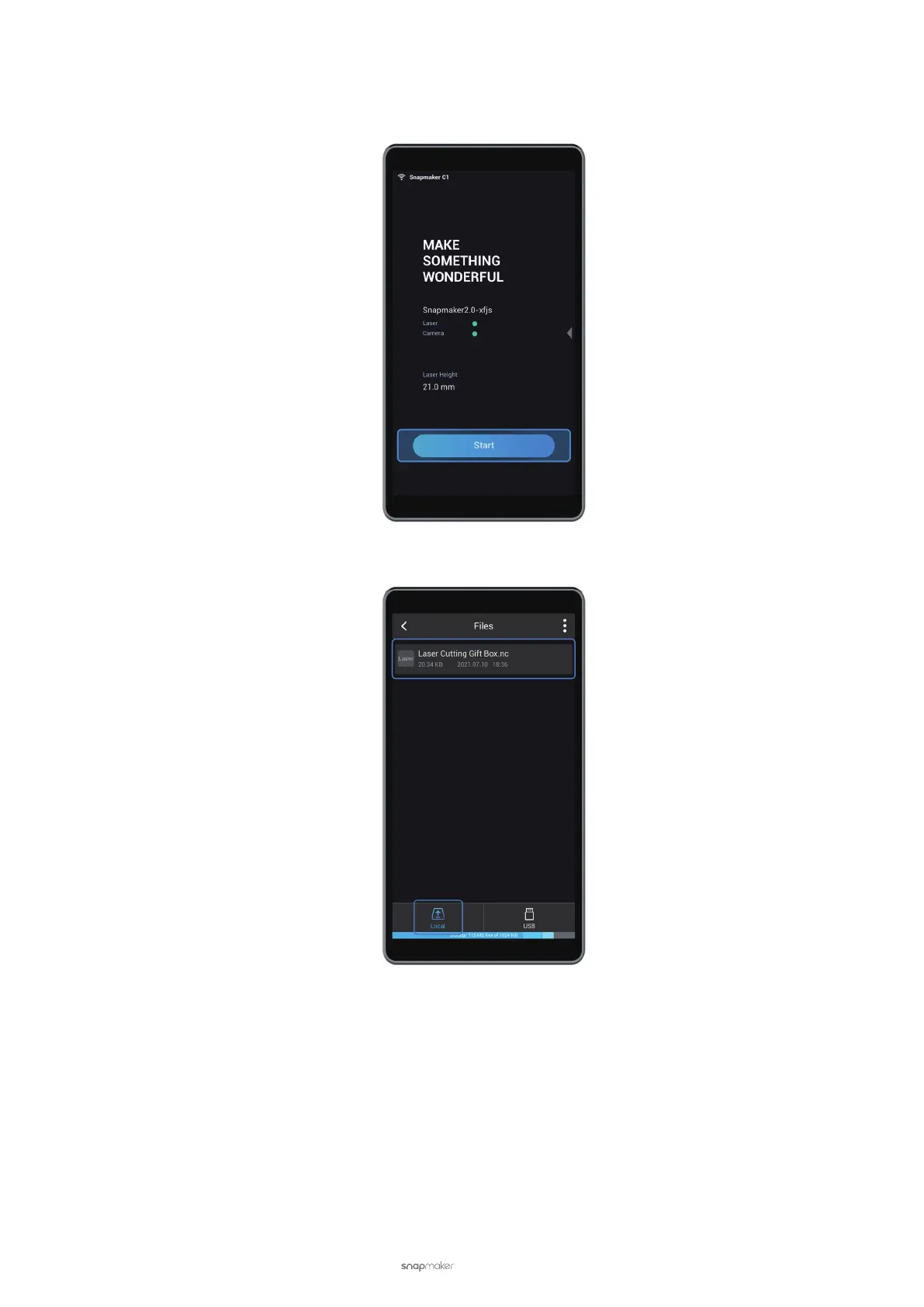
(1) On the Touchscreen, tap Start.
(2) Choose the G-code le you prepare from Local or USB.
(3) On the Preview screen, you can preview the image for engraving and cutting. Laser Power, Work Speed, and
Estimated Time are also displayed on the screen. You can tap Adjust Settings to modify Laser Power and
Work Speed. Check if the image is right and the laser power and the work speed are proper, and then tap
Ready.



 To Next Page