User Manual |
126
Laser Engraving and Cutting - 05 Maintenance
The Laser Module uses a built-in fan to dissipate heat as well as prevent dust accumulation on the laser lens. If the
built-in fan does not work normally, the laser inside the Laser Module may become overheated and prone to damage.
To avoid this, take the following steps to check the built-in fan each time before you use the laser engraving and
cutting machine:
(1) Put on the Laser Safety Goggles.
(2) On the Touchscreen, swipe left to select Control.
(3) Tap Laser Power. Adjust the laser power to the lowest value, and turn on the laser.
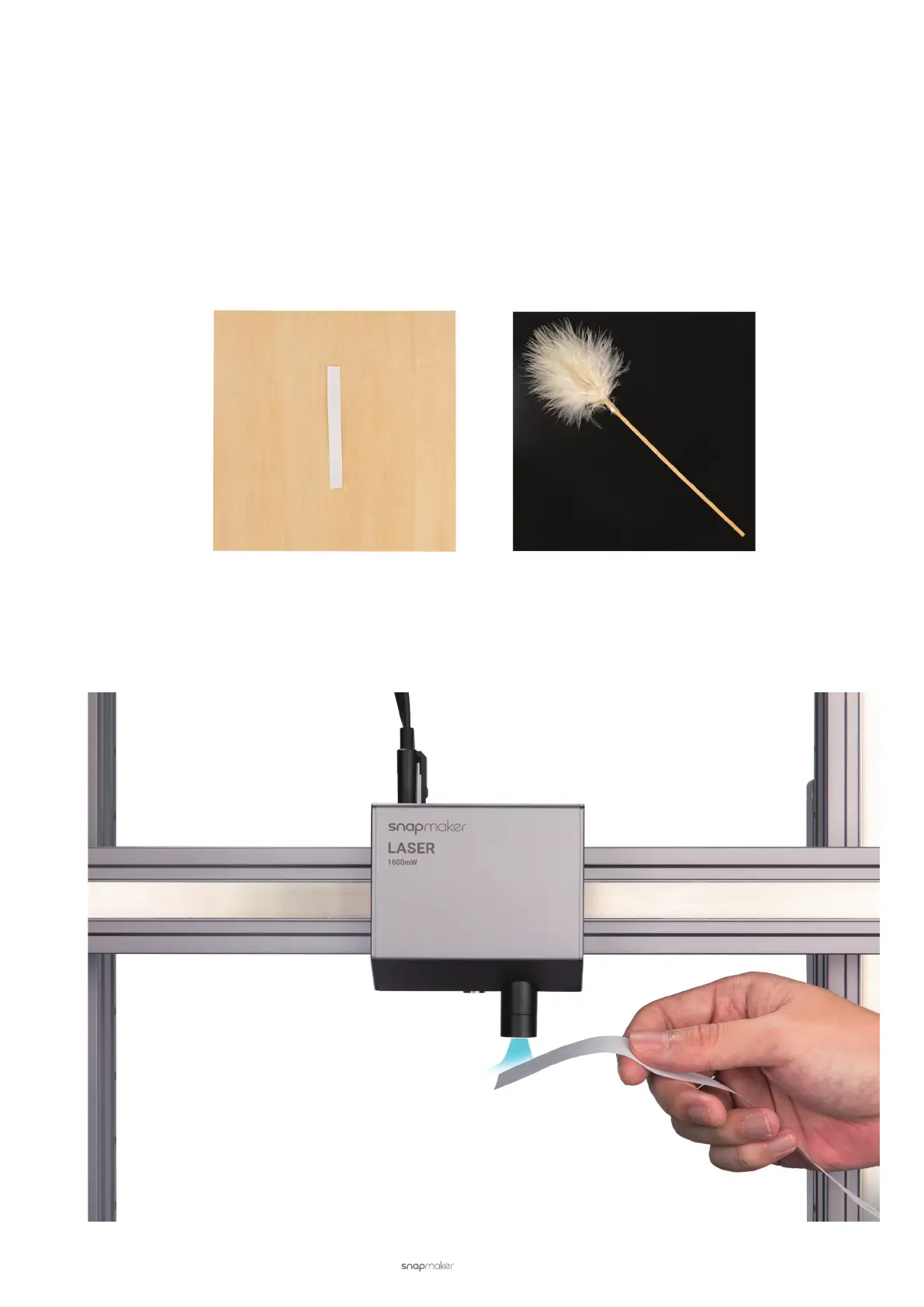
(4) Put the end of a strip of paper or a soft feather under the lens hood, as shown in the pictures. Be careful not to
expose your body parts directly under the laser beam.
(5) If the paper or feather is moving with the flow that comes out of the lens hood, it indicates that the built-in fan
is working. If the paper or feather is sucked into the lens hood or air flow cannot be detected at the mouth of
the lens hood, the built-in fan may be stuck or broken. Maintenance or replacement by professional personnel
is required.



 To Next Page