User Manual |
150
CNC Carving - 04 How to CNC Carve
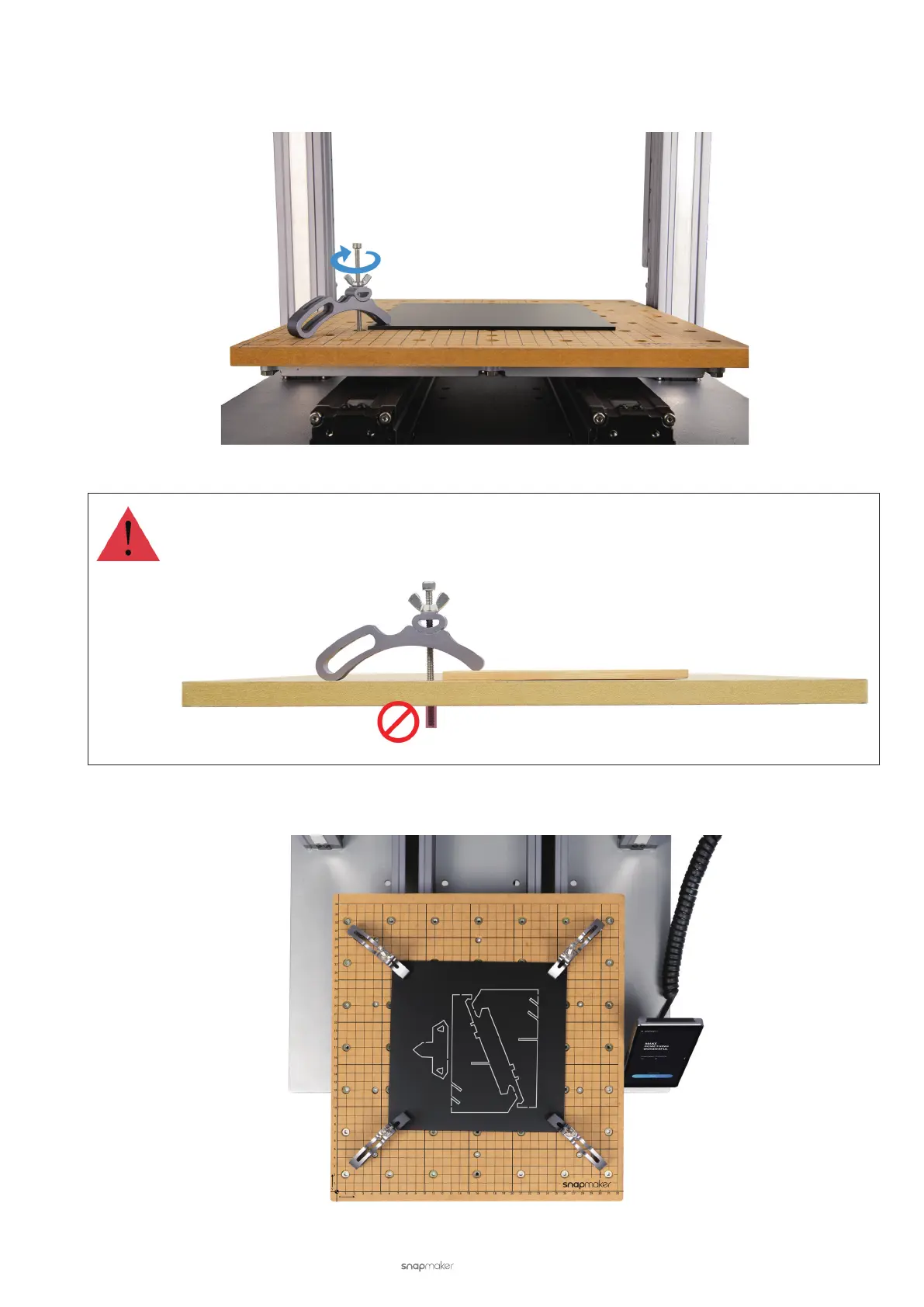
c. Keep the M4 × 70 screw vertical to the CNC Carving Platform, and twist the M4 × 70 screw into the nut a
bit. Fasten the material by screwing the wing nut.
Do not twist the screw down through the CNC Carving Platform. Otherwise, the protruding screw may
damage the Y axes and impede the Y-axis movement.
d. Attach the rest three clamp sets to the CNC Carving Platform.



 To Next Page