User Manual |
90
Laser Engraving and Cutting - 03 How to Laser Engrave and Cut
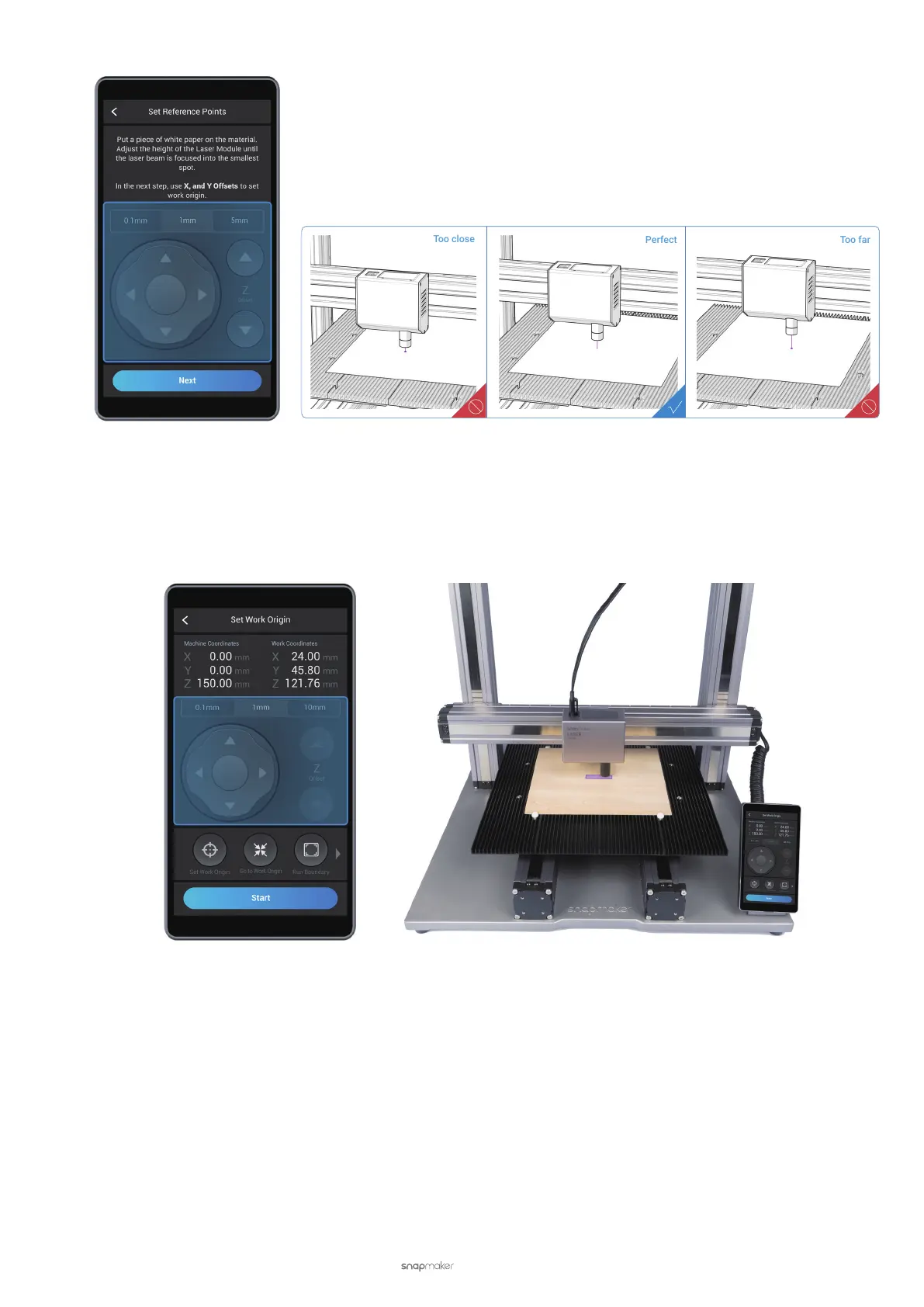
(8) Tap Set Work Origin, and then tap Run Boundary. As the Laser Module moves, the laser dot will be travelling
along the path of a small rectangle on the material surface, which represents the area to be engraved. Check
if this work area is a blank surface on the material. If not, tap X-, X+, Y-, or Y+ to reset the work origin and run
boundary again. After setting the work area, tap Next.
(9) Read the Manual Focus instruction on the Touchscreen. Tap Start, and the machine will keep adjusting the
height of the Laser Module to engrave a series of lines on the material.



 To Next Page