18
Conference phone operation
Call waiting
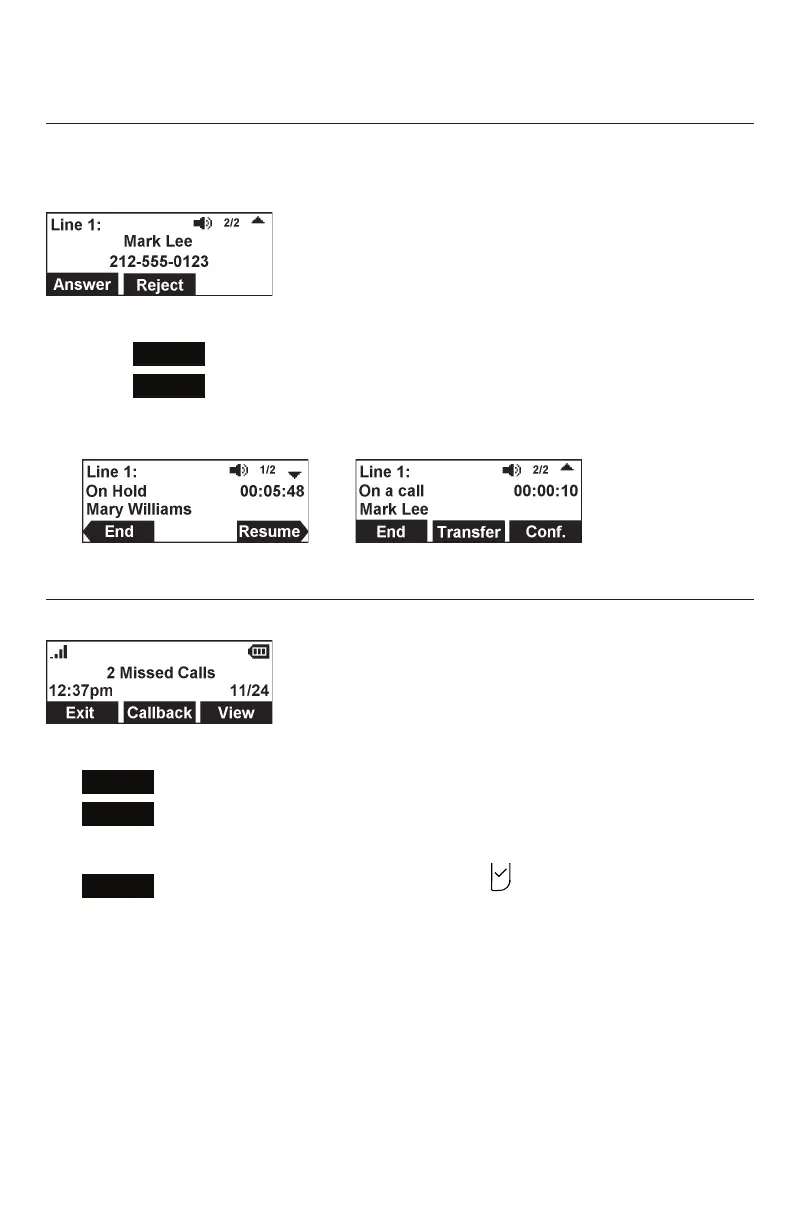
If you are on a call, and receive an incoming call from an outside number, the handset
displays the Call Waiting screen. If you answer the call, your active call will be put on
hold.
To answer the incoming call:
• Press
Reject
to terminate the incoming call.
• Press
Answer
to put the current call on hold and take the new call.
• Press q or p at any time to switch back and forth between calls.
The call indicator (1/2, 2/2) shows which call is currently displayed.
Missed calls
If you don’t respond to an incoming call, the phone displays a missed-call alert screen.
If a missed call alert screen appears, you can press:
•
Exit
to return to the Idle screen.
•
Callback
to immediately dial the caller’s number. If there is more than one
missed call, your phone dials the number of the most recently missed call.
•
View
to display the Call History screen. Press twice to see the caller’s
information.



 To Next Page