50
Registering the conference phone to the base
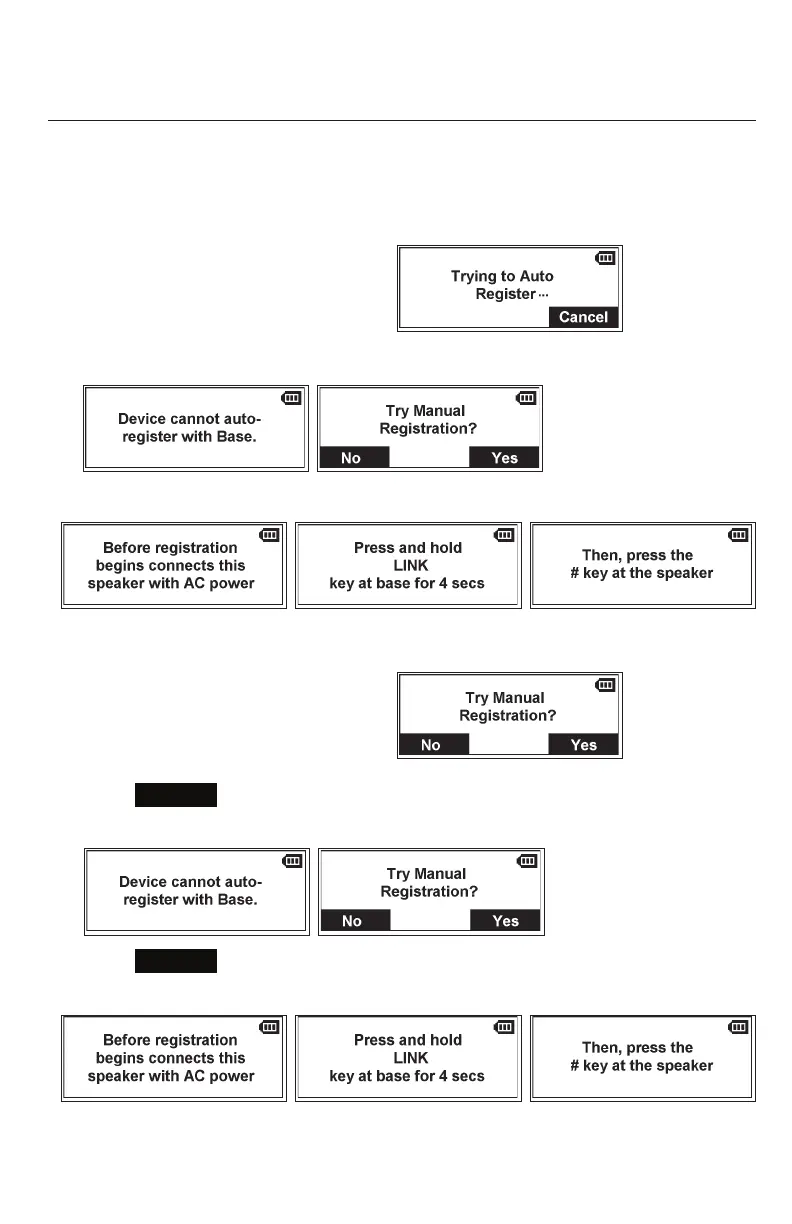
Your conference phone is pre-registered to the base station. If you need to manually
re-register the conference phone, follow these steps:
1. Place the conference phone in the charging dock, and make sure it is connected
to power.
2. If the conference phone is displaying go to step 6.
3. If the conference phone is displaying
go to step 7.
4. If the conference phone is displaying
go to step 8.
5. If the conference phone is displaying go to step 7.
6. Press
Cancel
.
The conference phone displays the following messages:
7. Press
Yes
.
The conference phone displays the following message:
8. On the base station, press and hold the LINK key for 4 seconds.
Both LEDs on the base station begin to flash.
Registration



 To Next Page