2828
About the directory
The Directory menu enables you to store names and phone numbers in four types of
directories:
• Local – available only on your conference phone.
• Base – available on all conference phones in your system.
• Blacklist – contains blocked numbers, and is available on all conference phones
in your system.
• Broadsoft directory – enables access to your Broadsoft directories - Group,
Group Common, Enterprise, Enterprise Common, or Personal.
Once directory entries are saved, you can dial them directly from the directory. You
can also search directory entries by first or last name.
When adding an entry, you can enter numbers for work, mobile, and other. You can
also select a ringtone and default line for that contact. Later, you can edit entries if
their contact information changes.
Viewing a directory
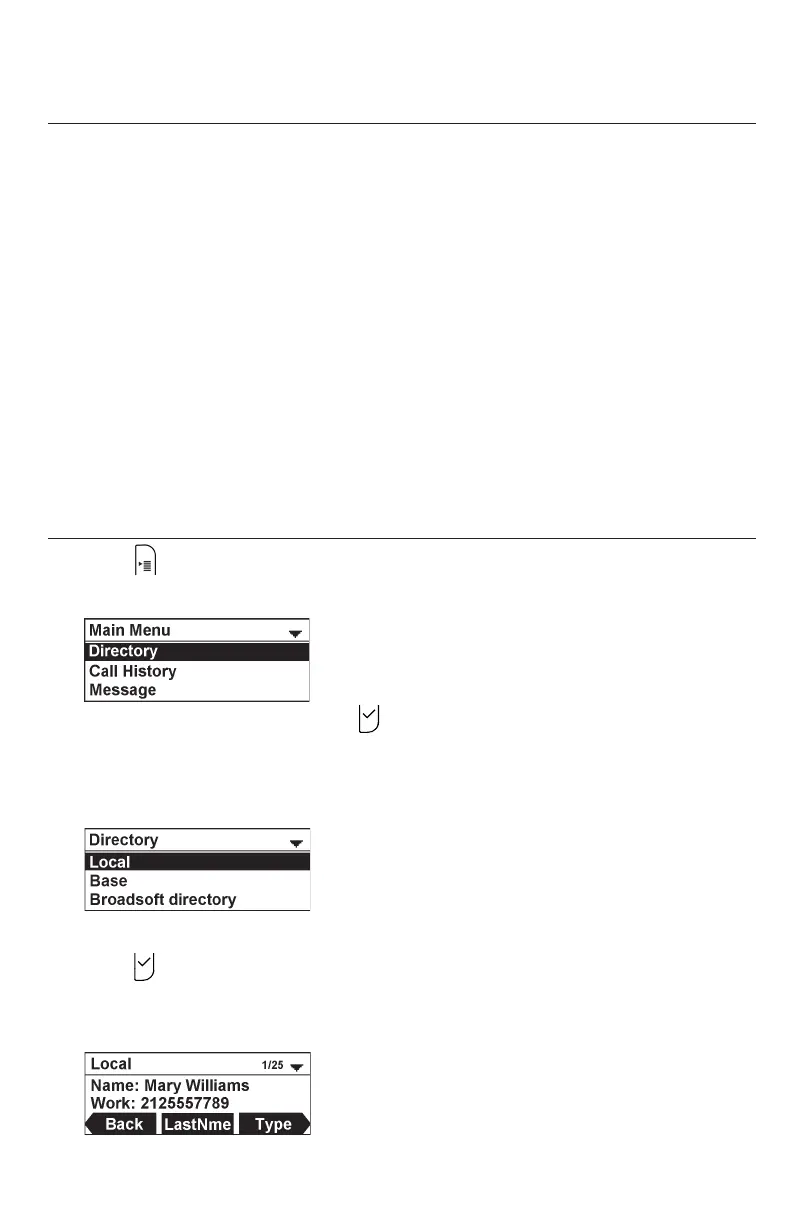
1. Press .
The Main Menu appears
2. With Directory highlighted, press .
The Directory menu appears, listing all your available directories. Any directories
other than Local are server-based and will vary with your installation. You can
edit the Local directory, Base directory, and the Blacklist.
3. Press p or q to select the directory you wish to view, and then
press .
The selected directory appears, showing the first entry (sorted alphabetically by
first name).
4. Press p or q to view other entries.
Directory



 To Next Page