Settings
47
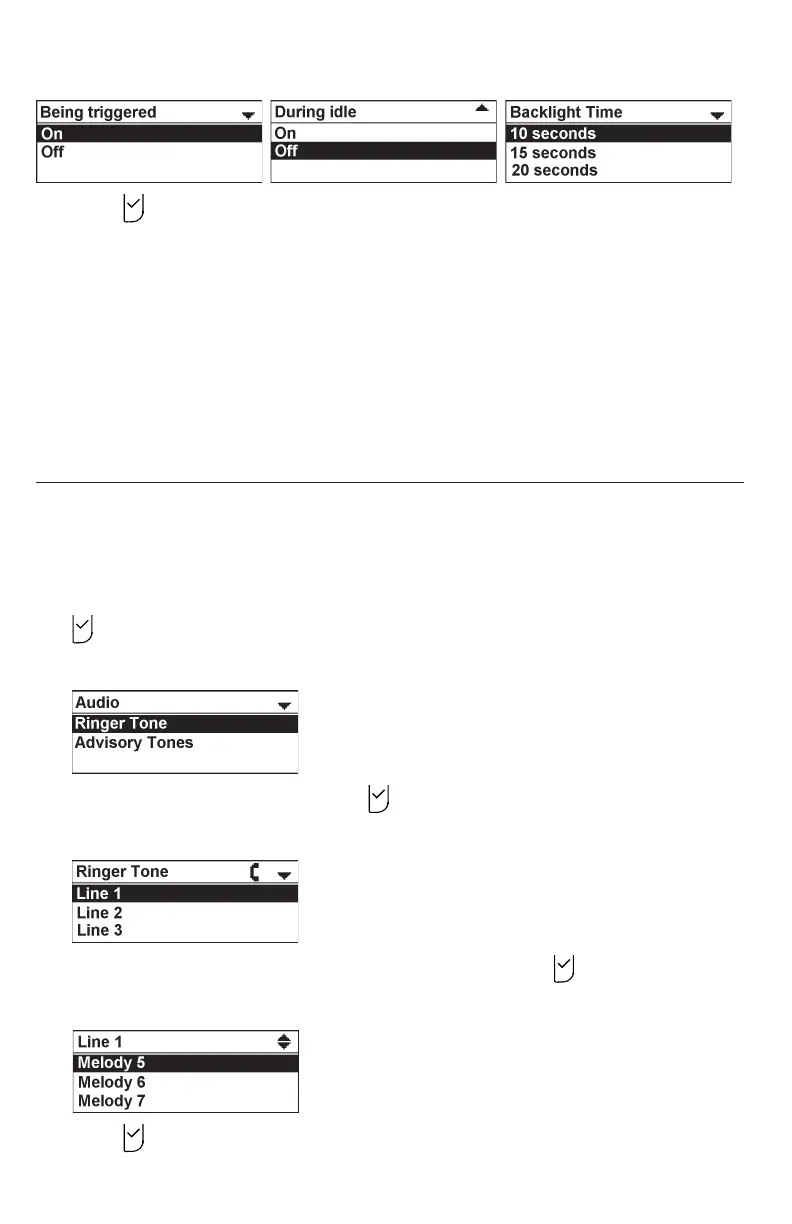
3. Press to save your selection. You will hear a confirmation tone.
* NOTES:
• If Backlight On is off and BackLight Idle is on, the LCD backlight always
lights up.
• If Backlight On is on and BackLight Idle is off, the LCD backlight turns off
after being idle for as long as the set Timeout period.
• If Backlight On and BackLight Idle are both off, the LCD backlight is always
off.
Setting the audio settings
Use the audio menu to set the ringer tone and advisory tones for low battery, link lost,
key press, hold reminder tone, and on cradle tone.
To set the ringer tone:
1. From the User settings menu, press q or p to highlight Audio, and then press
.
The Audio menu appears.
2. With Ringer Tone highlighted, press .
The Ringer Tone screen appears.
3. Press p or q to highlight the desired line, and then press .
4. Press q or p to sample each ringer tone (Melody 1 to Melody 10).
5. Press to save your selection. You will hear a confirmation tone.



 To Next Page