Settings
45
To manually set the date and time:
1. From the User settings menu, press q or p to highlight Set Date/Time, and then
press .
2. Press q or p to highlight Date/Time, and then press .
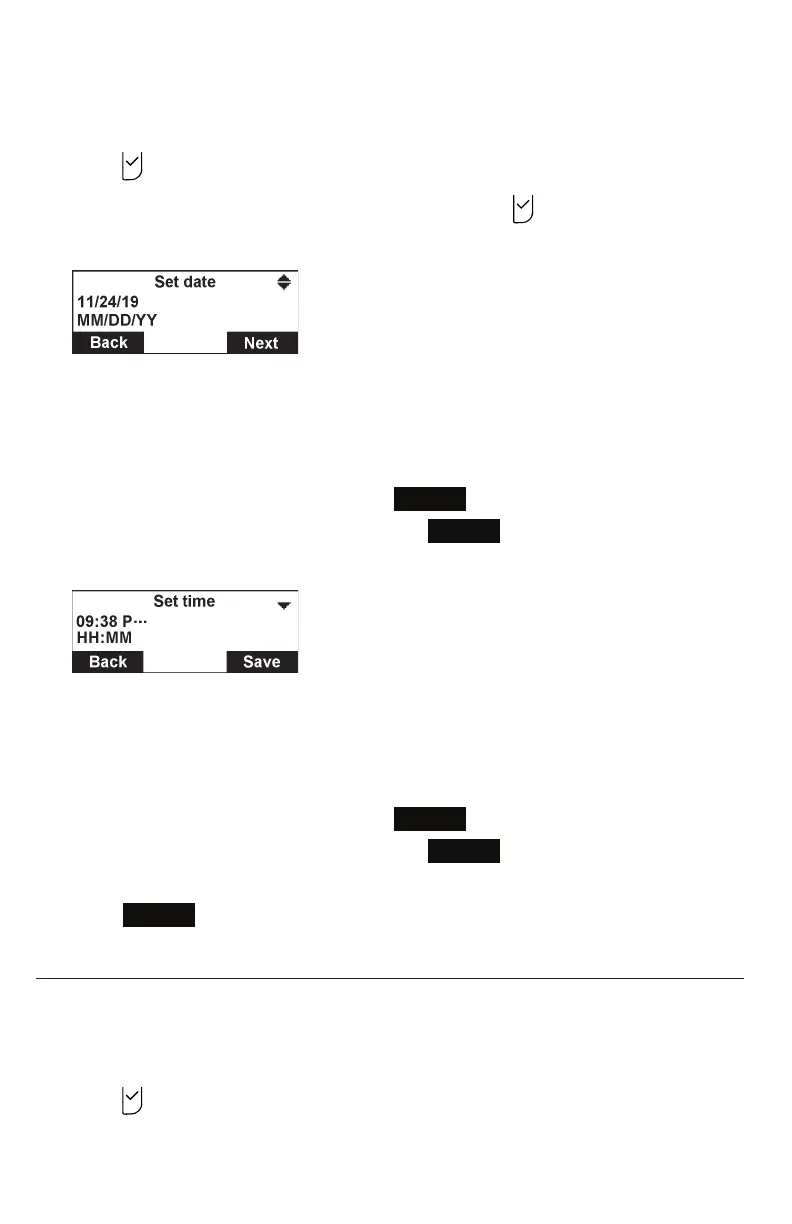
3. On the Set date screen, enter the date.
• The currently selected month/day/year is flashing.
• Use the dialing keys to enter a two-digit number, or press p or q to select a
number.
The conference phone beeps twice if you enter an invalid number.
• To move to the next number, press
Next
• To move to the previous number, press
Back
.
4. On the Set time screen, enter the time.
• The currently selected hour/minute is flashing.
• Use the dialing keys to enter a two-digit number, or press p or q to select a
number.
The conference phone beeps twice if you enter an invalid number.
• To move to the next number, press
Next
• To move to the previous number, press
Back
.
• For 12-hour time format, press p or q to select ... (AM) or P... (PM).
5. Press
Save
to save your selection. You will hear a confirmation tone.
Renaming the phone
You can rename the conference phone from the default "SPEAKER BOX".
To rename the conference phone:
1. From the User settings menu, press q to highlight Phone rename, and then
press .
The Phone rename screen appears.



 To Next Page