Settings
44
2. Press p or q to select the desired language.
3. Press to save your selection. You will hear a confirmation tone.
Setting Date and time
Before using the C620, set the date and time as follows. The date and time will be
displayed on the conference phone when idle.
To set the date format:
1. From the User settings menu, press q or p to highlight Set Date/Time, and then
press .
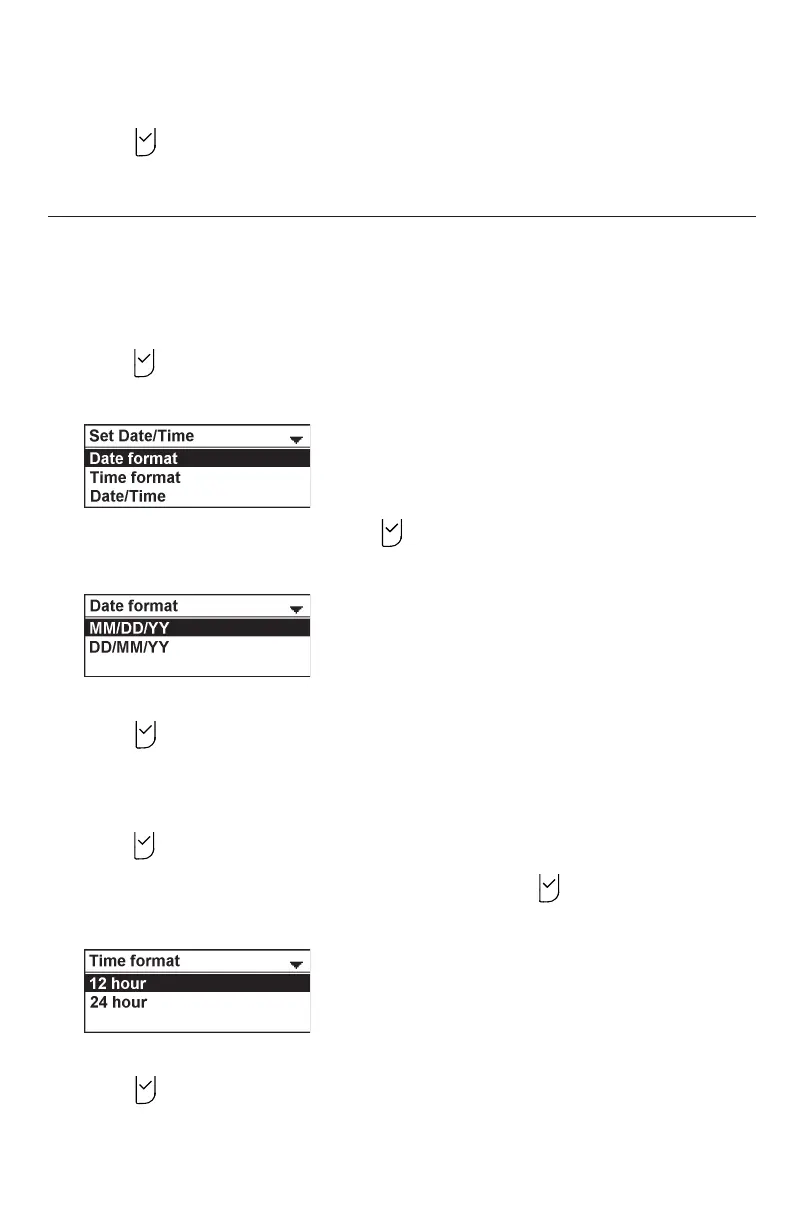
The Set Date/Time menu appears.
2. With Date format highlighted, press .
The Date format screen appears.
3. Press q or p to select the desired date format (MM/DD/YY or DD/MM/YY).
4. Press to save your selection. You will hear a confirmation tone.
To set the time format:
1. From the User settings menu, press q or p to highlight Set Date/Time, and then
press .
2. Press q or p to highlight Time format, and then press .
The Time format screen appears.
3. Press q or p to select the desired time format (12 hour or 24 hour).
4. Press to save your selection. You will hear a confirmation tone.



 To Next Page