Directory
29
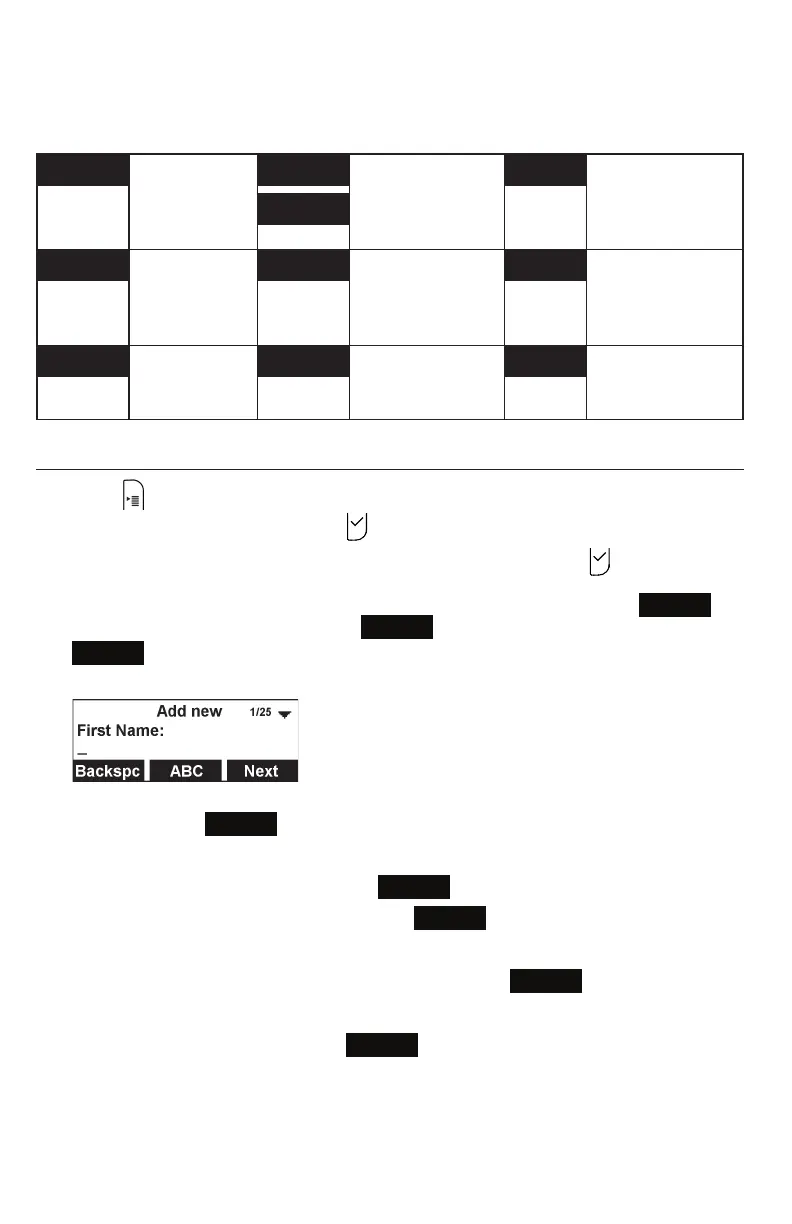
The following soft keys are available when viewing a directory entry.
Press t or u to view the desired softkeys.
Back Returns to
Directory list
screen
LastNme Sorts the list by
last name / first
name from the top
of the list
Type Displays the
contact’s other
numbers: Work,
Mobile, Other
FirstNme
Dial Dials the entry Edit Enables you to
change the entry
Search Enables you to
search the list
alphabetically by
first or last name
Add Enables you
to add a new
entry
Delete Deletes the entry Del. all Deletes all entries
Adding a directory entry
1. Press .
2. With Directory highlighted, press .
3. Press p or q to select the directory you want, and then press .
4. If the message “... directory is empty. Add new entry?” appears, press
Yes
. Otherwise, press t or u until the
Add
softkey appears, and then press
Add
.
The Add new screen appears.
5. Use the keypad to enter the First name, Last name, Work, Mobile, and Other
numbers. Press
Next
after entering each item.
• To move the cursor left or right, press t or u.
• To erase a character/digit, press
Backspc
.
• To move to the next item, press q or
Next
.
• To move back to the previous item, press p.
6. Press t or u to select a Ringer tone, and then press
Next
.
7. Press t or u to select a line.
8. To save the directory entry, press
Save
.



 To Next Page