21 22
Conference phone operation
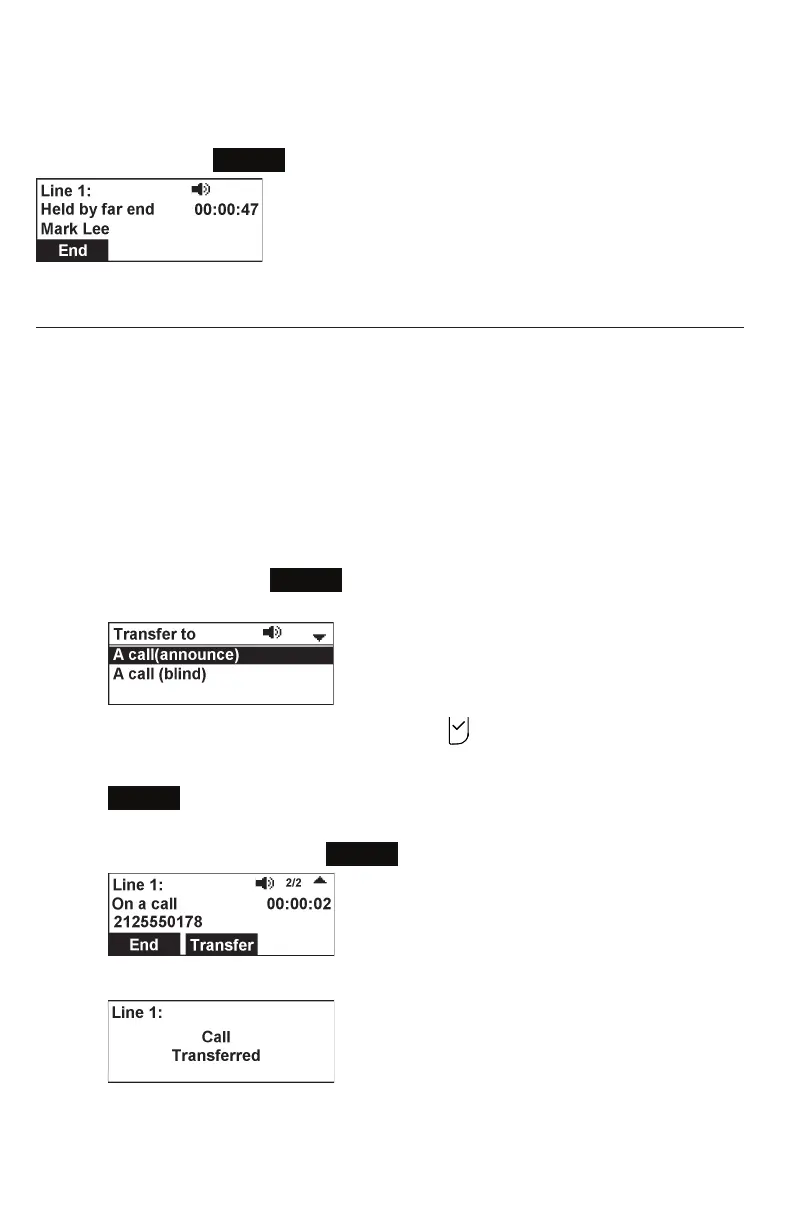
If another party puts you on hold, you may see the message Held by far end.
This message depends on compatibility between phones and PBX types, and may not
always appear. Press
End
to end the call.
Transferring calls
You can transfer a call to someone else at another phone.
If you talk to the transfer recipient before completing the transfer, you are making an
Attended transfer (also called a Supervised transfer).
However, the transfer recipient does not have to talk to you before receiving the
transferred call. If you do not talk to the transfer recipient before transferring the call,
you are making a Blind transfer.
You can also transfer a call to a held call.
To transfer a call (Attended transfer):
1. During a call, press
Transfer
.
The Transfer to menu appears.
2. With A call(announce) highlighted, press .
3. Enter the number to which you want to transfer the call, and either press
Dial
or wait for the phone to dial automatically.
4. When the second call is established, you can talk to the party to notify them
of the transfer, then press
Transfer
to transfer the call.
The Call transferred screen appears, and your phone returns to idle mode.



 To Next Page