Settings
41
Setting Block Anonymous
Block Anonymous enables the phone to reject incoming calls that have no caller ID.
To set block anonymous:
1. From the Call Features menu, press p or q to highlight Block anonymous, and
then press .
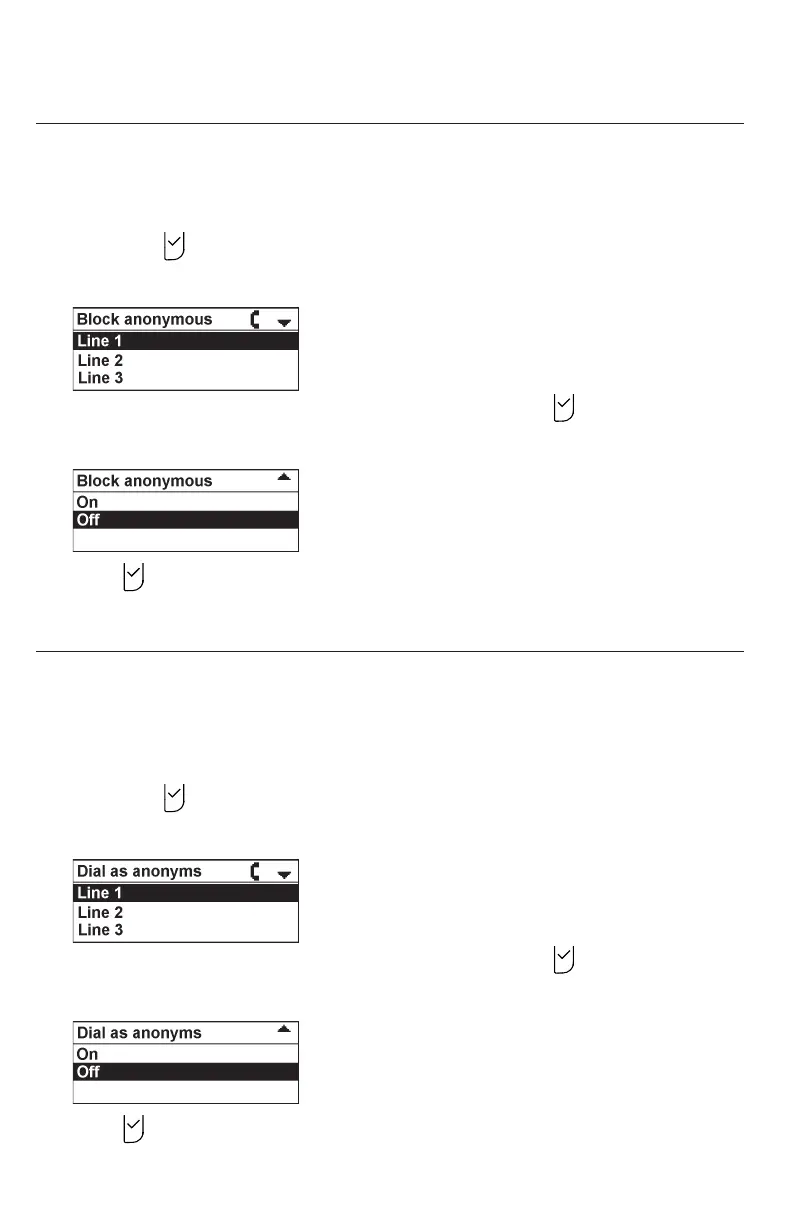
The Block Anonymous menu appears.
2. Press p or q to highlight the desired line, and then press .
3. Press q or p to highlight On or Off.
4. Press to save your selection. You will hear a conrmation tone.
Setting Dial as Anonymous
Dial as Anonymous enables the phone to make outgoing calls with the Caller ID
hidden from the far end.
To set dial as anonymous:
1. From the Call Features menu, press p or q to highlight Dial as anonyms, and
then press .
The Dial as anonyms menu appears.
2. Press p or q to highlight the desired line, and then press .
3. Press q or p to highlight On or Off.
4. Press to save your selection. You will hear a conrmation tone.



 To Next Page