Settings
46
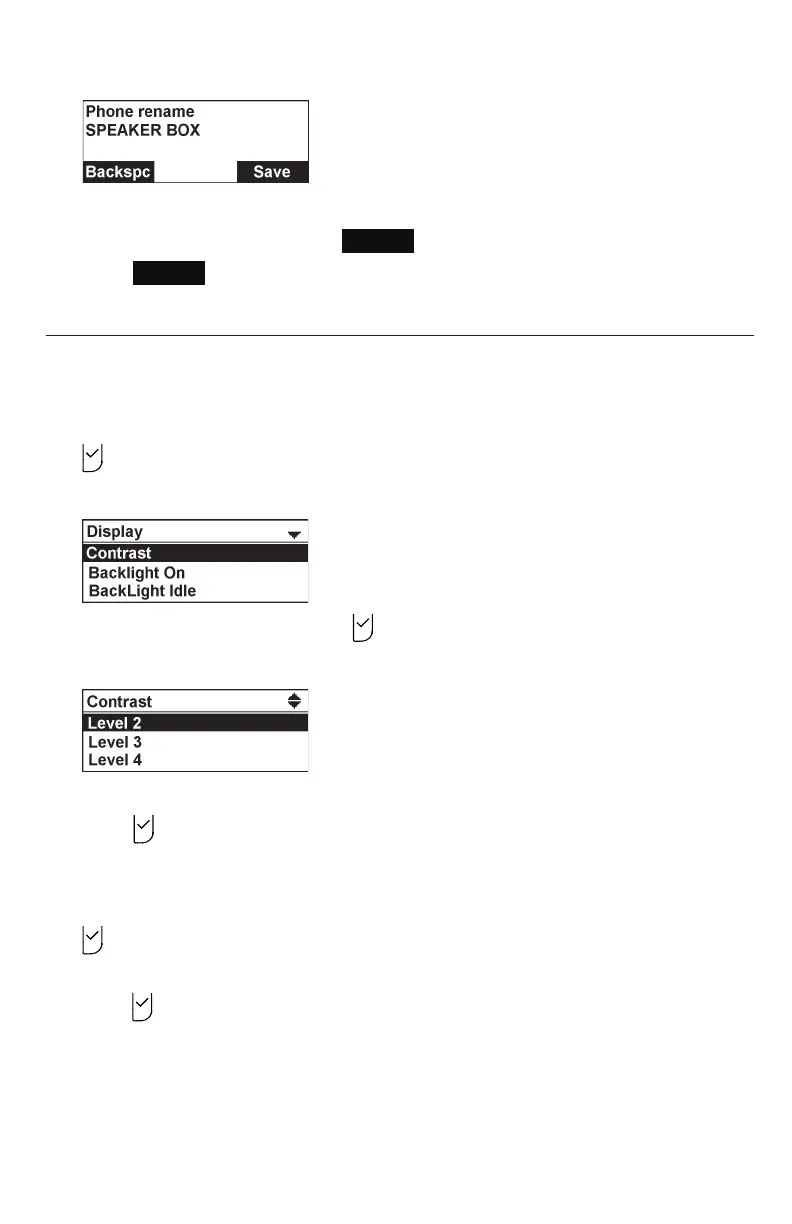
2. Use the dialing pad to enter the new name.
• To delete a characer, press
Backspc
.
3. Press
Save
to save your selection. You will hear a confirmation tone.
Setting the display settings
Use the display menu to set the screen appearance and backlight behavior.
To set the contrast:
1. From the User settings menu, press q or p to highlight Display, and then press
.
The Display menu appears.
2. With Contrast highlighted, press .
The Contrast screen appears.
3. Press q or p to select the desired contrast level (1 to 7).
4. Press to save your selection. You will hear a confirmation tone.
To set backlight:
1. From the User settings menu, press q or p to highlight Display, and then press
.
2. press q or p to highlight Backlight On, BackLight Idle, or Timeout*, and then
press .
• If you selected Backlight On or BackLight Idle, press q or p to select
On or Off.
• If you selected Timeout, press q or p to choose the timeout period between
10 and 60 seconds.



 To Next Page