25 26
Conference phone operation
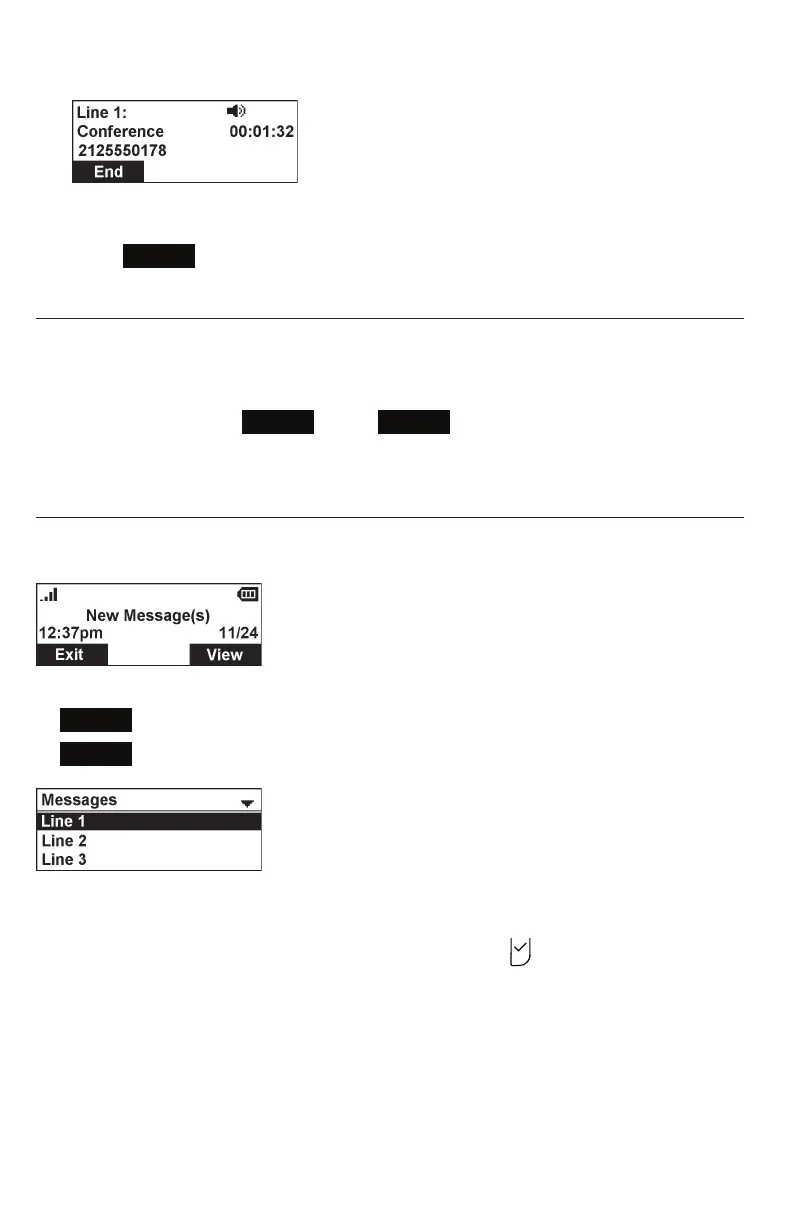
Ending a conference call:
• Press
End
to hang up on both calls.
Setting up a network conference
A network conference is hosted by your service provider and allows multiple parties
to join a conference. A Network Conference works in a similar way to the regular
conference described above.
In addition, the soft keys
Add
and/or
AddCall
will appear during a conference,
allowing you to add more parties to the ongoing conference call.
Retrieving messages
The conference phone displays the New Message(s) alert screen when you have a
new voicemail message.
On the New Message(s) alert screen, you can press:
•
Exit
to return to the idle screen.
•
View
to access your messages. The Message Menu appears.
The message menu displays the mailboxes you can access from your phone. If your
phone has more than one line, you may be able to access multiple mailboxes.
Press p or q to highlight the desired mailbox, and press to access messages in
that mailbox.
When there is no New Message(s) alert screen, you can access the Message menu
using the phone menu.



 To Next Page