24
Conference phone operation
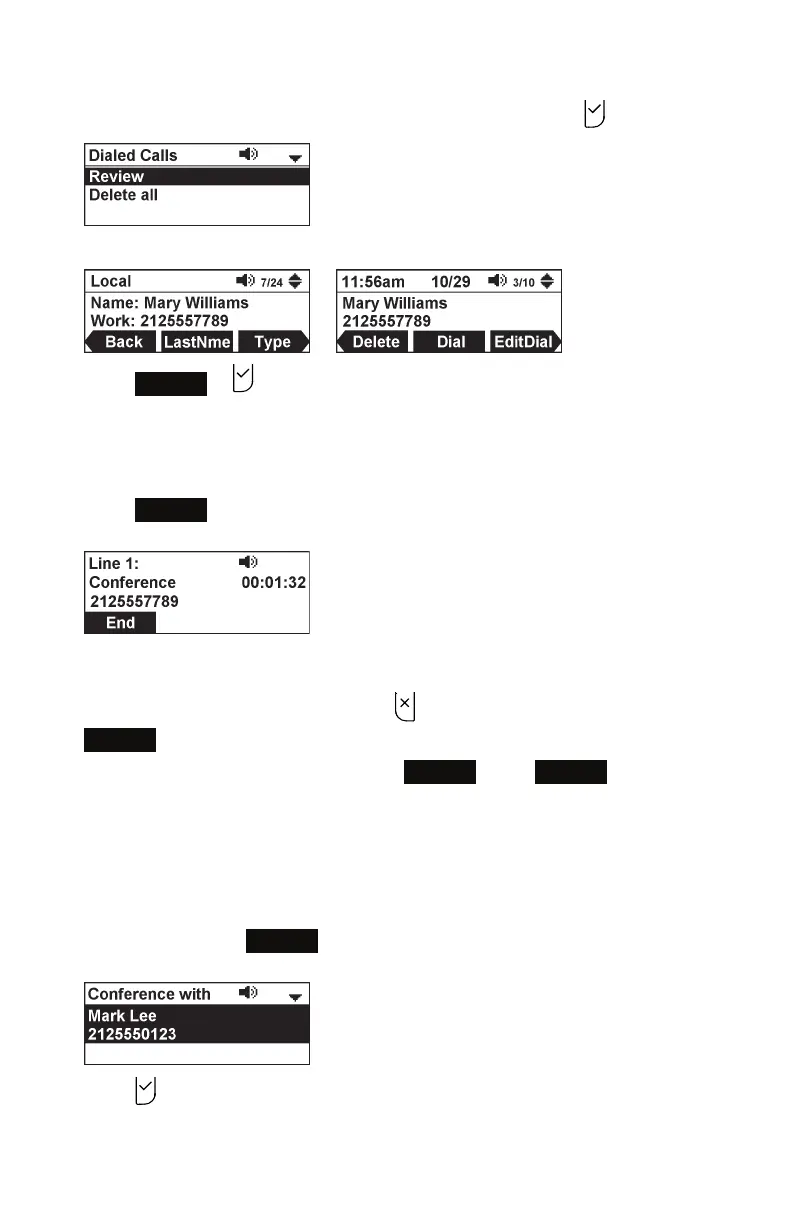
5. For call history, press q or p to highlight Review, and press .
6. Press q or p to select the party you want to join your conference.
7. Press
Dial
or .
Your phone calls the number.
8. When the second call is established, you can talk to the party to advise them of
the conference call.
9. Press
Conf.
.
The conference begins and the conference screen appears.
To cancel the conference:
• Before dialing the second call: Press on the Conference with screen. Press
Resume
to resume the held call.
• With the second call on the line: Press
End
. Press
Resume
to resume the
held call.
To create a conference with a held call:
When you have an active call and a held call, you can also create a conference with
the held call.
1. During a call, press
Conf.
.
The Conference with screen appears, showing the held call.
2. Press .
The conference begins and the conference screen appears.



 To Next Page