Settings
39
Setting Do Not Disturb (DND)
You can set Do Not Disturb (DND) for each line assigned to your phone. When DND is
set, the ringer is silenced and the phone rejects incoming calls and pages; the caller
receives the busy signal. After rejecting a call, the phone displays the Missed Calls
screen.
To turn DND on or off:
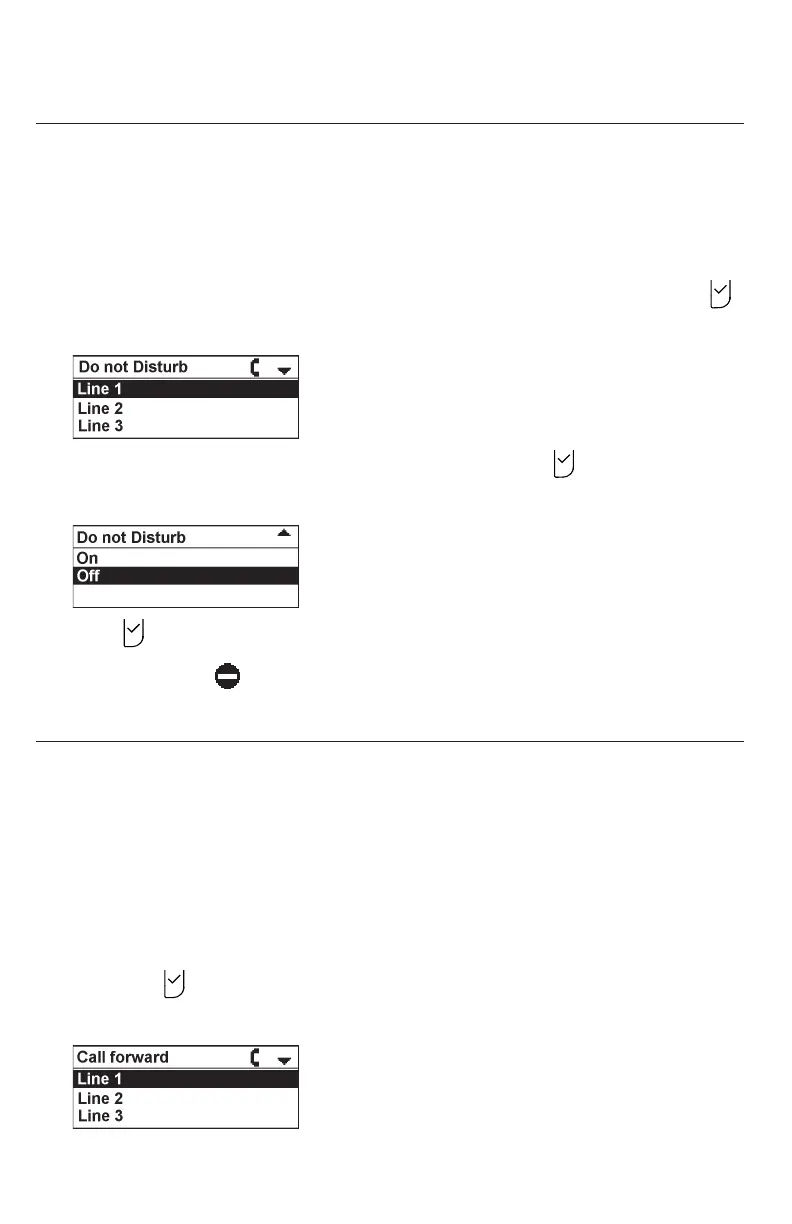
1. From the Call Features menu, press p or q to highlight DND, and then press .
The Do not Disturb menu appears.
2. Press p or q to highlight the desired line, and then press .
3. Press q or p to highlight On or Off.
4. Press to save your selection. You will hear a conrmation tone.
When DND is on, appears on the idle screen.
Setting Call Forwarding
Call forwarding automatically forwards incoming calls depending on the setting. You
can enable the following types of call forwarding:
• Always: incoming calls are forwarded immediately and the phone does not ring.
• Busy: incoming calls are forwarded if all your available lines are busy.
• No answer: incoming calls are forwarded after the no answer delay expires.
To set call forward:
1. From the Call Features menu, press p or q to highlight Call forwarding, and
then press .
The Call forward menu appears.



 To Next Page