Settings
40
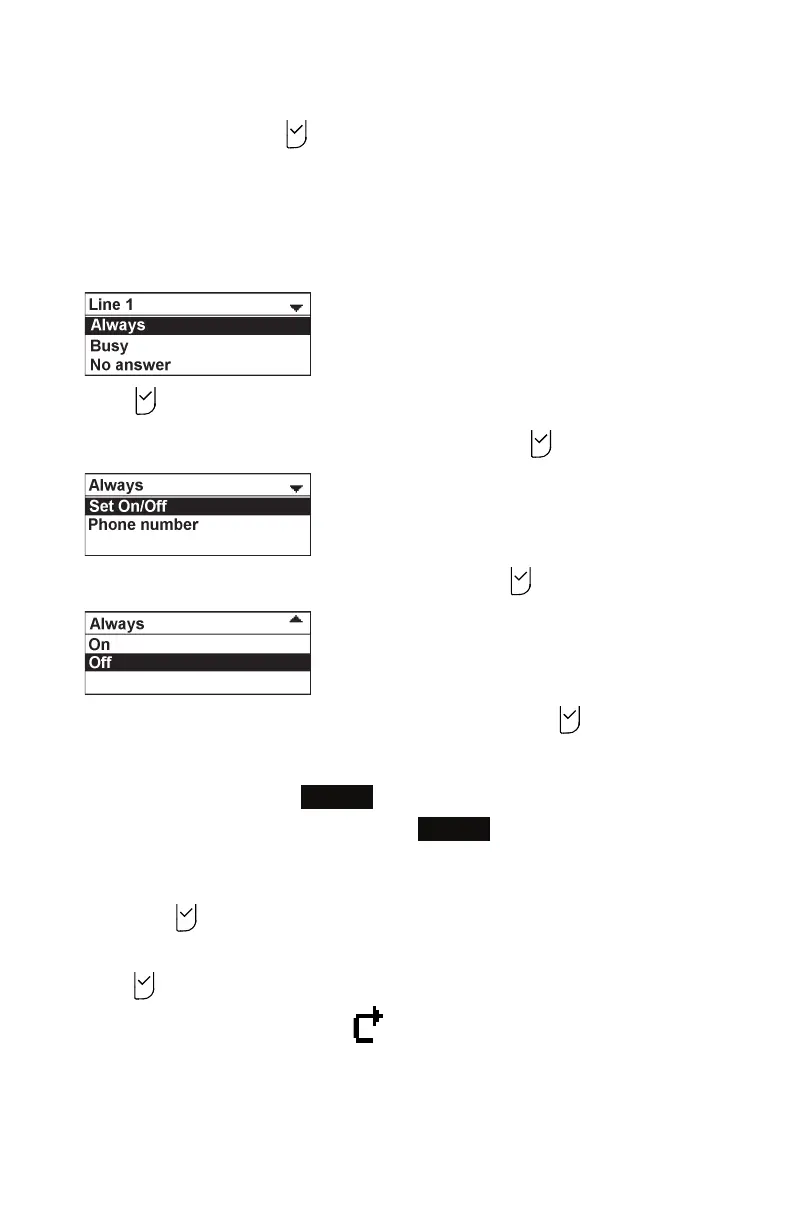
2. Press p or q to highlight the line for which you want to configure call forward
settings, and then press .
3. Press q or p to highlight the desired option:
• Always
• Busy
• No answer
4. Press .
5. On the next screen, with Set On/Off highlighted, press .
6. Press q or p to highlight On or Off, and then press .
7. Press q or p to highlight Phone number, and then press .
8. Enter the phone number to which you would like to forward calls.
• To erase a digit, press
Backspc
.
9. To save your call forward settings, press
Save
.
You will hear a confirmation tone.
10. If you selected No answer earlier, press q or p to highlight No ans. delay, and
then press .
11. Press q or p to highlight the No Answer delay between 1 and 10 rings, and then
press .
When Call forward Always is on, appears on the idle screen.



 To Next Page