13
D862 User Manual Setting up the Phone
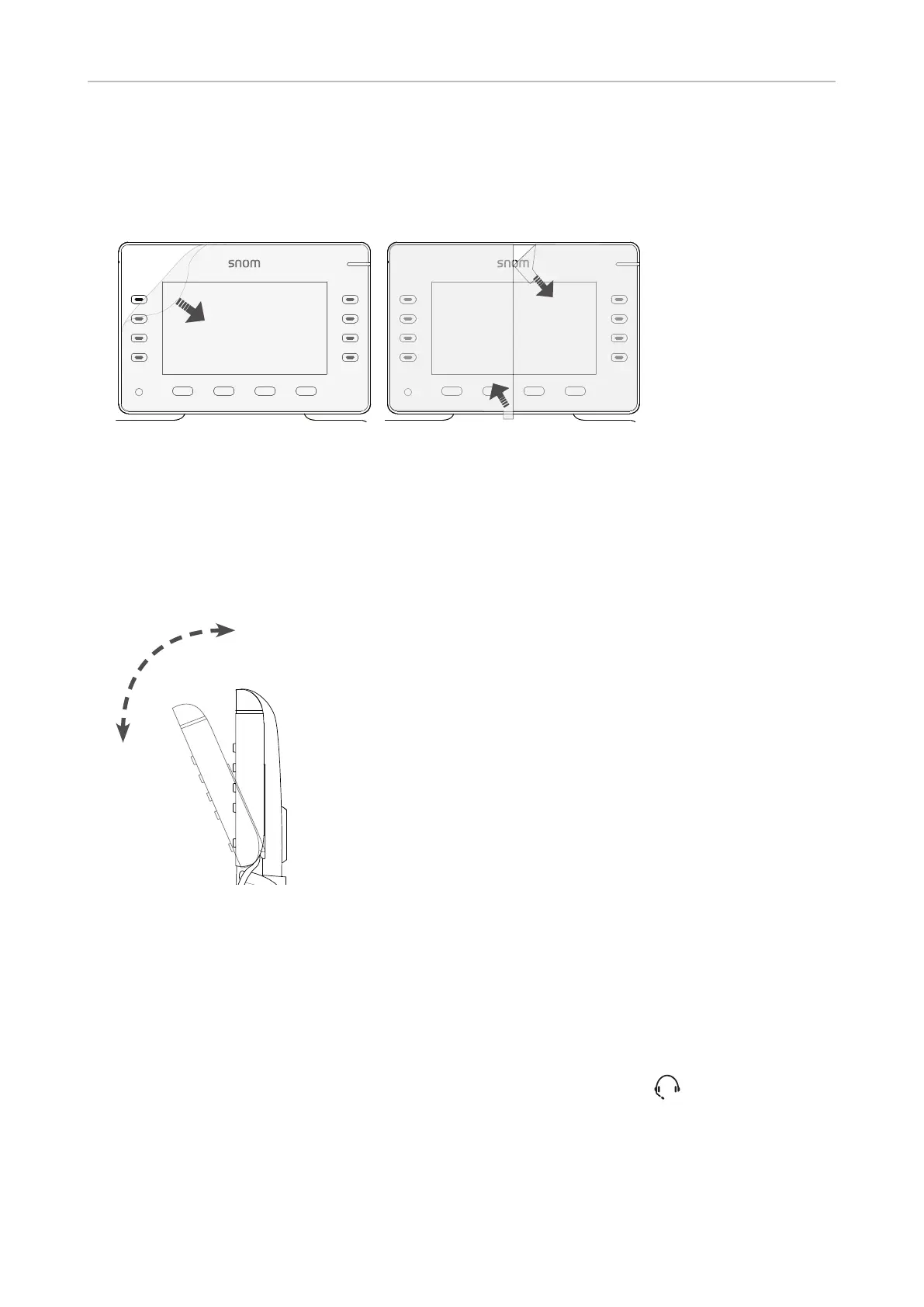
Removing the protective lm from the display
The display is covered by a protective lm, either by a one-piece or a two-piece lm. Gently pull the
tab(s) to peel it o.
One-piece lm Two-piece lm
Note: The display's cover is held in place magnetically for easy removal when
necessary for customization or replacement. If the protective lm is peeled o with
too much force, the cover may become dislodged from the display. Simply put it back
into its proper position.
Tiltable display
45°
The display angle is adjustable by 45 degrees.
Connecting a headset
You can use wired as well as wireless headsets with the phone.
• Wired headsets
If you want to use a wired headset, connect it to the RJ audio jack labeled .
Note: If both a wired and a wireless headset are connected to the phone, incoming calls
will go to the wireless headset.



 To Next Page