22
D862 User Manual Getting to Know Your Phone
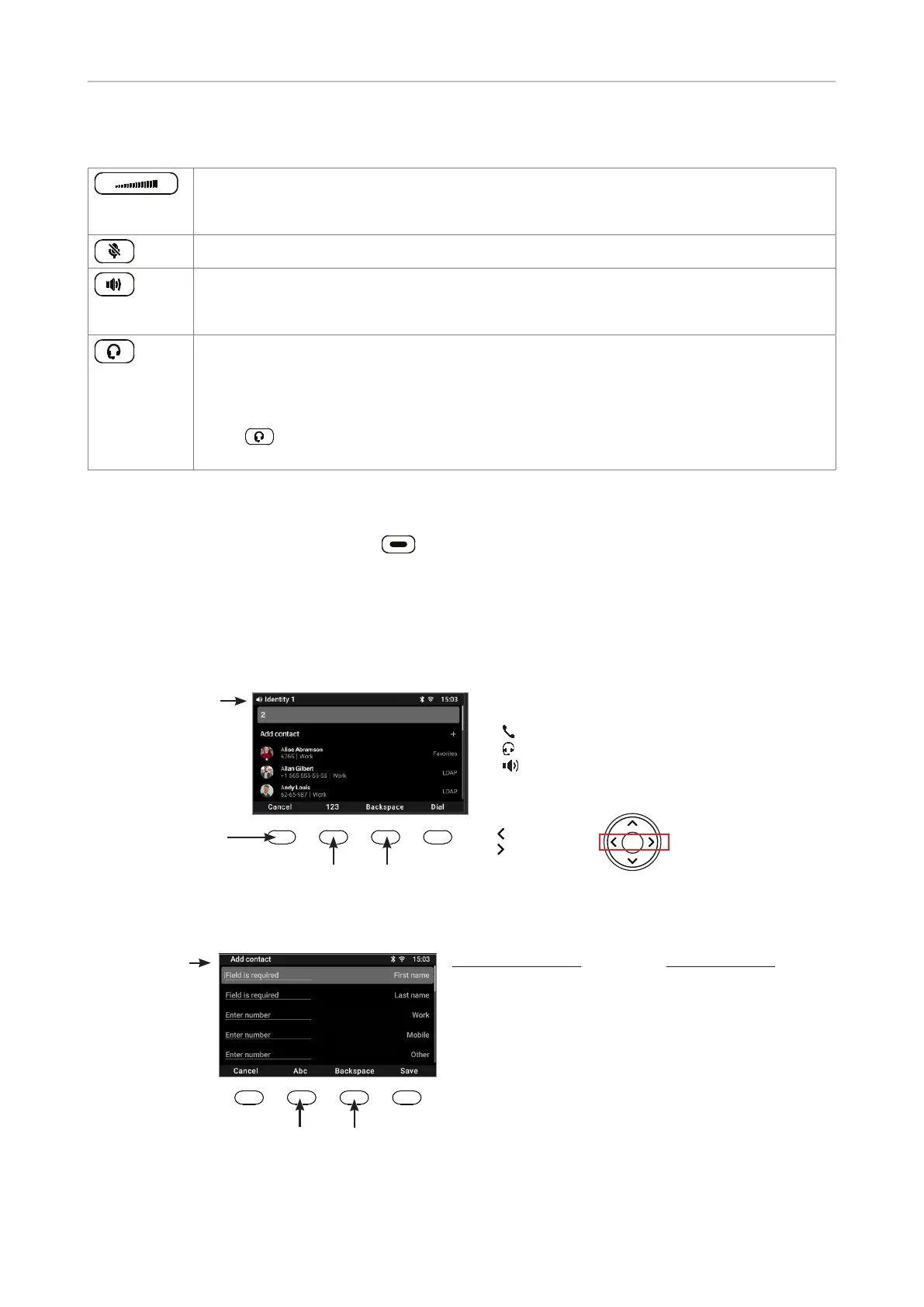
Audio control keys
Press the right or left edge of the key to adjust the volume
• of the ringer when the phone is idle or ringing
• of the loudspeaker in handset, casing, or headset, respectively, when in call
Muting and unmuting the microphone
• Toggling between handsfree and handset mode
• Dialing numbers on speakerphone
• Accepting calls on speakersphone
Toggling between headset and handset modes.
Note: Handset mode overrides headset mode. When the handset is picked up, the
headset symbol in the status line will be replaced by the handset symbol, indicating
that you can now use only the handset for the call. To return audio to the headset,
press again. The headset symbol will reappear in the status line. You can then
place the handset in the cradle without ending the call.
SmartLabel keys (freely programmable function keys with LEDs)
The freely programmable function keys on the both sides of the display control the SmartLabels
(see "SmartLabels" on page 25).
Alphanumeric Keypad
Input modes and navigation
Input mode
numerals
when dialing
Current identity
Cancel call
Input mode numerals
Delete character to
the left of the cursor
Move cursor
to the left
to the right
Current audio mode:
Handset
Headset
Speakerphone
Fig. 1
Current input mode:
123: Numerals
2aB: Numerals, lower, and
upper case letters
Abc: First letter upper case
ABC: Upper case letters
abc: Lower case letters
Next input mode:
2aB
Abc
ABC
abc
123
Current input mode.
Press to change.
Status bar
Delete character to
the left of the cursor
Fig. 2



 To Next Page