25
D862 User Manual Getting to Know Your Phone
Context area: Time and date, Favicons.
Preferences menu DND on/o
System menu Mailbox
Call features menu
SmartLabels
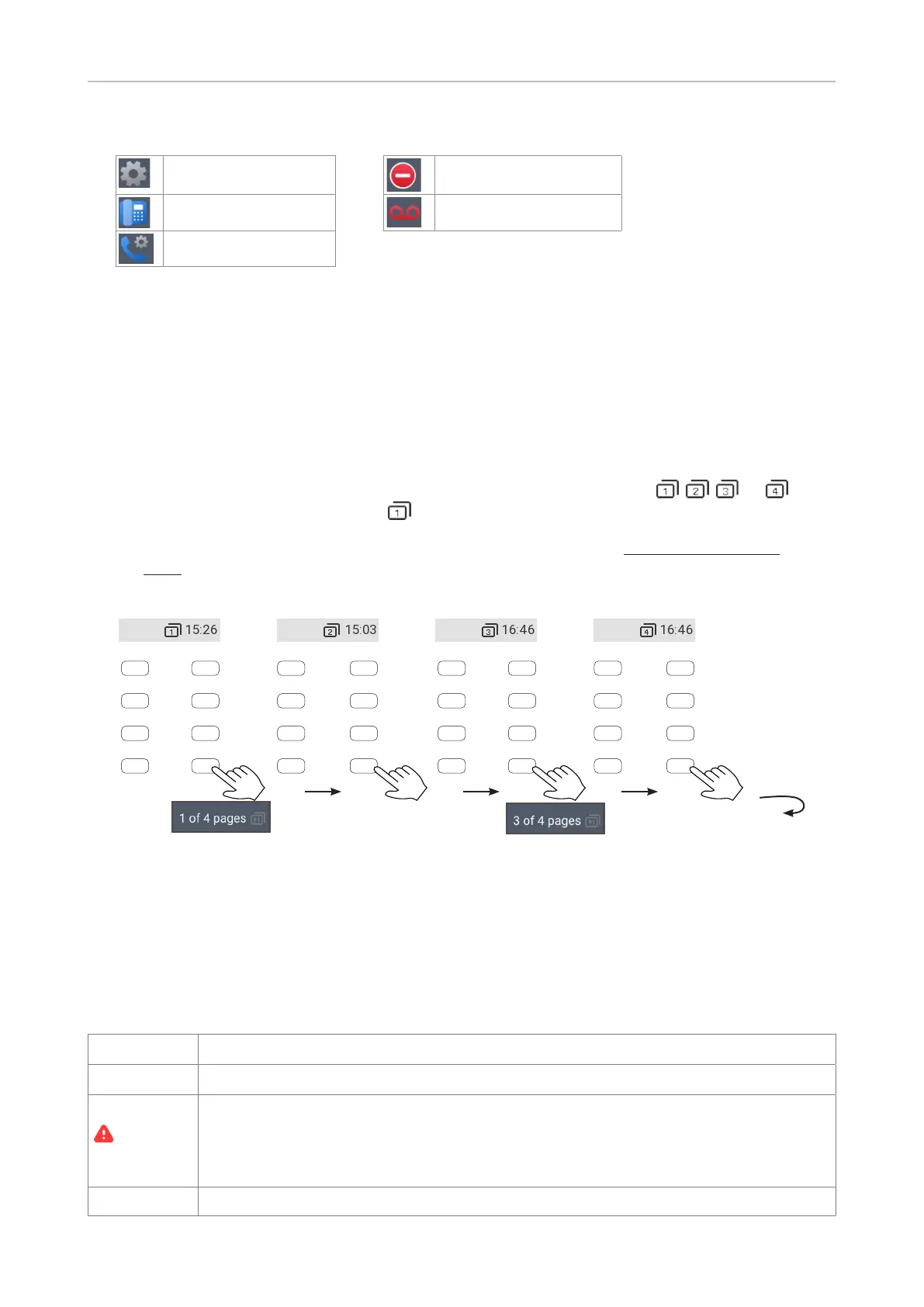
By default, the labels of the freely programmable function keys are displayed on four (4) "pages" in
eight (8) label areas each, four on each side of the display, when the phone is idle; they are hidden
when the phone is in a call.
The LED of the key associated with the label will react in accordance with the label's mapping, i.e., the
function assigned to the key on a given page; pressing the key may aect what you see on the label.
By default, the lower right key on each page, keys P8, P16, P24, and P32, serves to switch to the next
page, from 1 to 2, 3, and 4 and back to 1. The number of the on-screen page, , , , or , is
indicated on the page key. The default is ; the display will return to the default after 10 seconds.
NOTE: You can assign the NEXT PAGE function to another key but one key on each page
must have the function if you want to be able to use more than one page.
page 1
Page 1 Page 2 Page 3 Page 4
P1
P2
P3
P4
P5
P6
P7
P8
P9
P10
P11
P12
P13
P14
P15
P16
P17
P19
P19
P20
P21
P22
P23
P24
P25
P27
P27
P28
P29
P30
P31
P32
Press key
Back to
For information on programming the function keys, see "Conguring the function keys" on page 52.
Function key line
The text symbols on the buttons in this line name the functions that can be activated by pressing
the function key underneath each respective one. See "Appendix 1 - Display Symbols and Icons" on
page 75 for a complete list. Factory defaults (may dier, depending on your IP provider or network
administration):
Directory
Directory. See "Directory" on page 32.
Call history
Call history (lists of received, dialed, and missed calls). See "Call lists" on page 48.
Notications
When Notications is preceded by the red alert triangle, press the key to display
all currently available status messages. Press Dismiss to delete the highlighted
message, press Dismiss all to delete all messages. When all messages have been
deleted, the triangle and the message in the context area will disappear.
Menu
Main menu



 To Next Page