32
D862 User Manual Directories
Directories
Directory
The directory is the built-in directory of the phone. It can hold up to 10,000 entries. Entries can be
added and edited on the phone's web interface.
Any changes you make on the web interface will not take eect until you click on "Save" or on "Apply"
and "Save", depending on your rmware version. Changes will be lost if you open another page of the
web interface without rst clicking on "Apply"/"Save".
Denitions, explanations
Directory entries
Each entry must have at least one phone number; multiple associated phone numbers are possible. If
you do not enter a rst and/or last name and/or nickname, the phone number will appear under both
"Name" and "Number".
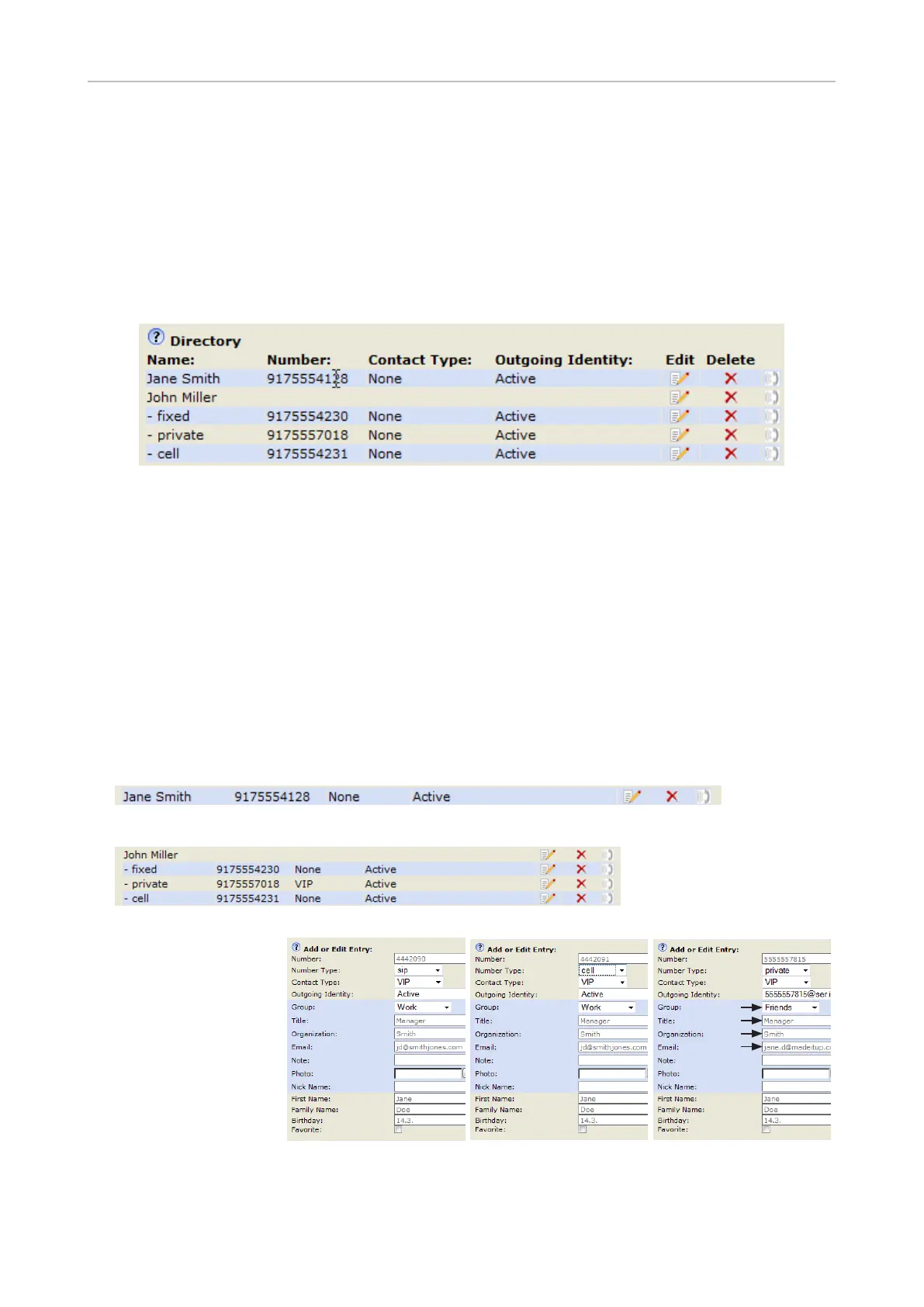
• Entry with one phone number:
• Entry with several associated phone numbers:
Name area. Same data for
the master record and all
subentries.
Blue area. Data can be
di erent for each associated
phone number. If subentry
text elds are blank, the data
from the master record is
displayed.
Blue area of Subentry 2: Di erent "Group" selection (S), di erent
entry in text eld of "Email" (S
). No entry in text elds of "Title" and
"Organization", therefore they are the same as the master record.
Number area (N): Individual
settings for the master record
and each subentry possible.
M
N
M
M
N
M
Main record (M) Subentry 2
M
M
M
N
S
S
Currently, the local directory can be
edited on the legacy web interface only. It
is accessible by adding port 3112 to the
phone's URL, e.g. xxx.xxx-xxx-xx:3112.



 To Next Page