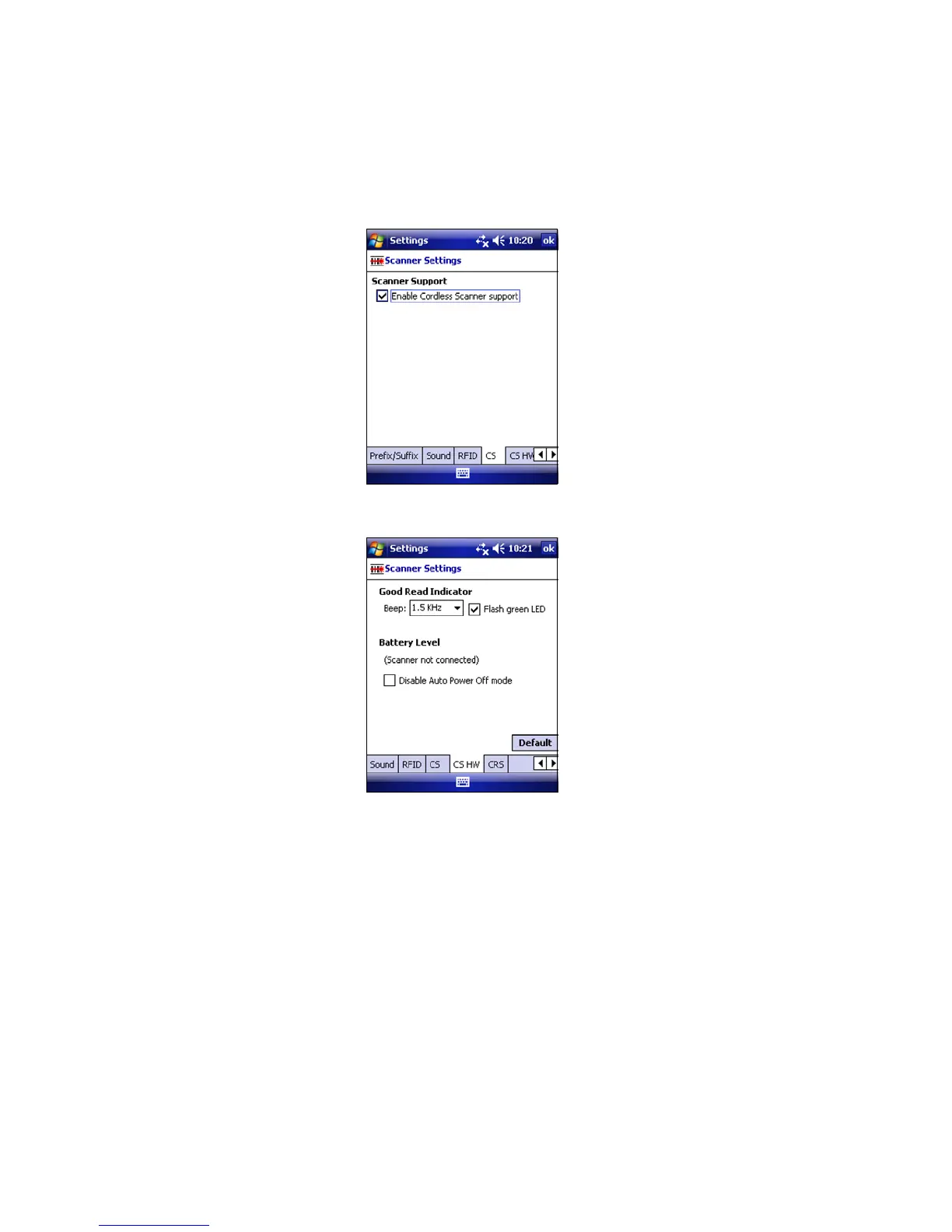
3. Check the box Enable Cordless Scanner support. IMPORTANT!!!
4. Tap on the CS HW tab.
Enter the following settings:
• Good Read Indicator: Select how you would like the CHS
to indicate that it has successfully read data.
• Battery Level: When the scanner is connected, a progress
bar displays this advanced feature.
• Disable Auto Power Off mode:
CAUTION: Selecting this option will disable the Auto
Power Off mode and can result in complete
discharge of the CHS batteries. Use with caution.
5. After entering settings, tap ok to save the changes.
20















 To Next Page