SCANNER SETTINGS
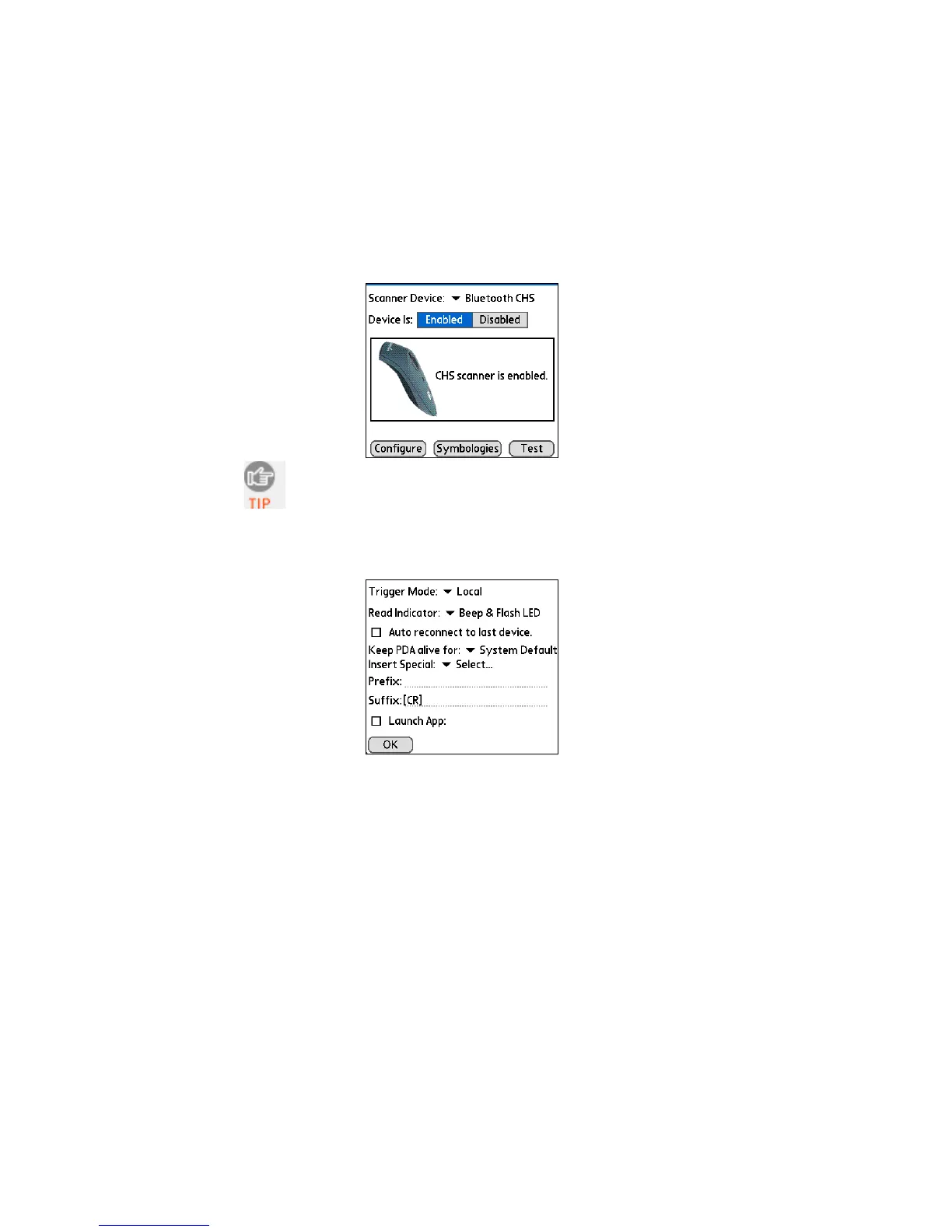
1. Make sure the main screen of SocketScan reports that the CHS
is enabled. Tap Configure.
You can configure prefix/suffixes whether or not the
CHS is connected to your device.
2. The Configure screen will appear. Enter any settings, as
desired:
• Trigger Mode: Select Local to directly trigger the scanner
whenever you press the trigger button. Select Remote to
have the scanner verify a connection to your PDA before it
activates the scanner beam.
• Read Indicator: Select how you would like the CHS to
indicate that data was successfully decoded and
transmitted to the PDA.
• Auto reconnect to last device: Check to have your PDA
automatically connect to the last CHS unit it connected to
whenever you tap Enabled in the main screen of
SocketScan.
72















 To Next Page