SCANNER SETTINGS
You can configure these settings whether or not the CHS is
connected to your computer.
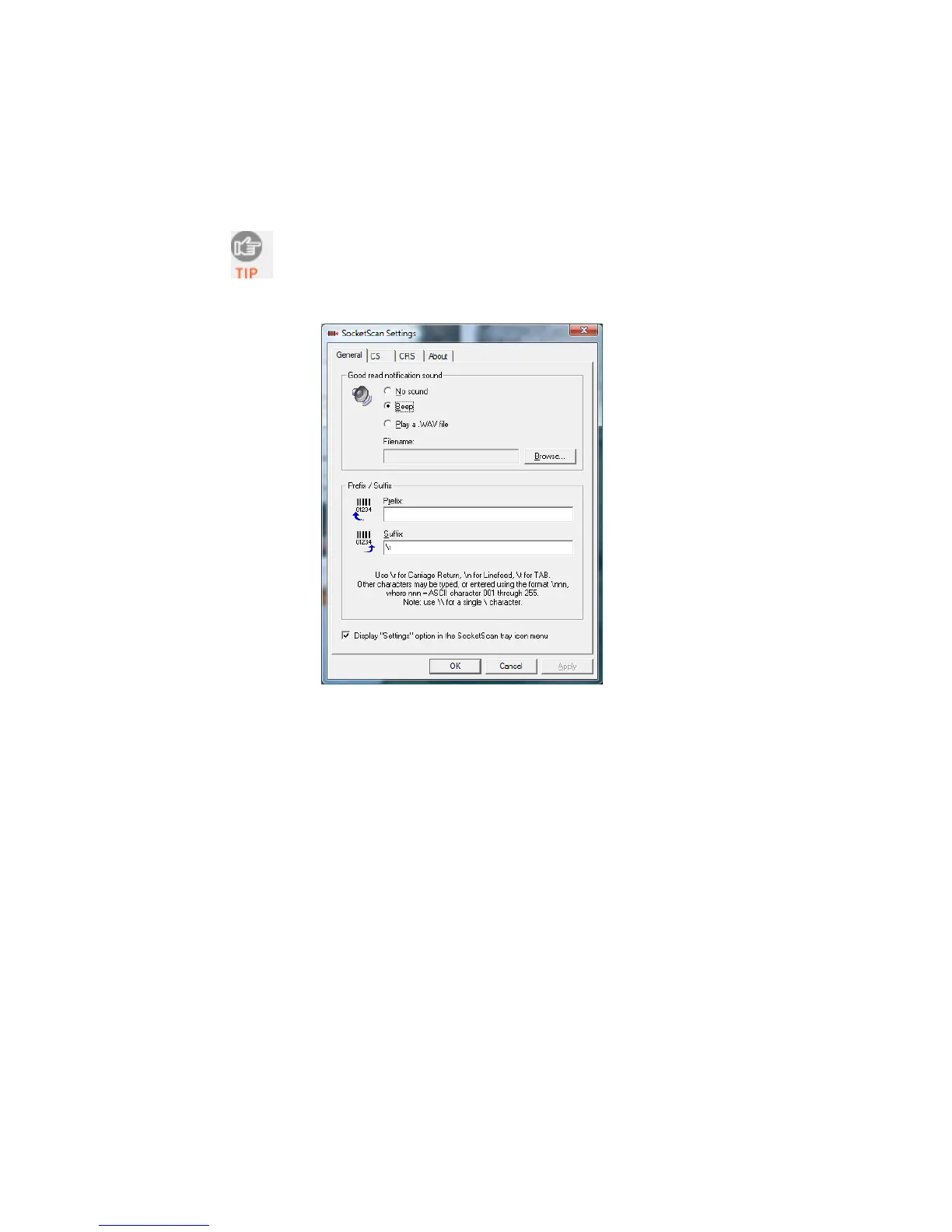
1. In SocketScan Settings, click on the General tab.
2. Adjust any settings as desired:
Good read notification sound: Select a sound to indicate good
reads of data. By default, the computer will beep. If you would
like the computer to play a .WAV file, select Play a .WAV file
and click Browse to select the file location.
Prefix/Suffix: Enter any prefixes and/or suffixes you would like
SocketScan to automatically add to scanned data (128 character
maximum, printable ASCII characters only). By default, SocketScan
will enter a carriage return after every data scan.
Display “Settings” option in the SocketScan tray icon
menu: Check this box to display the “Settings” option in the
SocketScan menu.
3. After adjusting any settings, click OK.
CHAPTER 5: SETUP FOR WINDOWS XP & WINDOWS VISTA 57















 To Next Page