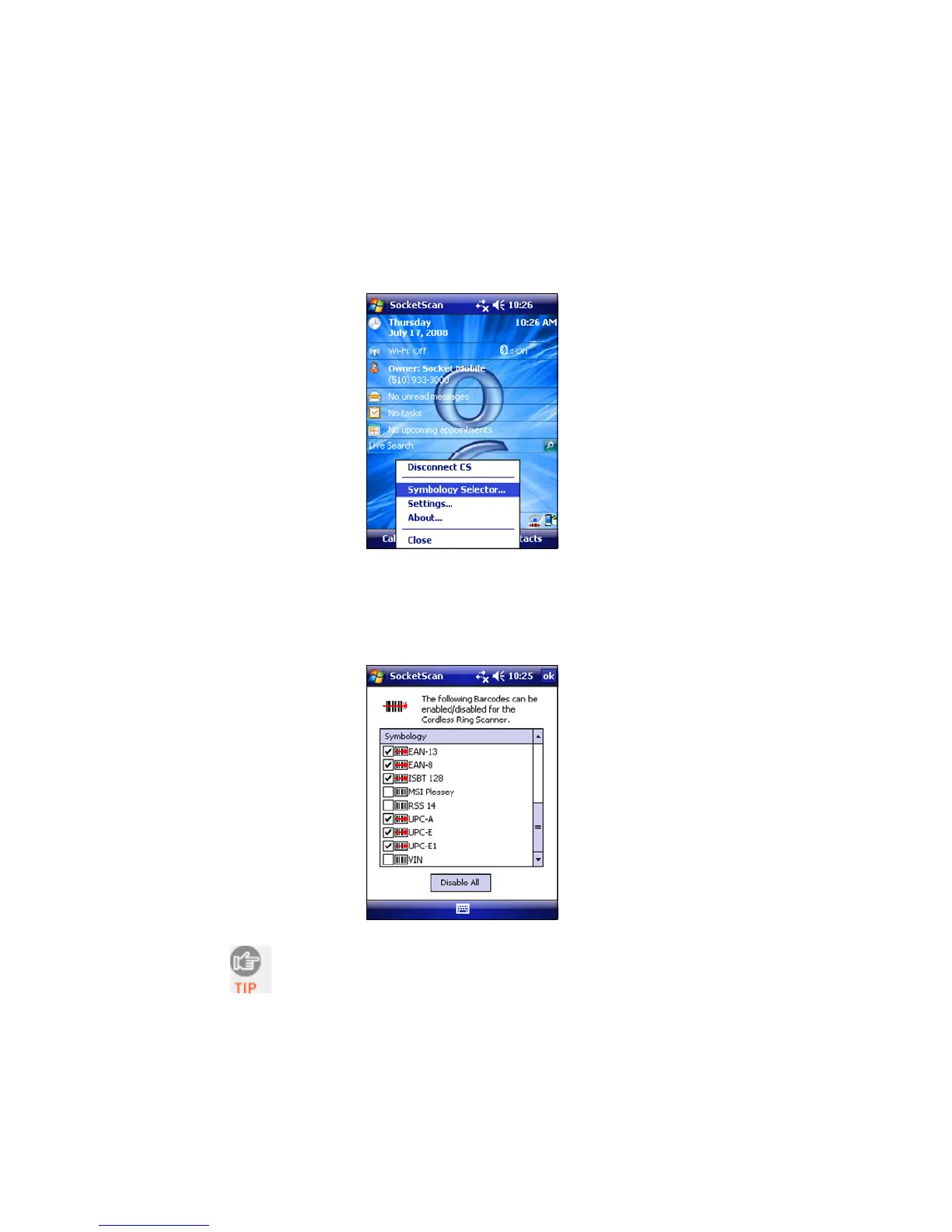
SYMBOLOGY SELECTOR
1. Tap on the SocketScan icon. In the pop-up menu, tap Symbology
Selector...
2. In the screen, check the symbologies you wish to enable.
Uncheck those you wish to disable. For convenience, you can
tap Disable All to disable all the symbologies and select the
ones you want. Tap ok.
Socket does not recommend enabling all possible
symbologies. Doing so will make the decode process
slightly longer.
26















 To Next Page