Chapter 2: System Setup
2-9
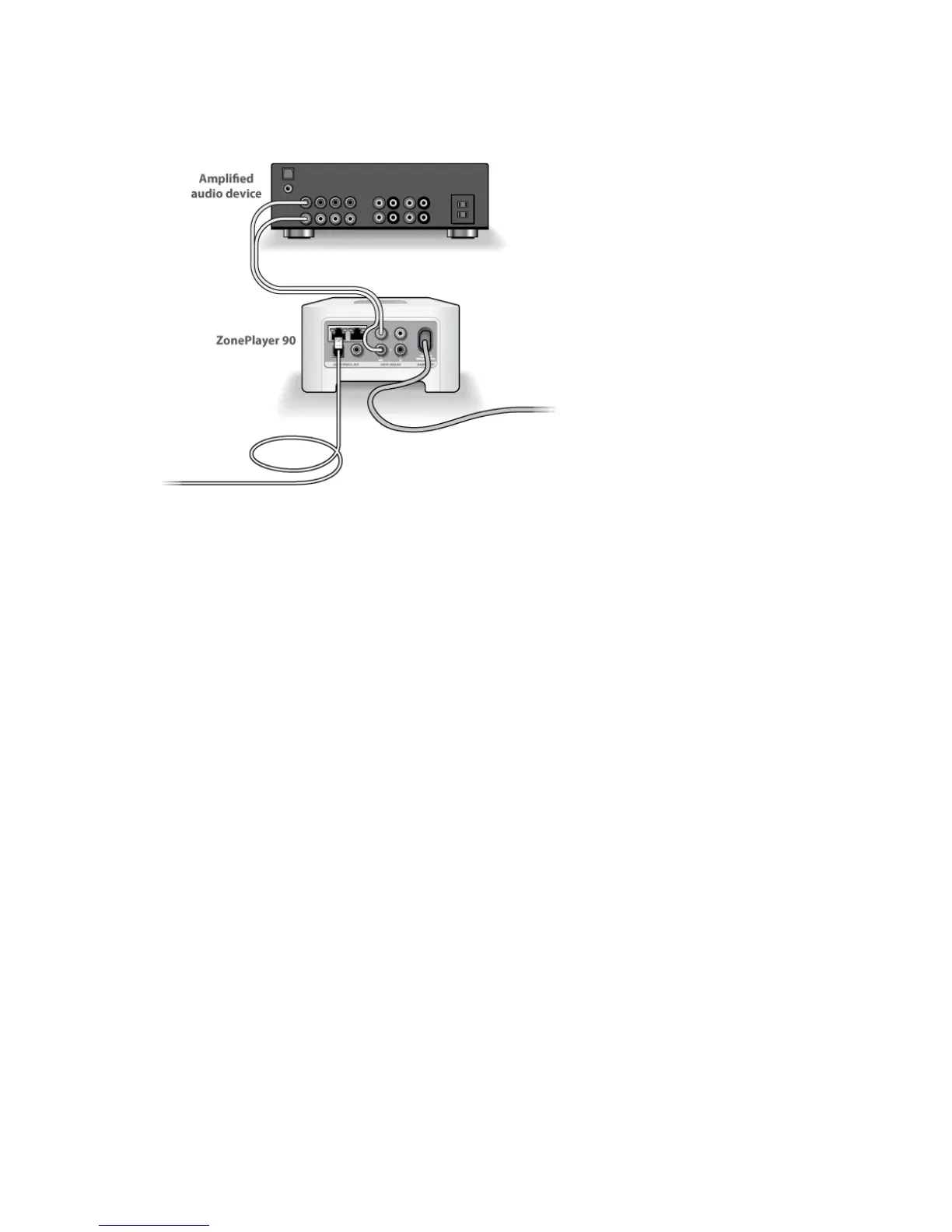
Connect to a home theater or amplifier
• If you have digital inputs on your home theater or amplifier, you can use either
a TOSLINK® optical audio cable or a digital coaxial cable to connect the Zone-
Player 90’s digital output to the digital input on the receiver.
• If you have analog inputs on your home theater or amplifier, use a standard
RCA audio cable to connect a ZonePlayer’s analog audio output to the audio
inputs on the receiver.
• Select the proper input channel on the receiver.
• After you finish setting up your Sonos system, go to "Using Line-out" on page
2-24 to adjust the volume settings.
Connect to a computer or powered speakers
• You will need a stereo mini to RCA Y-adapter audio cable (one 1/8-inch stereo
miniplug to dual RCA male connectors) to connect the ZonePlayer’s analog
audio output to the computer’s audio input.
• You may need a Y-adapter audio cable (one1/8-inch stereo miniplug to dual
RCA male connectors) to connect the speakers to the audio outputs on the
ZonePlayer. If your speakers have a male 1/8-inch stereo plug, you will need
to attach a female-to-female coupler between the speaker plug and the Y-
adapter audio cable.
For additional information on connecting audio devices, you can visit our Web site at
http://faq.sonos.com/cables.



 To Next Page