23
HCD-FL3
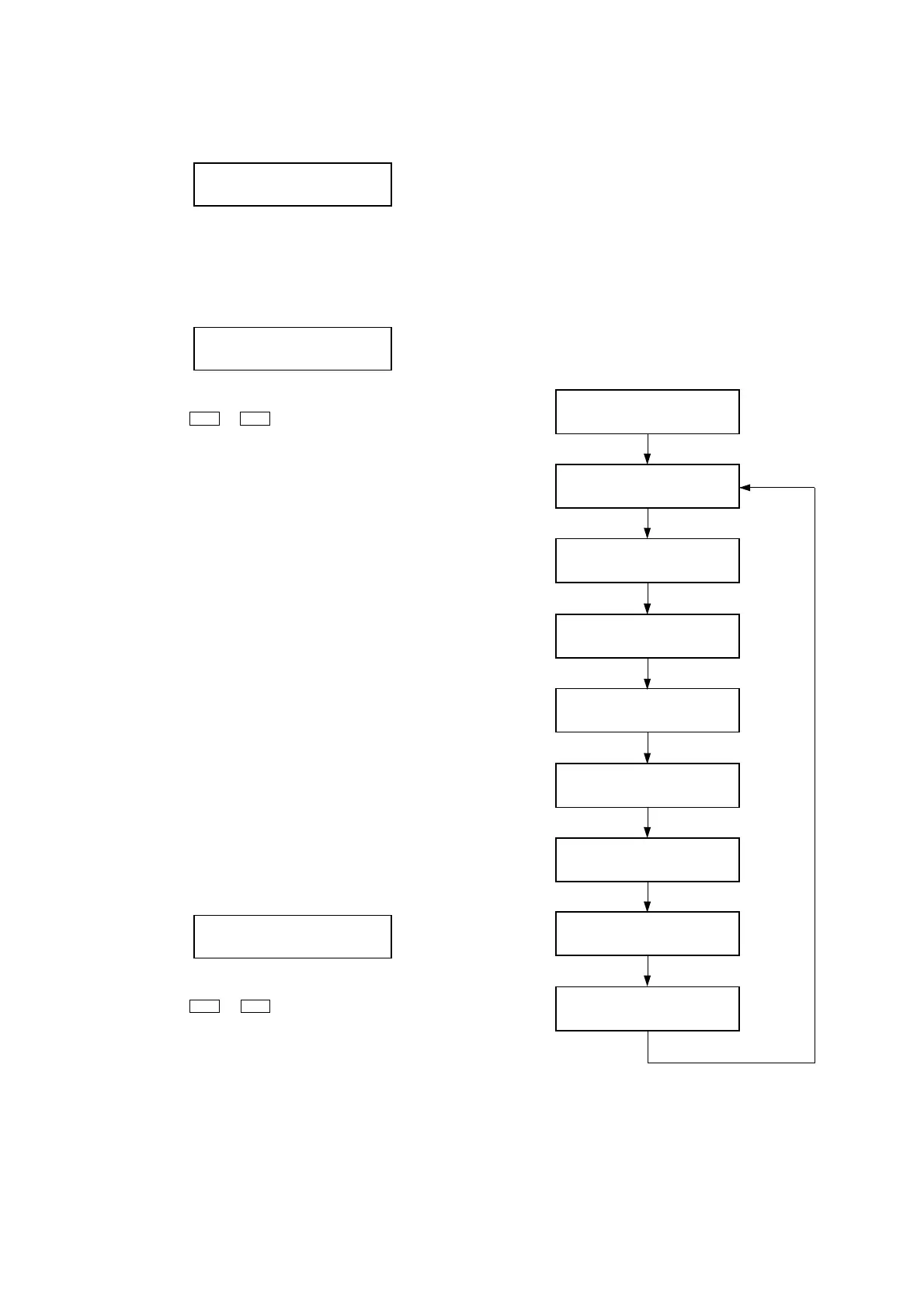
1) Display of total error
EMC**: The number of mechanical error.
EDC**: The number of no disc error after chucking the disc.
2) Display of mechanical errors
M*: The number of mechanical error (“0” is latest one)
(Press the . or > button to changes next error display)
$$: Details of the error
01: The error in the midst of table rotating for initialize (1).
02: The error in the midst of table rotating for initialize (2).
03: The error in the midst of table rotating for initialize (3).
04: The error in the midst of disc skip operating for tray open.
05: The error in the midst of table rotating for tray close.
06: The error in the midst of table rotating for chucking the
disc.
07: The error in the midst of ship operating.
08: The error in the midst of release operating.
09: The error in the midst of power off operating.
%%: Process when error occur
01: Ship processing
02: Power off processing
03: Initialize
04: Release operating
05: Stop chucking
06: Tray close operating
07: Tray close operating for EX-change
08: Tray open operating
09: Tray open pop up operating
0A:Tray open operating for EX-change
&&: Operations currently performed for error which have occurred.
##:Targets of processing when problems occur. (Same as “ %%”)
3) Display of no disc errors
D*: The number of mechanical error(“0” is latest one)
(Press the
. or > button to changes next error display)
$$: Error type
01: Focus error
02: GFS error
03: Start up error (time over)
04: Focus deviates continuously
05: Q code absent for same time
%%: Process when error occur
01: Ship processing
02: Power of processing
03: Initialize
04: Stop
05: Stop operation processing
06: Start up
07: TOC reading
Display
EMC**EDC**
Display
M*$$%%&&##00
Display
D*$$%%&&##00
08: Searching
09: Play
0A:Pause
0B:Manual search (Play)
0C: Manual search (Pause)
&&: Operations currently performed for error which have occurred.
##: Rotation speed of disc when error occur.
01: Normal speed
02: Double speed
3. Tape Deck Section
The sequence during the aging mode is following as below.
If an error occurred, stop display that step.
Aging mode sequence (Tape deck section) :
Rewind the tape A and B
“TAPE A AG-1”
Shut off
FWD play the tape A
“TAPE A AG-2”
2 minutes
Fast forward the tape A
“TAPE A AG-3”
Shut off or 20 seconds
REV play the tape A
“TAPE A AG-4”
2 minutes
Rewind the tape A
“TAPE A AG-5”
Shut off
FWD play the tape B
“TAPE B AG-2”
2 minutes
Fast forward the tape B
“TAPE B AG-3”
Shut off or 20 seconds
REV play the tape B
“TAPE B AG-4”
2 minutes
Rewind the tape B
“TAPE B AG-5”
Shut off
Note: “TAPE
*
AG-
*
” is display of each step.



 To Next Page