72
Using as a Video Process Controller
To change the value using the TRIM+ button
or TRIM– button
TRIM+ button: Each time you press this button, the
value increases.
TRIM– button: Each time you press this button, the
value decreases.
To change the value using the search dial
Press the ALL STOP button. You can use the search
dial to change the value.
To reset to the preset value
Press the RESET button.
To cancel the video process control mode
Press the buttons you pressed in step 2, again.
Using Video Process
Control with on HD
Device
1)
1)
Supported devices: HDW-2000 series, HDW-1800, HDW-S280, PDW-
HD1500, PDW-F1600
1
Set the EDITOR/REMOTE CONTROL switch to
EDITOR.
2
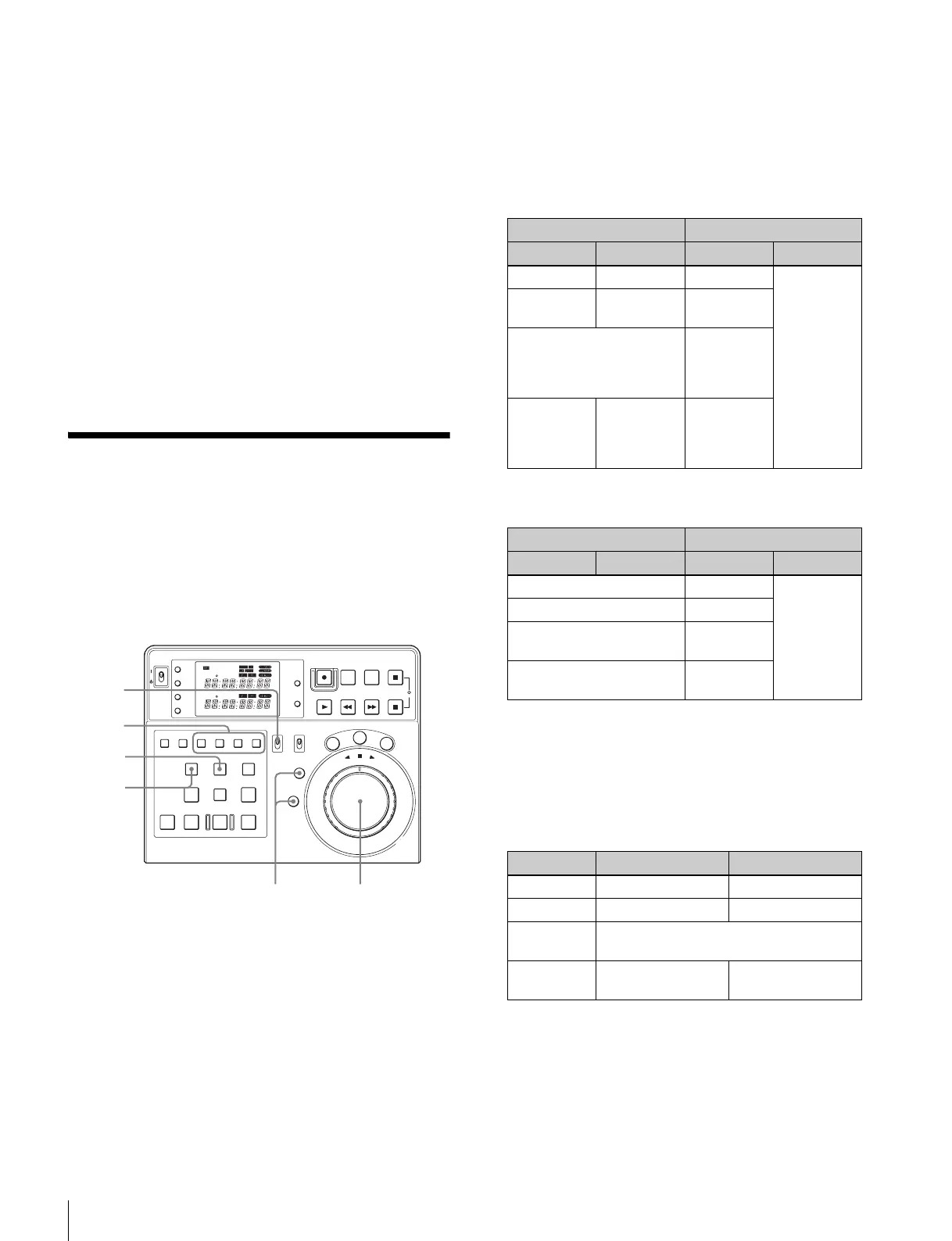
Press the buttons according to the VTR and the output
to apply video process control.
Press the TRIM– or TRIM+ button simultaneously
with the PLAYER button to apply video process
control to the output of the player. Press the TRIM– or
TRIM+ button simultaneously with the RECORDER
button to apply video process control to the output of
the recorder.
Items that can be set using the TRIM– or TRIM+
button are as follows.
In the case of the HDW-2000 series,
HDW-1800, or HDW-S280
In the case of the PDW-HD1500
3
Press one of the A1 to A4 buttons, according to the
output signal to be set up.
In the case of the HDW-2000 series,
HDW-1800, HDW-S280
If you pressed the TRIM– button in step 2
POWER
TC
IN OUT
PLAYER
RTCTL
DEVICE 2
RTC
CTL
LEARN
RESET
REC EDIT
JOG
SHTL
V
A
R
EDITING CONTROLLER
RM
-
280
PREROLL PAUSE
PLAY REW FF STOP
STANDBY
RESET
MENU
SET
ASSEMBLE
VIDEO
TRIM
-
TRIM+
GO TO/SPLIT IN
PF7 PF8 PF9
PF4 PF5 PF6
PF1 PF2 PF3
IN ENTRY OUT
REVIEW / JUMP
PREVIEW AUTO EDIT ALL STOP
A1 A2 A3 A4
PF10 PF11 PF12 PF13 PF14 PF15
EDITOR
PLAYER
DEVICE 2
DEVICE 1
RECORDER
REMOTE
CONTROL
KEY INHI
ON
OFF
RECORDER
RTCTL
DEVICE 1
2,4
2,4
24
3
1
TRIM– button TRIM+ button
HD output SD output HD output SD output
– Video level Y level
–
–
Chroma
level
Pb level
Hue (59.94i, 29.97P,
23.98P)
Chroma phase (50i, 25P,
24P)
Pr level
–
Setup level
(525)
Black level
(625)
Setup level
– : Not available
TRIM– button TRIM+ button
HD output SD output HD output SD output
Video level Y level
–
Chroma level Pb level
Hue (59.94i)
Chroma phase (50i)
Pr level
Setup level (59.94i)
Black level (50i)
Setup level
– : Not available
HD output SD output
A1 button – Video level
A2 button – Chroma level
A3 button Hue (59.94i, 29.97P, 23.98P)
Chroma phase (50i, 25P, 24P)
A4 button
–
Setup level (525)
Black level (625)
– : Not changed















 To Next Page