74
Setup Menu
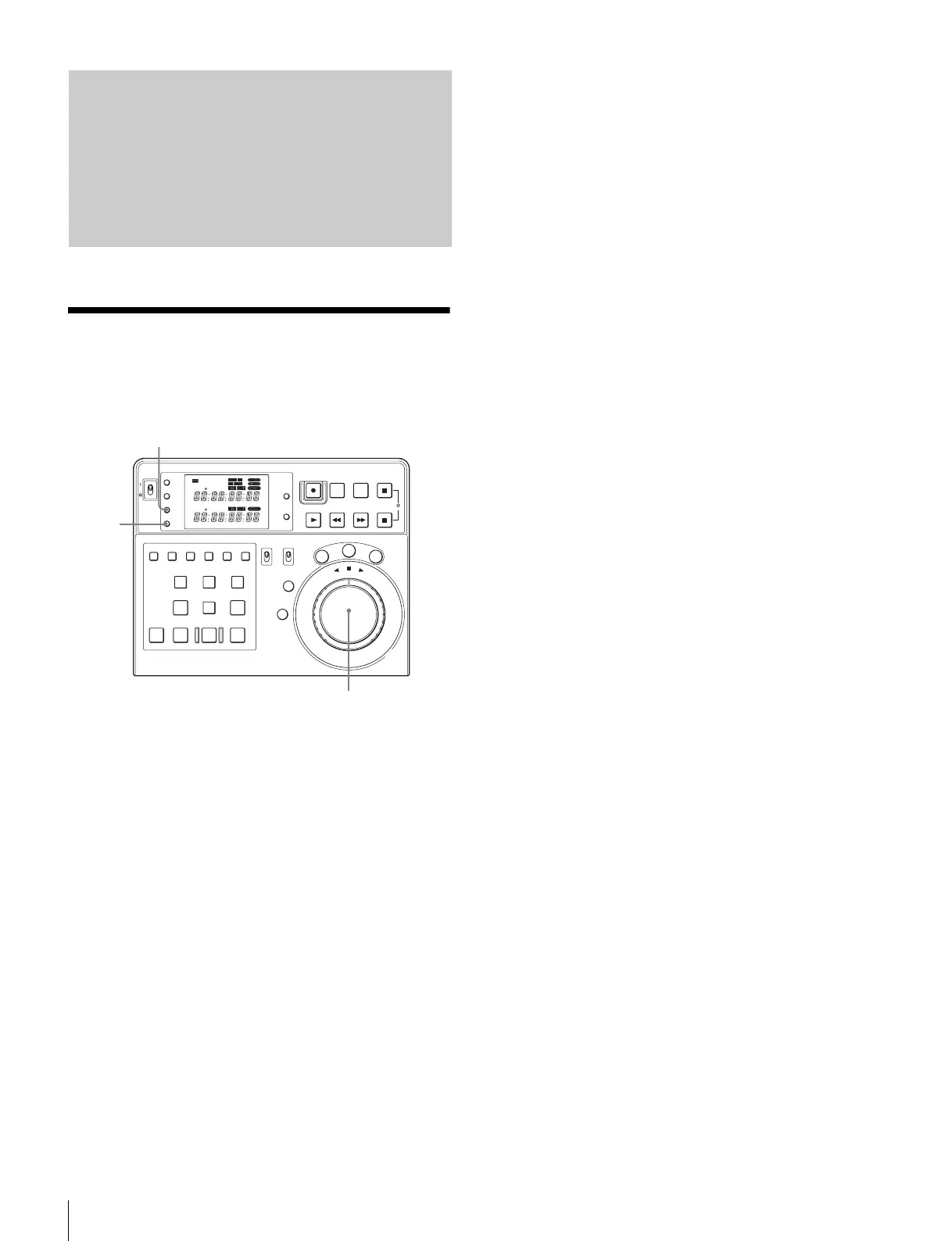
Setup Menu Operations
1
Press the MENU button.
The setup menu presently selected appears on the time
data display.
2
Turn the jog dial to display the desired menu item.
Press the JOG button, then turn the jog dial to select
the item. The item selected flashes.
3
Press the SET button to change the setting.
When the item is set, the item changes from flashing to
continuously lit.
4
Repeat the step 2 and 3 when you set other items.
5
Press the MENU button to quit the setup menu.
Setup Menu
POWER
TC
IN OUT
PLAYER
RTCTL
DEVICE 2
RTC
CTL
LEARN
RESET
REC EDIT
JOG
SHTL
VAR
EDITING CONTROLLER
RM
-
280
PREROLL PAUSE
PLAY REW FF STOP
STANDBY
RESET
MENU
SET
ASSEMBLE
VIDEO
TRIM
-
TRIM+
GO TO/SPLIT IN
PF7 PF8 PF9
PF4 PF5 PF6
PF1 PF2 PF3
IN ENTRY OUT
REVIEW / JUMP
PREVIEW AUTO EDIT ALL STOP
A1 A2 A3 A4
PF10 PF11 PF12 PF13 PF14 PF15
EDITOR
PLAYER
DEVICE 2
DEVICE 1
RECORDER
REMOTE
CONTROL
KEY INHI
ON
OFF
RECORDER
RTCTL
DEVICE 1
1, 5
2
3















 To Next Page