64
Using as an Editor
Single editing display
In the single editing mode, “SGL_EDIT” is displayed on
the time data display of the PLAYER (DEVICE 2) in the
display window.
DMC Editing
By controlling the player playback speed from this unit,
you can achieve variable speed editing.
You cannot perform DMC editing when the system
frequency is set to 24 FRM or 23.98 FRM in setup menu
item 15 (see page 76).
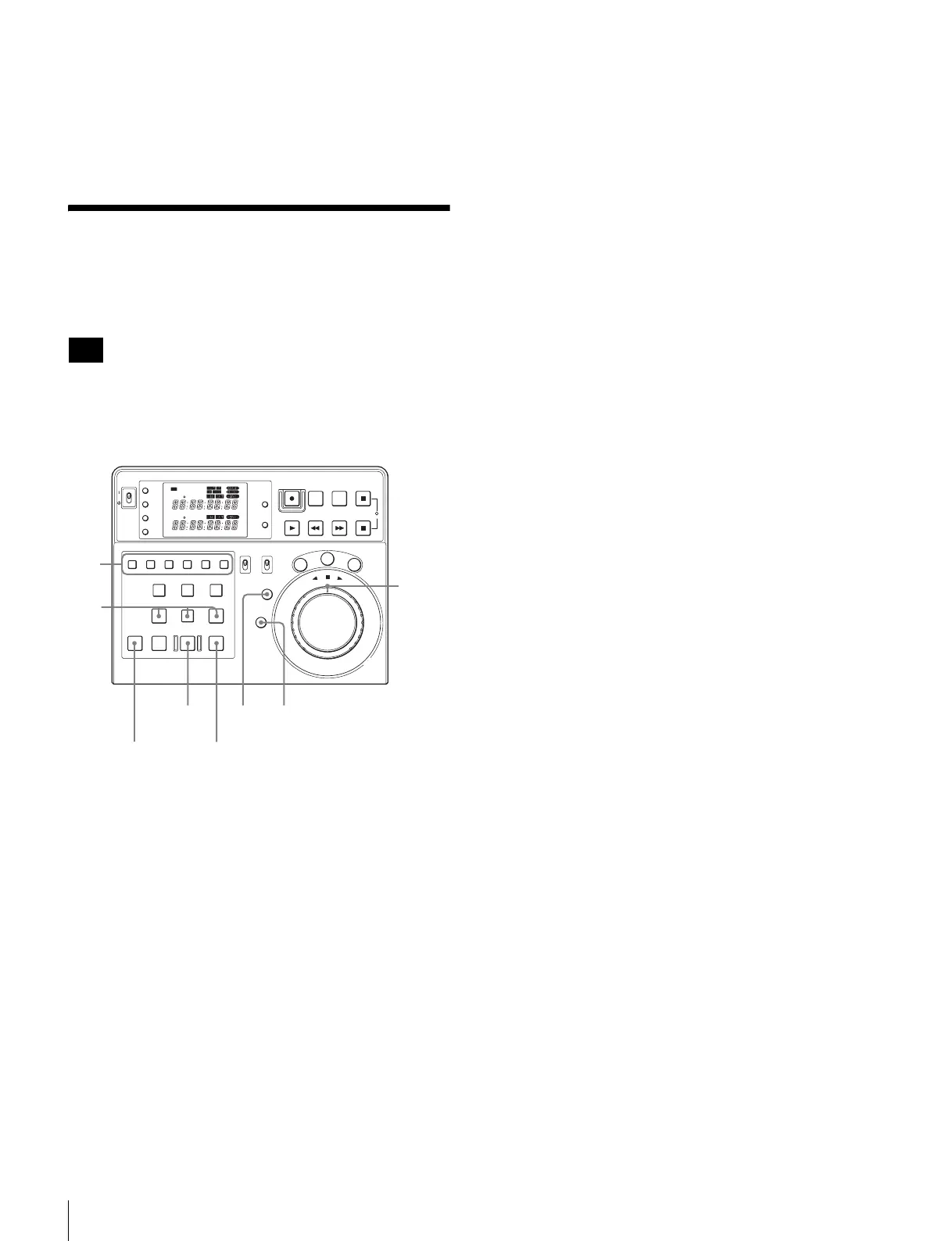
1
Press the ASSEMBLE button or the desired INSERT
button to select the editing mode.
2
Press the RECORDER button.
3
Press the ENTRY button simultaneously with the IN
or OUT button to set the edit point.
4
Press the ALL STOP button simultaneously with the
PLAYER button.
The ALL STOP button lights up and the unit enters the
DMC Editing mode. “DMC EDIT” is displayed on the
time data display of the PLAYER (DEVICE 2) in the
display window for 1 second.
5
Turn the outer ring of the search dial while
simultaneously pressing with the ALL STOP button to
set the variable speed.
“DMC INIT” is displayed on the time data display of
the PLAYER (DEVICE 2) in the display window and
the speed you set is displayed on the time data display
of the RECORDER (DEVICE 1).
This unit continues to store the variable speed data,
while the ALL STOP button is held down.
The speed that can be set depends on the settings of
setup menu item 28 (see page 78).
6
Release the ALL STOP button when the setting
operation is completed.
The settings are stored.
7
Press the PREVIEW button.
“DMC EDIT” is displayed on the time data display of
the PLAYER (DEVICE 2) in the display window for 1
second.
The recorder and the player start operating.
8
Turn the outer ring of the search dial to set the DMC
speed when the tape running of recorder passes the IN
point.
The tape speed of the player varies and the speed
variation is stored in the unit.
The tape speed storing finishes when the tape running
of recorder passes the OUT point.
The data can be stored for a maximum of 2 minutes. If
2 minutes or more pass, the tape will run at variable
speed.
9
Press the PREVIEW button again to check the DMC
speed you set.
“DMC EDIT” is displayed on the time data display of
the PLAYER (DEVICE 2) in the display window for 1
second.
The player plays back at the speed stored in step 8
when the tape running of recorder passes the IN point.
To change the DMC speed you set
Perform steps 7 and 8, again.
The DMC speed is overwritten from the position to
which the outer ring of the search dial is turned.
10
Press the AUTO EDIT button.
Automatic editing is performed at the speed stored in
steps 5 to 8.
“DMC EDIT” is displayed on the time data of the
PLAYER (DEVICE 2) display in the display window
for 1 second after the DMC editing has started.
Note
POWER
TC
IN OUT
PLAYER
RTCTL
DEVICE 2
RTC
CTL
LEARN
RESET
REC EDIT
JOG
SHTL
V
AR
EDITING CONTROLLER
RM
-
280
PREROLL PAUSE
PLAY REW FF STOP
STANDBY
RESET
MENU
SET
ASSEMBLE
VIDEO
TRIM
-
TRIM+
GO TO/SPLIT IN
PF7 PF8 PF9
PF4 PF5 PF6
PF1 PF2 PF3
IN ENTRY OUT
REVIEW / JUMP
PREVIEW AUTO EDIT ALL STOP
A1 A2 A3 A4
PF10 PF11 PF12 PF13 PF14 PF15
EDITOR
PLAYER
DEVICE 2
DEVICE 1
RECORDER
REMOTE
CONTROL
KEY INHI
ON
OFF
RECORDER
RTCTL
DEVICE 1
5,8
2
3
4,57,9
10 4
1















 To Next Page