66
Using as a Remote Controller
1)
When you press the PREVIEW button while pressing RECORDER
(DEVICE 1) / PLAYER (DEVICE 2) button, the setting values for setup
menu item 12/13 appear in the time data display.
2)
When you press the PF1 to PF15 buttons while pressing RECORDER
(DEVICE 1) / PLAYER (DEVICE 2) button, the function assigned to the
pressed button appears in the time data display.
To switch remote control modes
1
Display the setup menu.
2
Configure setup menu items 12, 13, and 19 according
to the above table to switch to the desired mode.
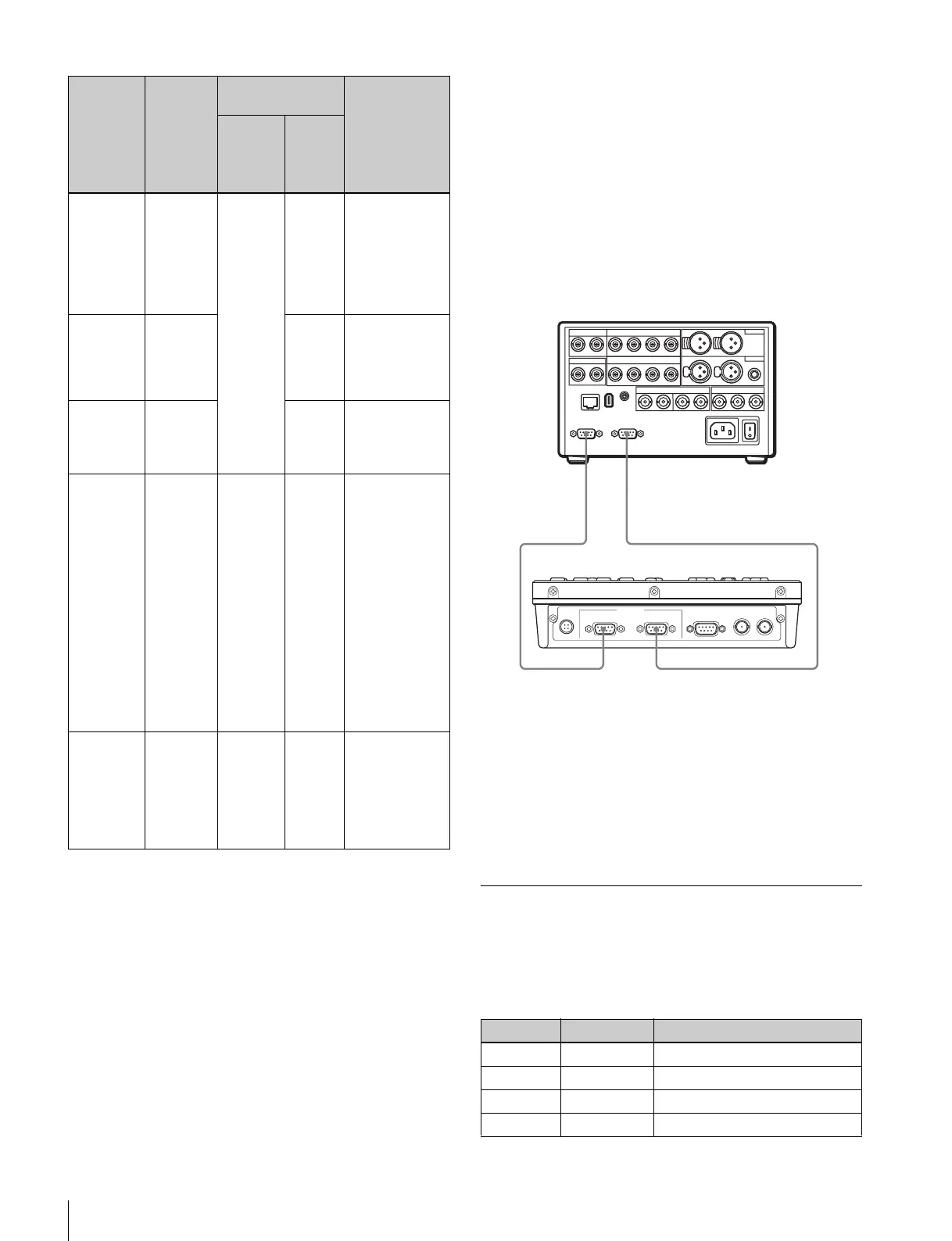
When Selecting DSR-DR1000A Replay
Mode
In this mode, set the DSR-DR1000A/DR1000AP
connected to this unit as follows.
PANEL SELECT section: The P button is lit.
LINE OUT SELECT button and indicators: Both the R
and P indicators are lit.
Setup menu item REMOTE I/F: 9PIN (DUAL)
Connection to this unit:
KEY INHI switch in this mode
In this mode, you can disable the following button
operations by setting the KEY INHI switch to ON: the
REC, EDIT, PREROLL, PAUSE, PLAY, REW, FF, and
STOP buttons. Use this switch to prevent accidental button
operation.
Modes and Functions of the PF Keys
Basic VTR function mode
When setup menu items 12 and 13 are “NO DEF”, the
functions are as follows.
Remote
control
mode
Template
number
Setup menu item
setting
Functions
assigned to
PF1 to PF15
buttons
19: FNC
MODE
12: DV1
PFKY
1)
13: DV2
PFKY
1)
Basic VTR
function
mode
1 NORMAL NO DEF F9: Start the ten-
key input
function
2)
. (All
other buttons
are not
assigned.) (see
page 66)
Basic VTR
function
mode +
extended
functions
VTR
DEF
Basic VTR
commands
2)
.
(see page 67)
Basic VTR
function
mode +
multi cue
MULT
CUE
Register cue
points, cue up,
etc.
2)
(see page
67)
XDCAM
mode
2 XDCAM No
function.
Perform,
thumbnail
search, scene
selection, and
essence mark
operations. (see
page 67)
Different
functions are
assigned based
on whether the
PREVIEW
button is
pressed
simultaneously.
(see page 69)
DSR-
DR1000A
replay
mode
3 REPLAY No
function.
Configure cue
points, start
playback from a
certain amount
of time ahead,
etc. (see page
69)
Key Display Function
PF1 – No function.
PF2 – No function.
PF3 – No function.
PF4 – No function.
DC IN
RECORDER
(
DEVICE 1
)
PLAYER
(
DEVICE 2
)
RS232C
REC TALLY
OUTPUT
REF
IN / OUT
REMOTE
(
9P
)
REMOTE (9P)
RECORDER (DEVICE 1)
REMOTE IN (R) REMOTE OUT (P)
REMOTE (9P)
PLAYER (DEVICE 2)
RM-280
DSR-DR1000A/DR1000AP















 To Next Page