116
GB
Switching the monitors
that output the HDMI
video signals
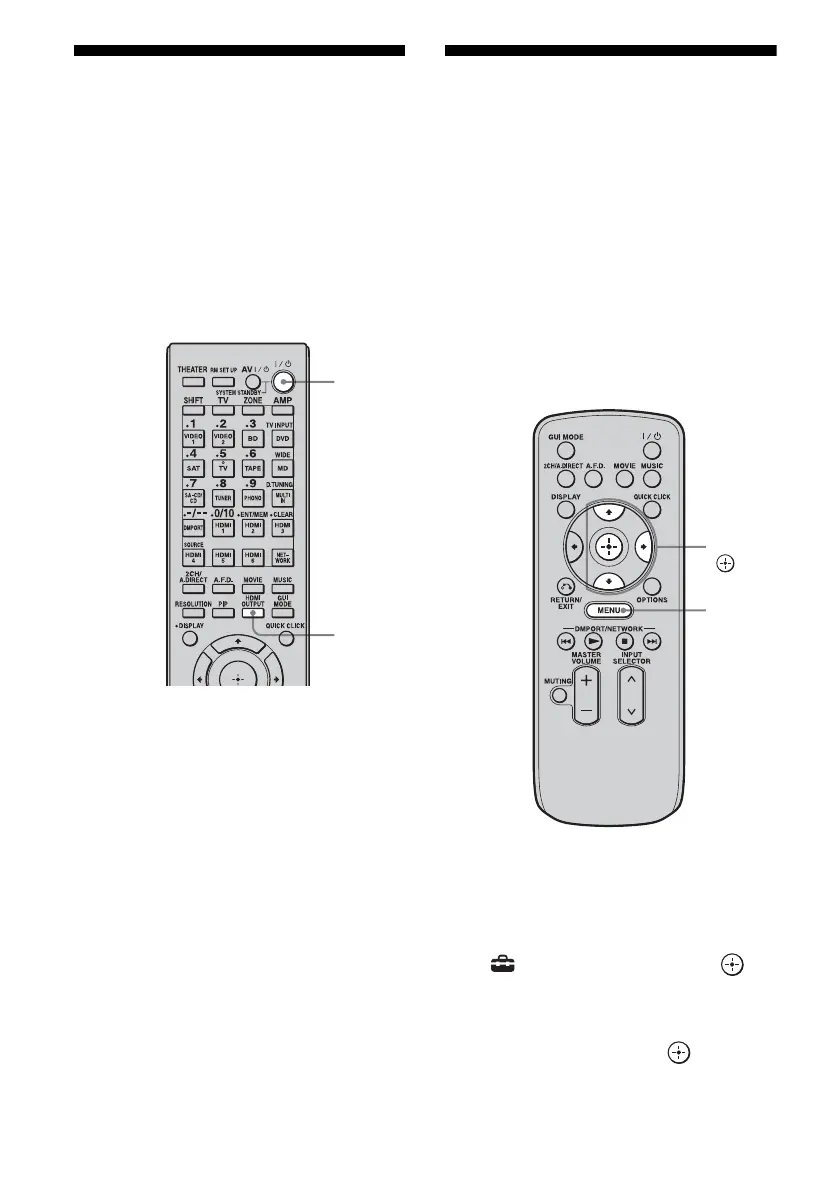
When you have two monitors connected to the
HDMI OUT A and HDMI OUT B jacks, you
can switch the output for these two monitors
using the HDMI OUTPUT button on the
multifunction remote. This operation cannot
be performed using the simple remote.
1 Turn on the receiver and the
two monitors.
2 Press HDMI OUTPUT.
Each time you press the button, the output
will be switched as follows:
HDMI A t HDMI B t HDMI A + B
t OFF t HDMI A…
You can also use the HDMI OUT button
on the receiver.
Notes
• If the compatible video format differs between the
monitors connected to the HDMI OUT A jack and
the HDMI OUT B jack of the receiver, “HDMI
A + B” may not work.
• Depending on the playback component you
connect, “HDMI A + B” may not work.
Outputting the HDMI
signals even when the
receiver is in standby
mode (Pass Through)
You can output the video and audio signals
from the HDMI IN jack to the TV connected to
the HDMI OUT jack even when the receiver is
in standby mode.
When you activate this function, make the
settings for “Pass Through” following the
steps below.
1 Press MENU.
The menu is displayed on the TV screen.
2 Press V/v repeatedly to select
“ Settings,” then press or
b.
3 Press V/v repeatedly to select
“HDMI,” then press or b.
?/1
HDMI
OUTPUT
V/v/b,
MENU















 To Next Page