98
GB
Listening to Rhapsody
You can enjoy the Rhapsody Digital Music
Service, without turning on a computer, by
connecting your receiver to the internet.
Rhapsody is only available in the US.
Rhapsody Digital Music Service
Play all the music you want with Rhapsody
®
Thousands of artists. Millions of songs.
Rhapsody is the critically-acclaimed digital
music service that gives you unlimited access
to a massive music catalog of millions of songs
and thousands of artists. You’ll also get
exclusive content, personalized
recommendations, DJ/ad-free listening on
“Rhapsody Channels” and more.
Try Rhapsody Now – Free 30 day Trial
For more information go to:
www.rhapsody.com/sonystr
Before using the Rhapsody Digital Music
Service, it is necessary to register an account
using your computer.
Refer to www.rhapsody.com/sonystr for
details.
Sign in using your account on the receiver.
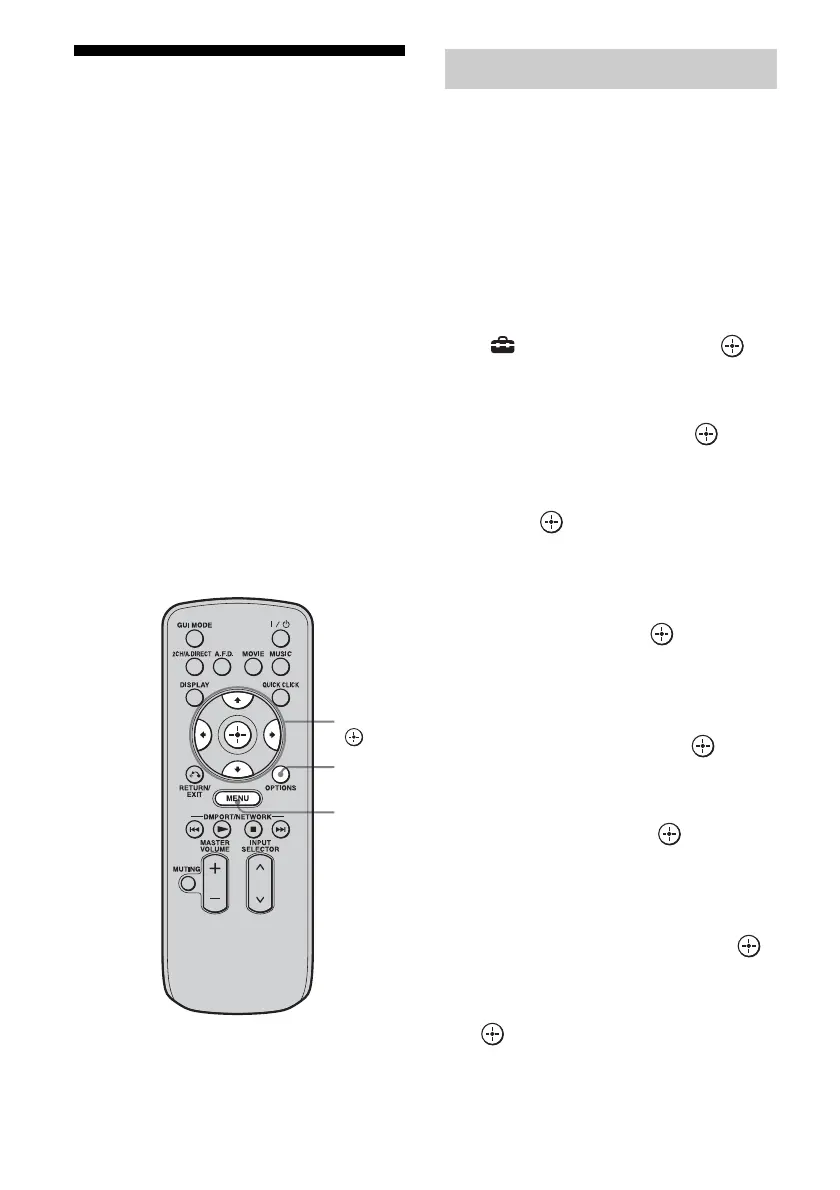
1 Press MENU.
The menu is displayed on the TV screen.
2 Press V/v repeatedly to select
“ Settings,” then press or
b.
3 Press V/v repeatedly to select
“Network,” then press or b.
4 Press V/v repeatedly to select
“Rhapsody Account,” then
press .
The confirmation screen for account input
appears on the TV screen.
5 Press B/b repeatedly to select
“Yes,” then press .
The account input screen appears on the
TV screen.
6 Press V/v to select the user
name box, then press .
The soft keyboard appears on the TV
screen.
7 Press V/v/B/b and to select
a character one by one to enter
your user name.
8 Press V/v/B/b repeatedly to
select “Finish,” then press .
9 Press V/v repeatedly to select
the password box, then press
.
V/v/B/b,
MENU
OPTIONS
Setting an account















 To Next Page