62
GB
Enjoying sound/images
from the component
connected to the receiver
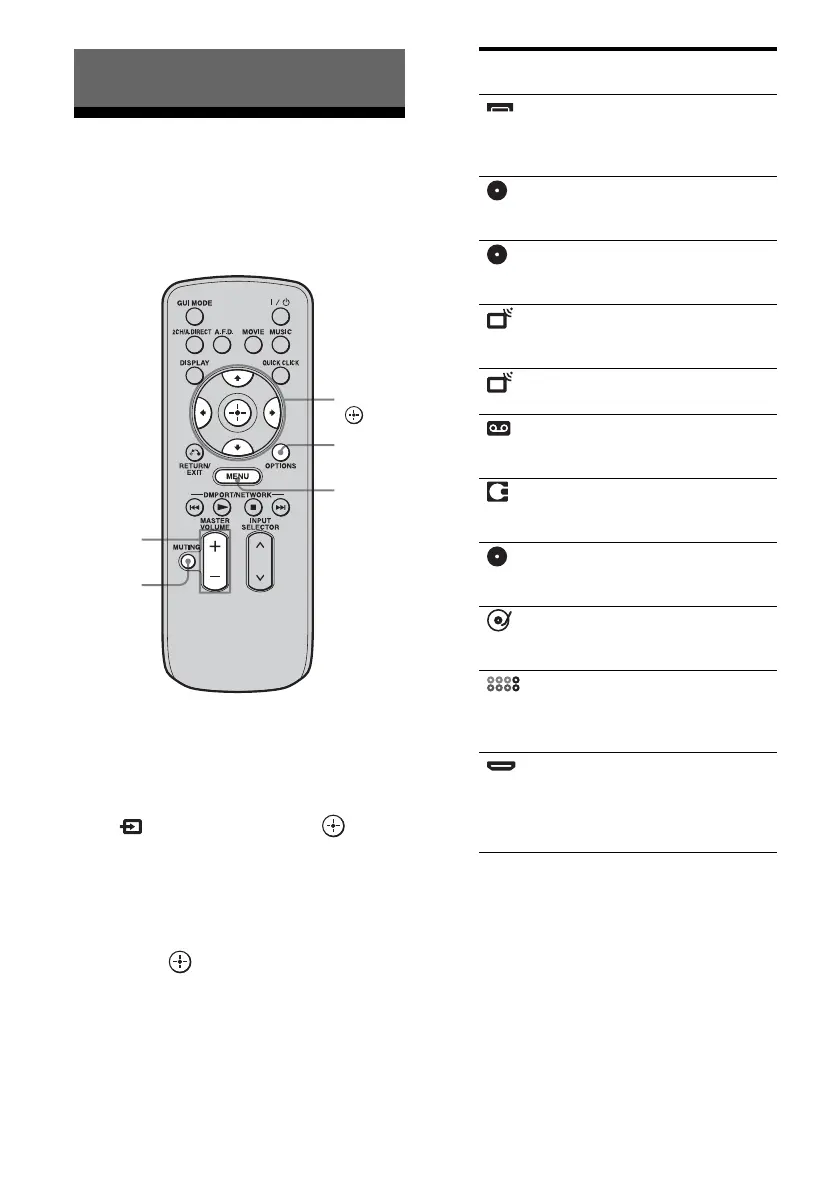
1
Press MENU.
The menu is displayed on the TV screen.
2 Press V/v repeatedly to select
“ Input,” then press or b.
The menu item list appears on the TV
screen.
3 Press V/v repeatedly to select
the component you want, then
press .
The menu screen disappears and the
playback screen of the external input
appears.
4 Turn on the component and
start playback.
5 Press MASTER VOLUME +/– to
adjust the volume.
Tips
• You can adjust the volume differently depending
on the speed with which you turn the MASTER
VOLUME knob.
Playback
MASTER
VOLUME
MUTING
OPTIONS
MENU
V/v/B/b,
Selected input Components that
can be used
Video1,
Video2
VIDEO 1, 2 VCR, etc.,
connected to the
VIDEO 1 or VIDEO 2
jack.
BD Blu-ray Disc Player,
etc., connected to the
BD jack.
DVD DVD player, etc.,
connected to the DVD
jack.
SAT Satellite tuner, etc.,
connected to the SAT
jack.
TV TV connected to the TV
jack.
Tape Tape deck, etc.,
connected to the TAPE
jack.
MD MD deck, etc.,
connected to the MD
jack.
SA-CD/CD Super Audio CD or CD
player, etc., connected
to the SA-CD/CD jack.
Phono Turntable, etc.,
connected to the
PHONO jack.
Multi in Component connected
to the MULTI
CHANNEL INPUT
jack.
HDMI1, 2, 3,
4, 5, 6
HDMI components
connected to the
HDMI1, HDMI2,
HDMI3, HDMI4,
HDMI5, or HDMI6 jack.















 To Next Page