160
GB
Setting components that
are operated by the on-
screen remote
1
Press MENU.
The menu is displayed on the TV screen.
2 Press V/v repeatedly to select
“ Settings,” then press or
b.
3 Press V/v repeatedly to select
“Quick Click,” then press or
b.
4 Press V/v repeatedly to select
“Source Component,” or
“Common Component,” then
press .
5 Press V/v repeatedly to select
the component you want, then
press .
6 Press V/v repeatedly to select
“Preset Mode,” then press .
7 Press V/v repeatedly to select
the input (including a TV) for
the component you want to set
up, then press .
8 Press V/v repeatedly to select
the maker name, then press .
9 Press V/v repeatedly to select
the code, then press .
If you want to have a test, select “Play” on
the TV screen.
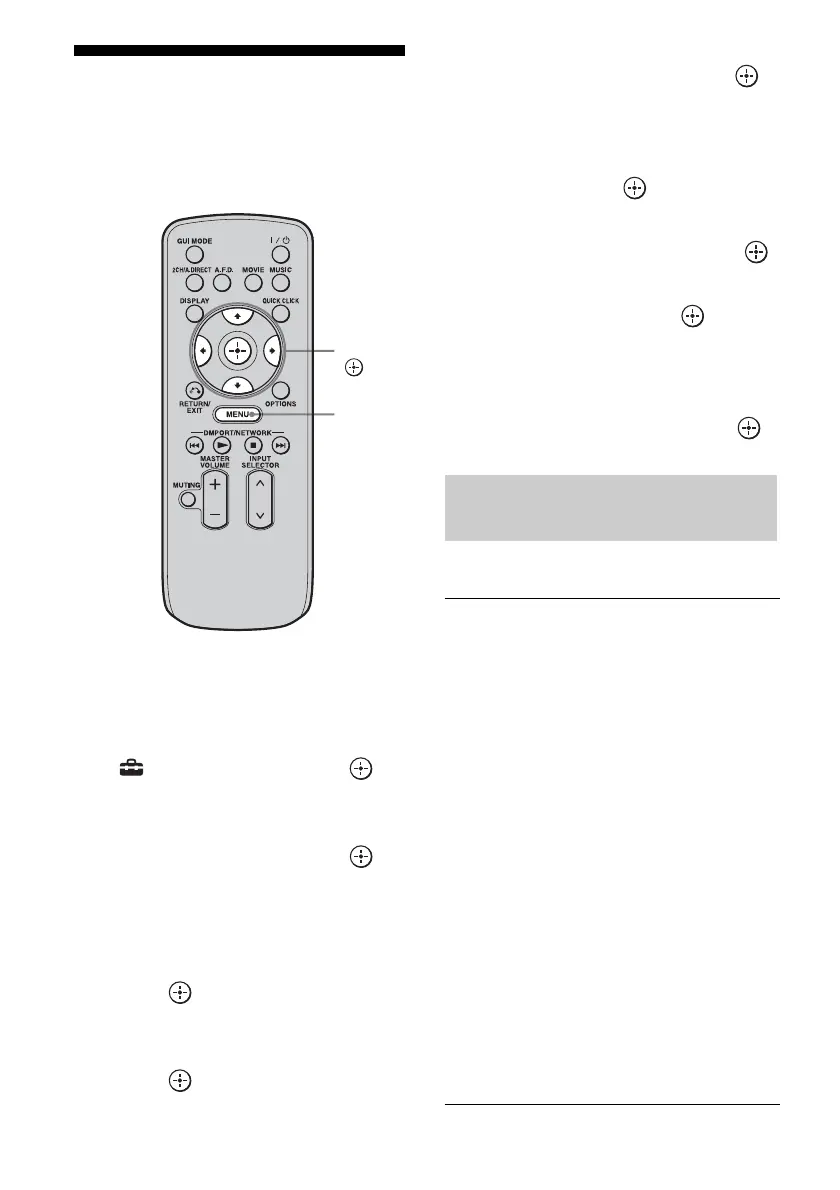
10Press V/v/B/b repeatedly to
select “Finish,” then press .
TV (for USA/Canadian model)
V/v/B/b,
MENU
The maker list of the
corresponding component
SONY ABEX
ADMIRAL ADVENT
ADVENTURA AIWA
AKAI A MARK
ANAM AOC
APEX ARCHER
AUDINAC AUDIOVOX
BELL & HOWELL BROKSONIC
CANDLE CCE
CINERAL CITIZEN
COBY CRAIG
CROSLEX CROWN
CTX CURTIS MATHIS
DAEWOO DAYTRON
DUKANE DURABRAND
EMERSON EMPREX
ESA FISHER
FUJITSU FUNAI
GE GOLDSTAR
GRADIENTE HAIER
HITACHI HP
ILO INSIGNIA
JANEIL JC PENNEY















 To Next Page